
Flexible palette editing
Build palettes with 5, 4, 3, or 2 colors and adjust each color cell individually. The interface also supports randomizing colors or removing cells when you want to simplify a palette.

PaletteMaker is a free web-based color palette generator for designers and non-designers. Build palettes, preview them on real design examples, and export in Procreate, Adobe ASE, image, or code.
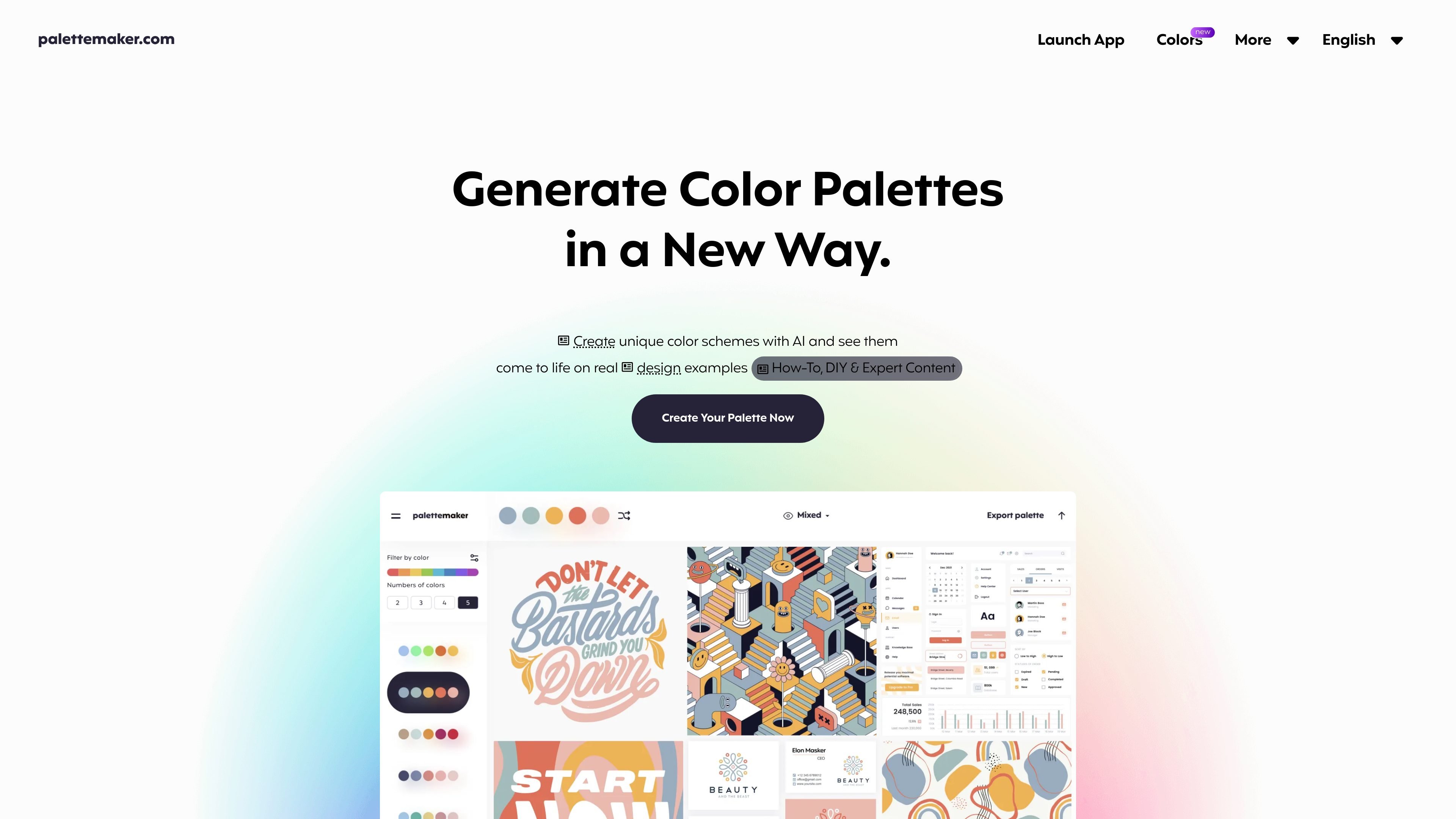
PaletteMaker is a web-based AI color palette generator that helps users create palettes and preview them on real design contexts. The home page describes it as a free color tool for creatives and color lovers, with previews for UI/UX, illustrations, web, apps, branding, logo design, patterns, posters, and related visual work.
Its core workflow is built around selecting or editing a palette, then seeing how those colors behave in pre-made examples. The site also says palettes can be filtered by tone and number of colors, and exported in formats such as Procreate, Adobe ASE, image, and code.
Build palettes with 5, 4, 3, or 2 colors and adjust each color cell individually. The interface also supports randomizing colors or removing cells when you want to simplify a palette.
Preview palettes across pre-made design examples from common creative fields such as logo design, UI/UX, posters, patterns, and illustrations. This helps users see how colors behave in context, not just in isolation.
Filter palettes by color tone and number of colors, which makes it easier to work from a starting point that matches the type of palette you want to build.
Export palettes in formats listed on the home page, including Procreate, Adobe ASE, image, and code. That makes the tool useful both for presentation and downstream design workflows.
The site presents PaletteMaker as a free web app created by professional designers, with no paid feature gating described on the available pages.
The website includes supporting articles on color theory and palette creation, giving users additional guidance alongside the app itself.
Test whether a palette works across common brand assets and layouts, such as logos, landing pages, and related visual systems. The pre-made previews help users check contrast and overall behavior before committing to a direction.
Evaluate color combinations for interface work by viewing them in UI/UX-style previews. This is useful when you need to understand how a palette feels on screens rather than as isolated swatches.
Develop color directions for illustrations, posters, patterns, and other creative pieces. The site explicitly positions itself for these fields and provides visual examples to support them.
Use the palette editor as a teaching or learning aid while studying color harmony and value. The supporting articles on color theory and palette creation make the product useful for practice as well as production.
Create a palette and export it into another tool or asset format when moving from exploration into production. The site lists Procreate, Adobe ASE, image, and code as export targets.
PaletteMaker is designed to be simple and intuitive. You start with the palette strip, browse schemes in the left panel, and then randomize, edit individual colors, or delete color cells as needed.
Yes. The site says PaletteMaker is a 100% free web app and that all current features are free forever.
Yes. The site says it was crafted so both designers and non-designers can use it comfortably.
PaletteMaker is built around 5-, 4-, 3-, and 2-color palettes, and it automatically adapts to those palette sizes.
The site describes a how-to guide for creating color palettes and a separate color theory article, which suggests the product is supported by educational content rather than a complex setup flow.