
Agent discovery
Continuously inventories AI agents across endpoints, browsers, and network traffic so teams can identify where agents are running and distinguish allowed from disallowed agents.

Oso for Agents is an AI agent security and control platform for discovering, monitoring, detecting, and governing AI agents in production with alerts and logs.
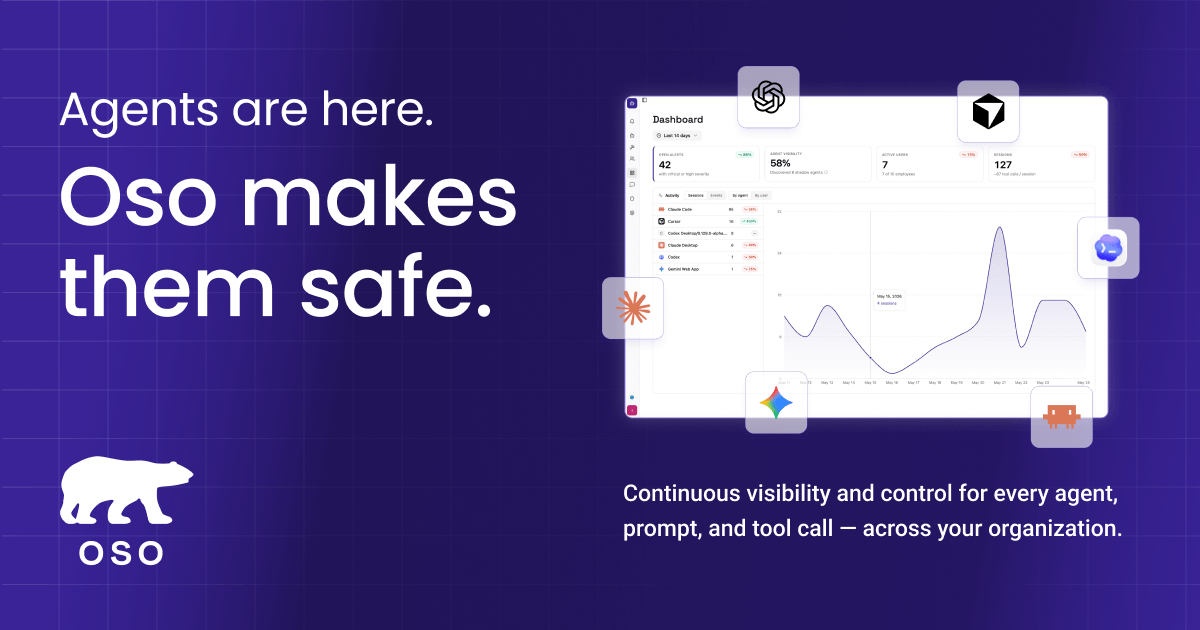
Oso for Agents is an AI agent security and control platform for teams that need visibility into how agents are being used and guardrails around what they can do. It focuses on discovery, monitoring, detection, and policy enforcement for agents running across employee devices and internal systems.
The product is designed for environments where AI agents have real access to filesystems, code repositories, cloud APIs, and internal tools. Its stated purpose is to help security and engineering teams run agents in production with more confidence while enforcing least-privilege controls and keeping an auditable record of agent activity.
Continuously inventories AI agents across endpoints, browsers, and network traffic so teams can identify where agents are running and distinguish allowed from disallowed agents.
Captures prompts, completions, and tool calls for monitored agents, creating a session timeline that can be used to review behavior or investigate incidents.
Generates alerts for unsanctioned agents and sensitive data in agent sessions, with delivery via Slack and links to investigation details.
Lets teams define policies for what agents can do, including blocking tool calls, requiring human approval, or generating alerts, enforced centrally at the network level.
Provides complete logs of agent actions and exportable compliance records for incident review and audit workflows.
Use Oso to find AI agents running on employee devices, in browsers, or in the terminal, then flag sanctioned and unsanctioned usage.
Use the session timeline to inspect prompts, completions, and tool calls when you need to understand what an agent did during a workflow or incident.
Use alerts and policy controls to detect sensitive-data exposure, stop risky tool usage, or block unknown MCP servers before they are allowed to act.
Use complete action logs and exportable records to support internal review, compliance requests, and step-by-step incident reconstruction.
Use the policy layer to define internal AI rules such as allowing only approved models or requiring human approval for specific actions.
Oso for Agents is aimed at teams that need visibility and control over AI agents running inside their organization. The docs describe discovery, monitoring, detection, and policy control for agents across endpoints, browsers, and network traffic.
The overview documents discovery of agents, session monitoring, alerting for unsanctioned agents or sensitive data, and policy-based control that can block tool calls, require human approval, or generate alerts.
The pricing page lists a Developer plan at $0 per user per month, a Growth plan at $15 per user per month, and an Enterprise plan with custom pricing.
The product pages point to use with approved AI traffic, agent sessions, and policies enforced centrally at the network level. The docs also note a quickstart for coding agents and an access flow that requires meeting with the company to get enabled.