Ninja AI logo

Ninja AI

Revendiquer

Ninja AI is a web-based AI agent for research, writing, coding, image generation and file analysis, plus SuperNinja for autonomous build and deployment tasks.

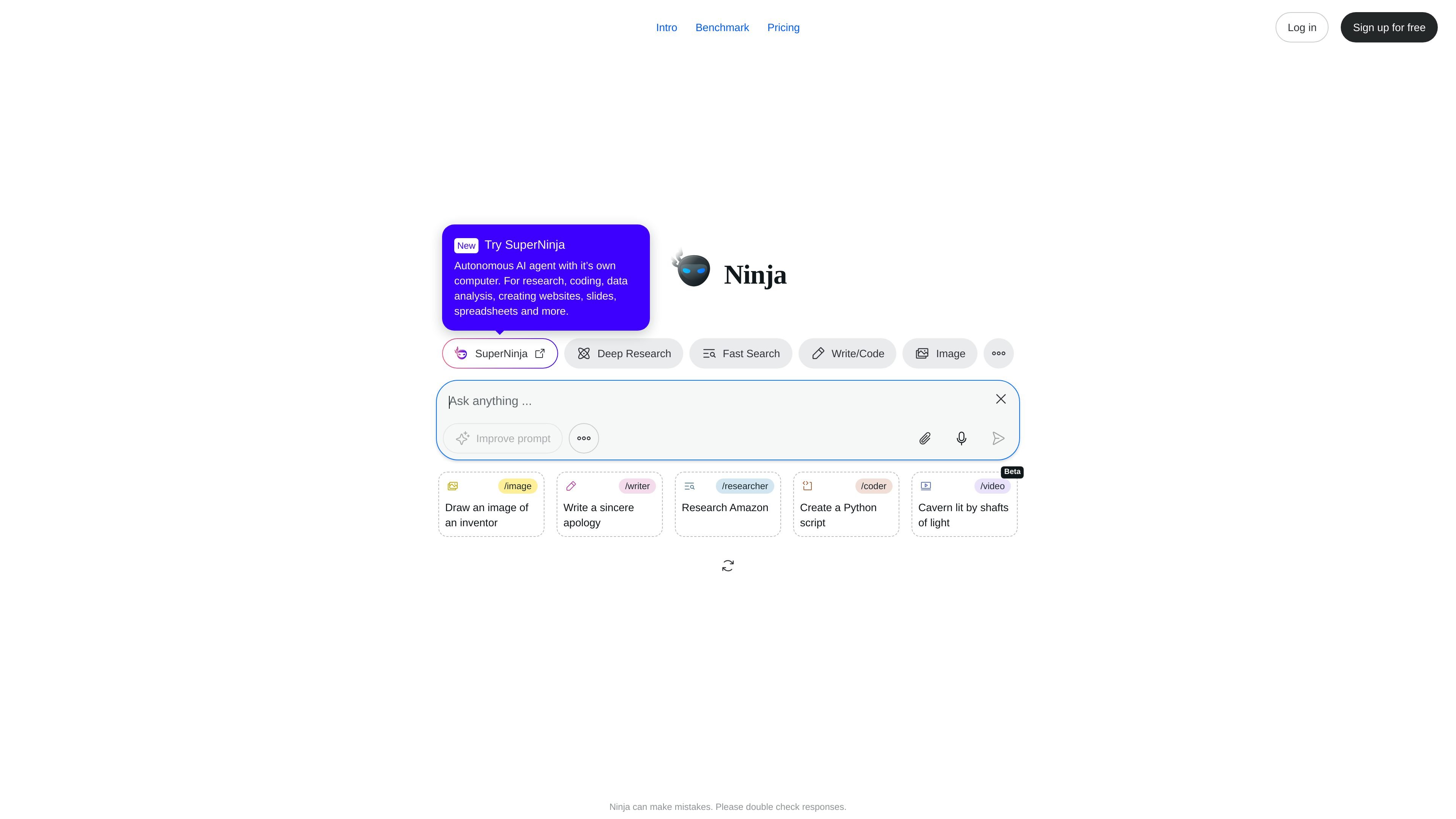
Ninja AI preview

Overview

Ninja AI is an all-in-one AI agent positioned for research, writing, coding, image generation, file analysis, and related productivity work. The homepage and pricing page present it as a single product that can handle multiple task types through modes such as Deep Research, Fast Search, Write/Code, Image, and Improve prompt/image.

Its SuperNinja offering adds an autonomous AI agent with its own computer for chat, research, building, and deployment. The login and sign-up pages also describe support for premium models from OpenAI, Anthropic, Google, and more, along with built-in editors and an undo feature for AI actions.

Core capabilities

Multiple task-oriented modes

The product is positioned around a set of AI modes for deep research, fast search, writing and coding, image work, and prompt or image improvement. These modes suggest it can switch between different task types rather than staying in one narrow chat interface.

Autonomous agent workflow

The SuperNinja pages describe an autonomous AI agent with its own computer, aimed at chat, research, building, and deployment. That makes it suitable for longer workflows that go beyond short prompt answers.

Access to premium model providers

The login and sign-up pages say the product includes premium AI models from OpenAI, Anthropic, Google, and more. That indicates users can access multiple model providers within one product.

Built-in editors

The source lists built-in VS Code, HTML, text, and image editors. These tools support editing and refining outputs inside the workflow instead of moving immediately to external apps.

Undo for AI actions

The product includes an AI Actions Time Machine feature to undo AI mistakes. This adds a recovery path when a generated result needs to be rolled back.

Support for mixed content and technical work

The homepage and pricing page show examples such as generating images, writing code, researching topics, and improving prompts or images. These examples suggest the product is designed for both content creation and technical tasks.

Common use cases

  • Research and background work

    Use the research modes for topic exploration, background reading, or summarizing a subject before drafting something else. The source explicitly mentions deep research, fast search, and example prompts like renewable energy and tourist attractions.

  • Writing and software tasks

    Use Write/Code and the SuperNinja agent for drafting code, creating Python scripts, or building applications and websites. The product pages also describe building and deploying work inside the agent flow.

  • Image generation and prompt refinement

    Use the image-related modes for generating images or improving prompt/image inputs. The homepage and pricing page both include image creation examples, which makes this useful for visual ideation and simple asset generation.

  • File and spreadsheet analysis

    Use the file analysis and spreadsheet-oriented workflow when you need an AI tool to work across documents or structured data. The source specifically mentions file analysis and spreadsheet creation as part of SuperNinja's scope.

  • Multi-step work in one workspace

    Use the platform when you want a single workspace with editors and model options instead of switching among separate apps. The login and sign-up pages indicate built-in editors and access to multiple model providers.

Pros and Cons

Pros

  • Combines several common AI work modes in one product, including research, writing, coding, and image generation.
  • Adds an autonomous SuperNinja agent for longer, multi-step tasks.
  • Mentions access to models from multiple major providers.
  • Includes built-in editors for code, HTML, text, and images.
  • Provides an AI Actions Time Machine to undo AI mistakes.

Cons

  • The source warns that Ninja AI can make mistakes and should be double checked.
  • Available page text does not provide detailed pricing amounts, plan limits, or a complete integration list.

FAQ

What is Ninja AI?

Ninja AI is presented as an all-in-one AI agent for tasks such as research, writing, coding, image generation, and file analysis. The pricing and login pages also describe SuperNinja as an autonomous AI agent with its own computer for chat, research, building, and deployment.

Is there a free way to start?

The source shows sign-up and login flows, and the sign-up page says users can start with free SuperNinja credits. The pricing page also invites visitors to try Ninja for free.

What tools and models does it include?

The source mentions access to premium AI models from OpenAI, Anthropic, Google, and more, plus editors for VS Code, HTML, text, and images. It does not provide a full integration list or detailed setup requirements.

What kinds of work can it help with?

The homepage and pricing page show use cases for research, writing, coding, image generation, prompt improvement, and file-related work. The login and sign-up pages also mention creating websites, slides, spreadsheets, and deploying work.

Are there any known limitations?

The source says Ninja AI can make mistakes and advises users to double check responses. It also does not document exact plan limits, pricing amounts, or supported third-party integrations in the available text.

Quick Facts

Category
AI Agent / Productivity
Platform
Web
Primary users
Individuals and businesses
Brand
Ninja AI
Source domain
myninja.ai
Notable workflow
Research, writing, coding, image generation, and file analysis