
AI document writing
Use AI Document Writer to continue drafting with autosuggest and automatically attached citations, helping you keep momentum while writing papers.

Logically is an AI workspace for citation-backed research, reference management, PDF annotation, and academic writing. Organize sources, annotate papers, and draft with citations.
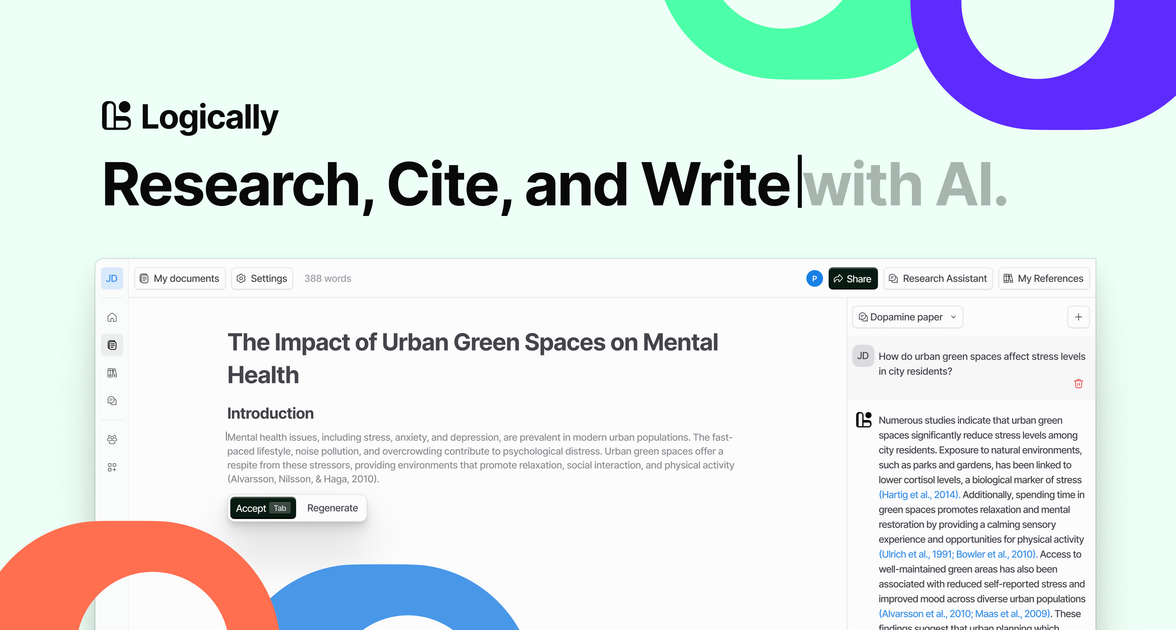
Logically is an AI-powered workspace for research, citation, reference management, PDF annotation, and academic writing. The site positions it as a single place to research, cite, and write faster, with tools for literature review, document drafting, and organizing source material.
The product combines an AI document writer, a reference manager, a file annotator, and an AI assistant. The homepage and pricing page also show mini tools for focused writing tasks, plus a free plan for personal use and a paid Unlimited plan for heavier use and team needs.
Use AI Document Writer to continue drafting with autosuggest and automatically attached citations, helping you keep momentum while writing papers.
Conduct citation-backed research with Logically AI Research Assistant and use it to explore papers and references from inside the workspace.
Upload, import, create, organize, and back up references, with support for shared libraries and folder-based organization.
Annotate PDFs and other supported files with text highlights, area highlights, sticky notes, and quick notes, then sync annotations back to your library.
Ask Logically AI to explain difficult concepts, understand highlighted areas, and work with annotations or paper content without leaving the document.
Use mini tools such as the citation generator, TL;DR generator, word counter, grammar checker, paraphraser, conclusion generator, and text humanizer for smaller writing tasks.
Draft papers with citation support, using autosuggest to continue writing and automatically attach relevant references as you work.
Collect papers, import sources from common formats, and keep them organized in folders or shared libraries for later retrieval.
Read a paper, highlight important passages, add sticky notes or area highlights, and ask AI to help explain difficult sections.
Run citation-backed research on existing papers and references when you need to gather source material more quickly.
Use the mini tools for focused tasks such as generating citations, cleaning up grammar, summarizing text, or checking word counts.
Logically is a research and writing workspace that combines citation-backed research, reference management, PDF annotation, and AI-assisted document writing in one product.
The source shows a free plan for personal use with access to all products, standard AI models, limited daily AI usage, and 100MB of reference and file storage. The Unlimited plan adds premium features, advanced and reasoning AI models, unlimited usage, unlimited storage, team administration tools, and a 30-day money-back guarantee.
Yes. The pricing page says the Unlimited plan includes a centralized admin portal, discounts for multiple seats, and an organization-specific contact flow.
The File Annotator page shows uploads for PDF, DOCX, TXT, MDOWN, EPUB, and PPTX files, and the pricing page also lists URL and DOI among supported reference formats.
The homepage and feature pages indicate that you can research with citation-backed AI, organize references, annotate papers, and then add annotations into documents while writing.