
Three processing modes
Choose between Standard Mode, Strict Mode, and Creative Mode to change how the text is rewritten before processing.

GPTHero is a free web-based text modifier for making text less likely to be flagged by AI detectors, with no login required.
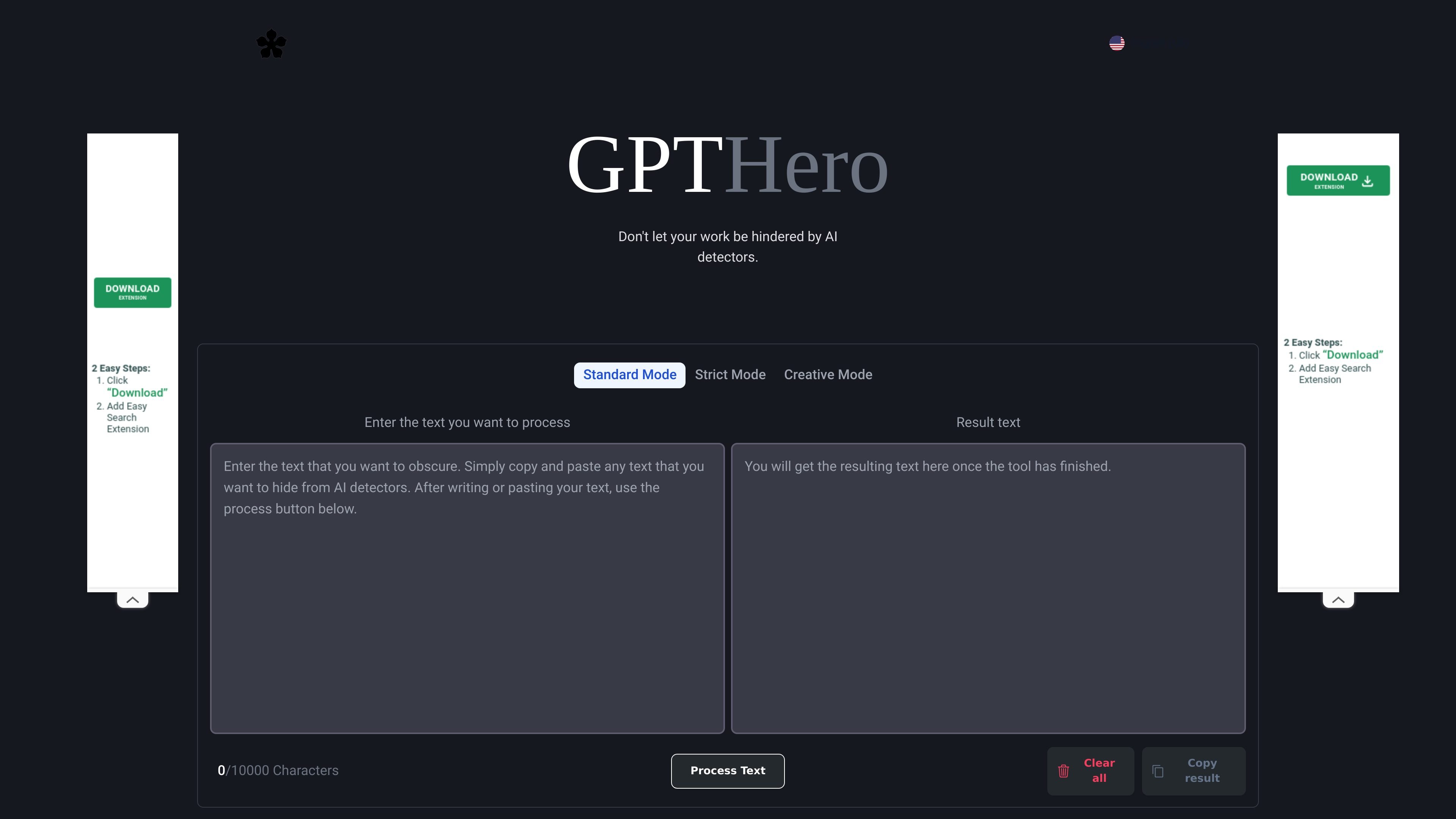
GPTHero is a free online text-modification tool focused on making input less likely to be identified by AI detectors. The homepage says it can be used to process text so it appears more human and notes testing against GPTZero and OpenAI’s AI classifier.
The interface is centered on a simple paste-and-process workflow: enter text, choose a mode, generate a result, and copy it out. The site positions the product for academic research use and states that it is not meant for academic fraud.
Choose between Standard Mode, Strict Mode, and Creative Mode to change how the text is rewritten before processing.
Paste text into the input area and run it through the tool to produce a modified result in the output field.
The page shows a 10,000-character limit for the text field, which helps users gauge how much content they can submit at once.
After processing, the result can be copied directly from the interface for reuse elsewhere.
The site states that no login is required, so users can access the tool without creating an account.
Useful when a user wants to paste a draft into the tool, apply one of the available modes, and review a rewritten version in the output box.
Useful for people comparing how the same passage changes under Standard, Strict, and Creative modes before choosing an output.
Useful for users who want to copy the processed text quickly after generation and move it into another document or workflow.
Useful for research-oriented users who want to evaluate whether the tool changes text in a way that may affect AI detector results, while staying within the site’s stated academic-research framing.
GPTHero is a free website that modifies input text to make it less likely to be flagged by AI detectors. The site says it focuses on text obfuscation for this purpose.
The site says GPTHero has been tested for GPTZero and OpenAI’s AI classifier. It also notes that results can vary across detectors, so users should test their own text.
Yes. The homepage says GPTHero is completely free to use and does not require a login.
The site says GPTHero is designed for academic research only and should not be used for academic fraud or passing off AI-generated work as your own.