
AI home staging
Automatically furnish or redecorate interior photos with styles adapted to the French market, and use Smart Staging for empty rooms.

Gepetto is a web-based AI photo studio for real-estate pros, with virtual staging, retouching, exterior edits and short video generation.
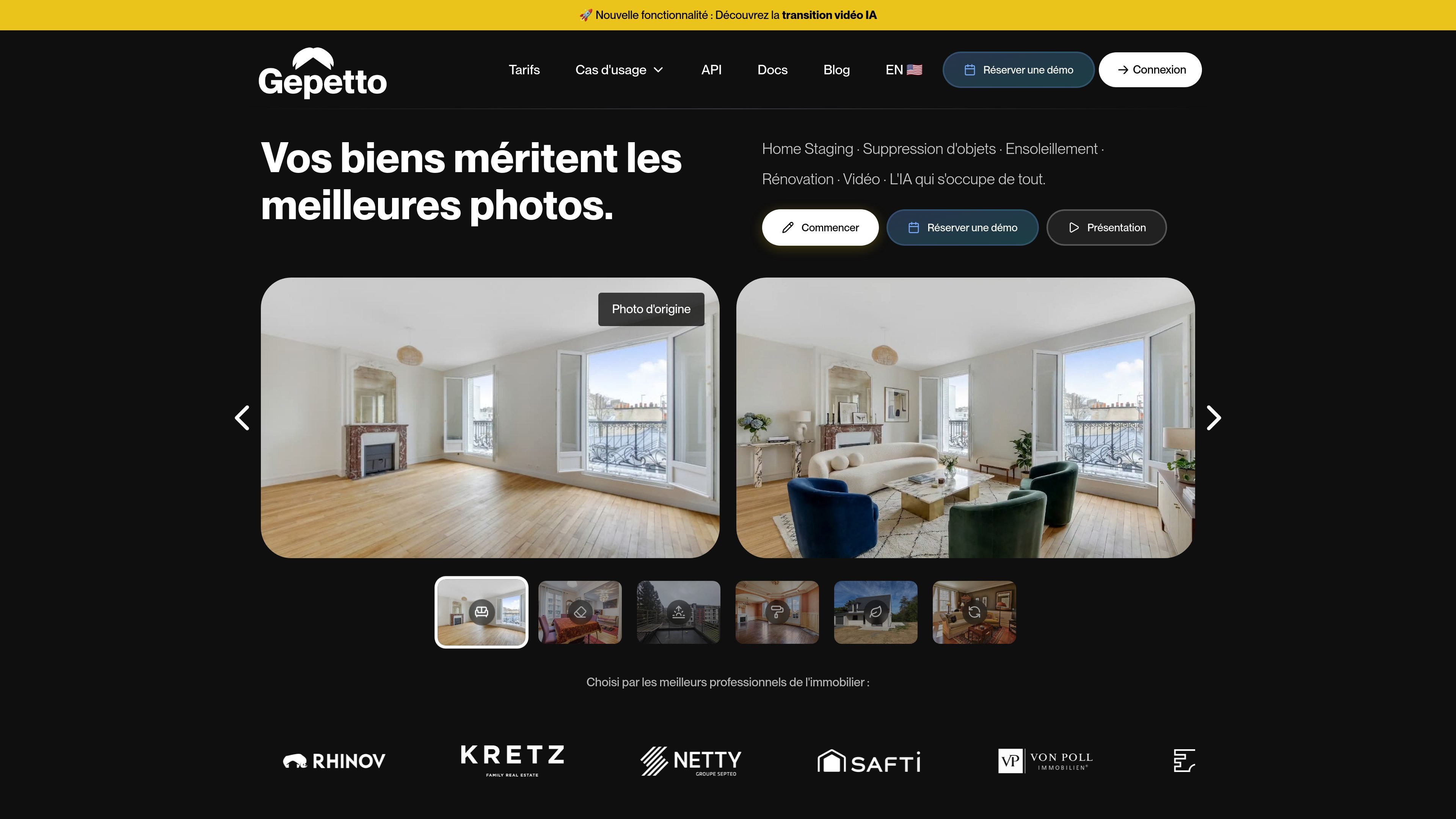
Gepetto is an AI photo studio for real-estate professionals. The site presents it as a tool for virtual home staging, decoration inspiration, retouching, renovation, sky enhancement and video generation, all from uploaded property images.
Its purpose is to help agents, photographers, agencies and real-estate networks produce cleaner, more credible visuals that support listing presentation and buyer projection without requiring technical editing skills.
Automatically furnish or redecorate interior photos with styles adapted to the French market, and use Smart Staging for empty rooms.
Remove objects, improve light and contrast, correct exposure, repaint walls, change floors, and apply other photo edits from the same workspace.
Transform exteriors by adding clearer skies, natural light, and layout changes for outdoor areas such as terraces or pools.
Create short animated real-estate videos from photos, with the pricing page describing 5-second videos sold per unit.
Convert 3D renders into more photorealistic images, which the site presents as a workflow for architectural visuals.
Prepare listing photos by furnishing empty rooms or refreshing furnished interiors so buyers can better understand the space.
Clean up distracting items, improve exposure, adjust contrast, or correct a dull sky before publishing a photo.
Update walls, floors, and other visible surfaces when a property is being marketed with renovation potential in mind.
Create short animated clips from property photos for social media or listing promotion, especially when a video format is useful.
Turn 3D sketches or renders into more realistic-looking images for presentations and early-stage property communication.
Gepetto is positioned as an AI photo studio for real-estate professionals. It covers virtual home staging, retouching, sky enhancement, renovation, style changes and short video generation from uploaded property photos.
The site says Gepetto accepts JPEG, PNG, WEBP and HEIC images. It also warns against using images with very low resolution.
Yes. The FAQ states that the Meubler mode can furnish empty rooms, and that Smart Staging is recommended for empty rooms only.
Yes. The Re-décorer mode can be used on already furnished spaces, and you can preserve selected elements with an exclusion mask.
Yes. Gepetto says commercial use is allowed with the Gepetto Pro offer, and the pricing page also lists commercial use and no watermark on paid plans.