
Visual app building
Build screens and app logic with a visual editor instead of starting from scratch in code. The home page highlights pre-designed UI elements and a visual Action Flow Editor for adding logic.

FlutterFlow is a visual development platform for building mobile, web, and desktop apps with logic, data integrations, collaboration, and code export.
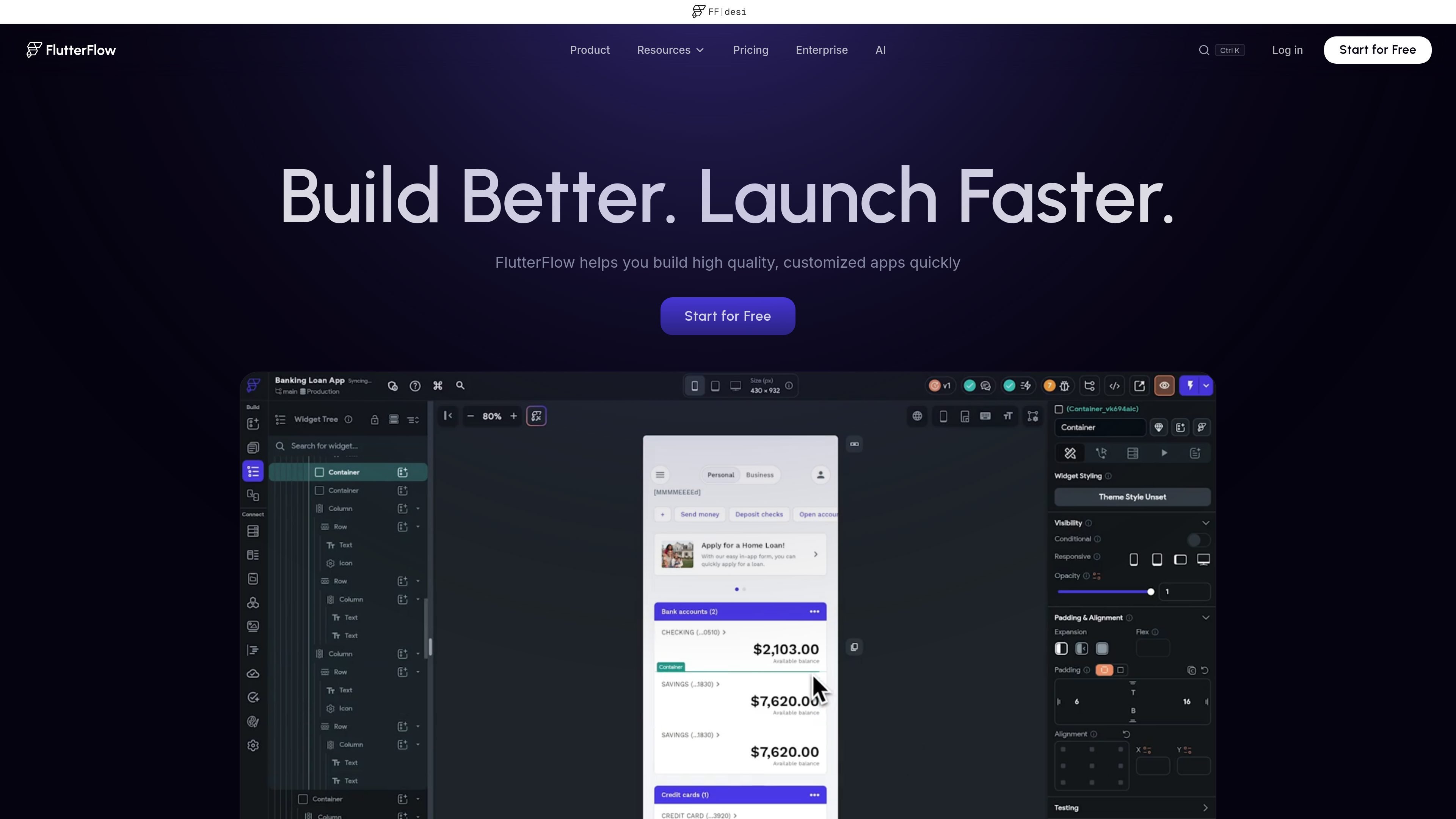
FlutterFlow is a visual development platform for building mobile, web, and desktop applications. It combines a drag-and-drop style app builder with logic editing, data connections, collaboration tools, and deployment options so teams can move from idea to working app in one environment.
The product is positioned for people who want to build faster without giving up code control. The source pages highlight visual UI construction, app logic, integrations with Firebase and Supabase, support for APIs and payments, code export to Flutter, and options for working with developers or agencies when extra help is needed.
Build screens and app logic with a visual editor instead of starting from scratch in code. The home page highlights pre-designed UI elements and a visual Action Flow Editor for adding logic.
Use built-in integrations to connect your app to Firebase, Supabase, third-party APIs, and REST backends. The pricing page also lists API endpoints and Swagger/OpenAPI imports on higher plans.
Work with teammates through branching, comments, tasks, and real-time collaboration features. The pricing page shows editor counts and branching limits by plan.
Move from prototype to shipped app with deployment paths for App Store, Play Store, and web. The pricing page also mentions web publishing, free subdomains, custom domains, and one-click store deployment.
Export your code to Flutter and continue development outside the platform when needed. The home page and pricing page both emphasize code export and code download.
Design with reusable systems and imports from external tools. The source pages mention design systems, Figma theme import, Figma frame import, custom fonts, icons, and typography controls.
Create a working app interface and basic interactions without hand-building every screen from code. The visual editor, prebuilt UI elements, and Action Flow Editor support fast early-stage product work.
Connect an app to a real backend using Firebase, Supabase, APIs, or REST services. This fits teams that need a visual front end tied to live data and existing services.
Collaborate across designers, developers, and product teams using branching, comments, tasks, and shared editing. The platform is set up for teams that need parallel work on the same project.
Ship to multiple targets from one project, including web and mobile app stores. The source pages specifically mention web publishing, App Store deployment, and Play Store deployment.
Bring in outside experts when a project needs specialized help with integrations, design systems, or end-to-end development. FlutterFlow lists certified developers, agencies, coaches, and implementation partners.
FlutterFlow is a visual development platform for building mobile, web, and desktop applications. The source pages describe it as a way to build apps visually, connect to data, collaborate with teammates, and export code.
The pricing page shows a Free plan and paid plans for individuals, teams, and enterprises. It also includes education pricing, but the source text does not provide full plan details for every audience.
Yes. The source pages say you can export code, with the pricing page listing code download on paid plans and the home page stating that you can export your code with the click of a button.
The source pages mention Firebase and Supabase integrations, API and REST backend connections, payments, maps, GitHub, Figma theme and frame import, localization, and deployment to App Store, Play Store, and web. The provided pages do not list every supported integration in a complete catalog.
FlutterFlow’s Work with Developers page describes a partner network of certified FlutterFlow developers, agencies, coaches, and implementation partners. The home page also points to documentation, trainings, and hiring a developer or agency if you need help.