
Prompt-based email generation
Start with a prompt, some copy, or a rough idea and Studio generates an email design from there, reducing the need to assemble a layout manually.

Flodesk Studio is a standalone AI app for on-brand emails from a prompt, draft, or idea. Free in beta; use with Flodesk or export HTML.
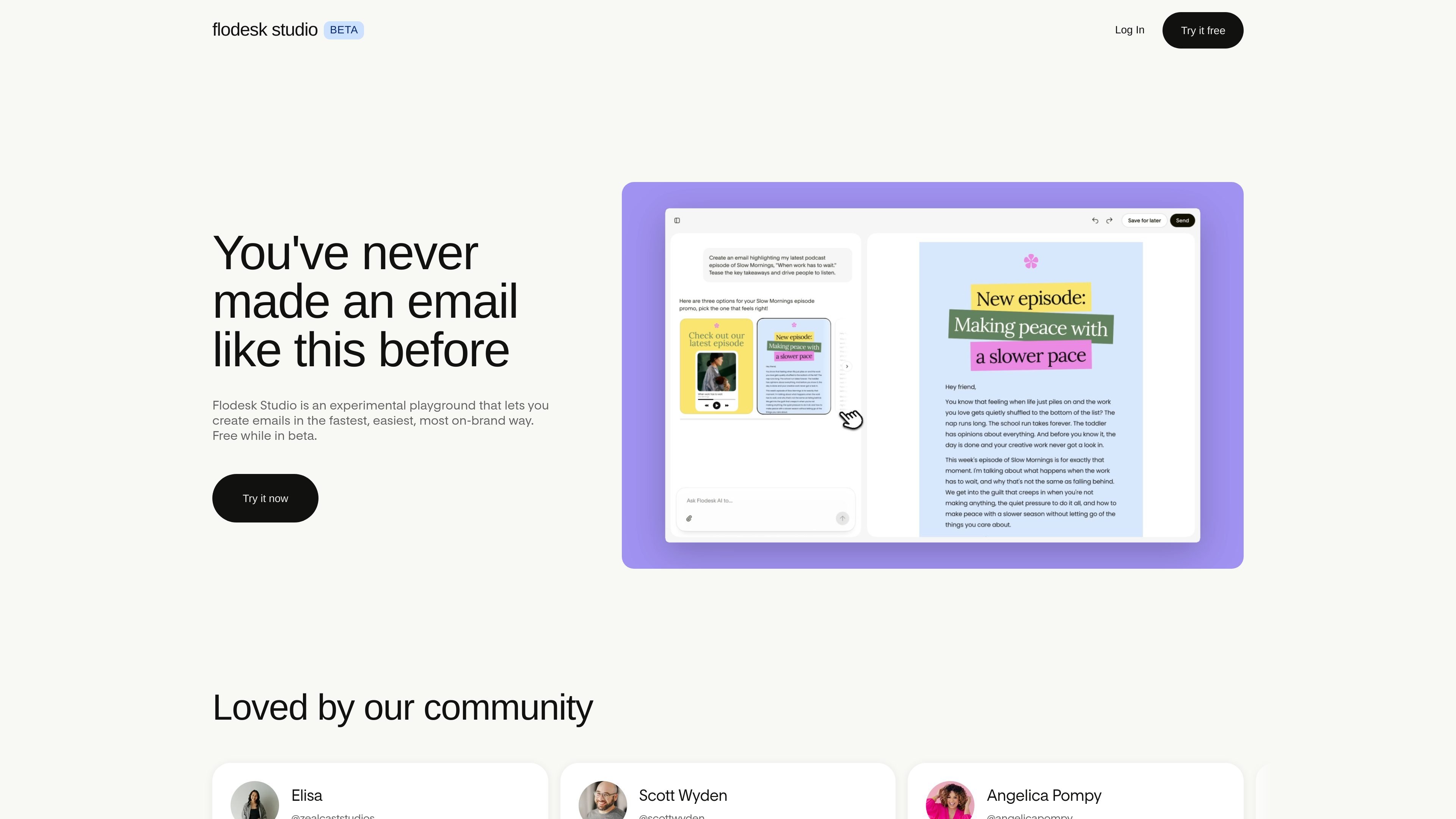
Flodesk Studio is a standalone AI email design app from Flodesk. It is designed to turn a short description, prompt, or piece of copy into a visually polished email that reflects the user’s brand in seconds.
The product starts from designer-made foundations rather than a blank canvas. Users can add brand assets, review three generated directions, and then refine the result by chatting with the system or editing by hand. Flodesk says Studio is free while in beta and can be used with Flodesk or exported to any email platform that supports HTML email.
Start with a prompt, some copy, or a rough idea and Studio generates an email design from there, reducing the need to assemble a layout manually.
Upload brand fonts, colors, images, voice, tone, and business context so the email design reflects your existing identity rather than a generic template.
Choose from three directions, then continue refining the design through chat or direct edits by hand.
Studio exposes more blocks and controls than a basic generator, so you can fine-tune the result instead of accepting a fixed output.
Designs can be sent through Flodesk in one click or exported as HTML email for use in another platform.
A built-in feedback button is available in the beta app so users can share issues and shape future development.
Create a polished newsletter or promotional email from a short prompt, then adjust it to match your brand before sending.
Use a preset or existing brand assets to get a visually consistent starting point when you do not want to build from scratch.
Refine layout, copy placement, and design details by chat or manual editing when you need more control than a one-click generator provides.
Export the final HTML email to another provider if you do not send through Flodesk, or send in one click if you do.
Use the beta app to test an AI-assisted workflow before the product expands into forms, pages, and other marketing assets.
Flodesk Studio is an AI design app for creating on-brand emails from a description, prompt, copy, or an idea. It starts from designer-built layouts, applies your brand, and lets you refine the result by chat or by hand.
Yes. Studio is free while it is in beta, and the page says no credit card is required. The product team also asks users to share feedback as they build it in public.
You can create in Studio and send through Flodesk in one click if you use Flodesk, or export the design to any platform that supports HTML email.
No. The FAQ says Studio is built for small business owners and creators, not designers, and it starts you from a professionally designed foundation so you can work without design experience.
Right now Studio designs email only. The page says forms, pages, and more marketing assets are planned for later.