
In-IDE code assistant
Answers programming questions inside the IDE, so developers can ask for help without switching tools.

EasyCode is an AI coding assistant that understands your codebase and works inside the IDE. It helps developers ask questions, get context-aware suggestions, and autocomplete code without leaving their editor.
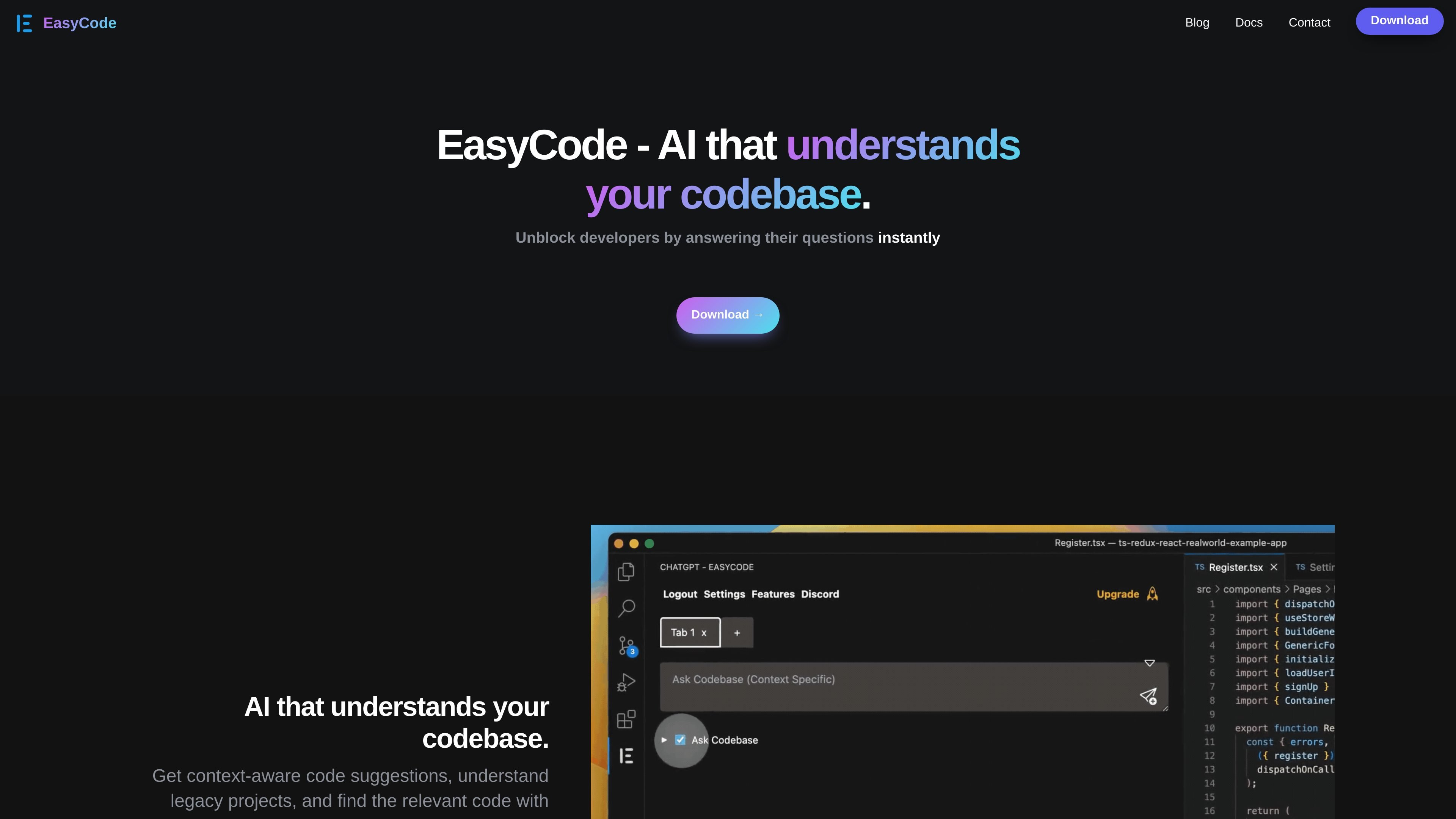
EasyCode is an AI coding assistant that understands your codebase and works inside the IDE. It is designed to answer programming questions, provide context-aware code suggestions, and help developers move through code more quickly without leaving their editor.
The product positions itself for code comprehension, navigation, and day-to-day development tasks. The site highlights support for legacy projects, autocomplete across 15+ programming languages, and download availability for VS Code and JetBrains.
Answers programming questions inside the IDE, so developers can ask for help without switching tools.
Generates code suggestions that are aware of the surrounding codebase, which helps when working in unfamiliar or legacy projects.
Provides autocomplete for more than 15 programming languages, including Python, JavaScript, TypeScript, Go, and Ruby.
Helps developers find relevant code faster, reducing the time spent on codebase navigation and comprehension.
Includes a data flow debugger on the pricing page, alongside backend and library integrations.
Supports free and paid usage paths, with free access to the top five AI coding models and premium plans for more advanced models.
Developers can ask programming questions directly in the editor when they need a quick explanation of code, an API usage reminder, or help understanding local context.
Teams working in older or unfamiliar repositories can use EasyCode to locate relevant code and understand how parts of the codebase connect before making changes.
Developers can use autocomplete and context-aware suggestions to speed up routine implementation work across supported languages.
Teams can use the product's collaboration-oriented messaging and shared context references from the pricing page to support guided help when they are stuck.
When a project exceeds 200 files, teams can request a demo for access to indexing under a team plan, making it suitable for larger codebases.
EasyCode is available as a download for VS Code and JetBrains IDEs. The download page also notes an IDE download option.
The pricing page says you can manage your subscription inside EasyCode through a "Manage Plan" option.
The pricing page says premium AI models include GPT-5, Claude Opus, Claude Sonnet, and Gemini Pro.
For projects with more than 200 files, the download page says indexing requires a team plan and users should request a demo to get access.
The pricing page says team plans are available by contacting support@easycode.ai with the size of the team.