
Remote solar design
Generate highly accurate solar designs without visiting the site, using address-based inputs and imagery to speed up quoting and reduce manual work.

Aurora Solar solar design software for sales and installation teams to create proposals, model systems, and manage projects from design to delivery.
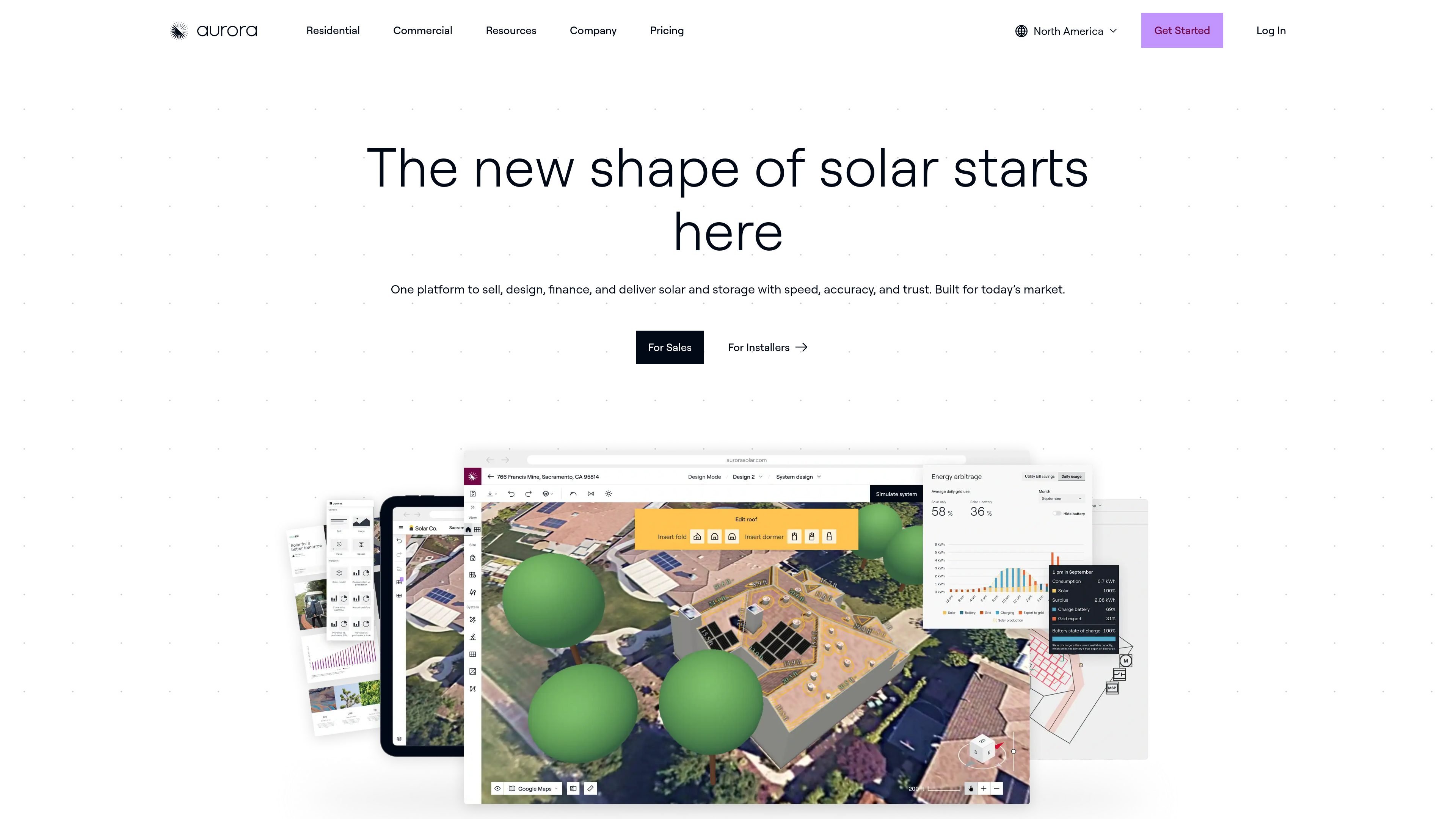
Aurora Solar is solar design software for teams that sell, design, finance, and deliver photovoltaic systems and storage. The site positions it as an all-in-one platform for moving from lead capture to proposal, design, and post-sale delivery.
The product is built for both sales and installer workflows. On the sales side it emphasizes fast, interactive proposals, financing, and contract tools; on the installer side it emphasizes remote site assessment, shade analysis, plan sets, and account configurations for dealer and partner operations.
Generate highly accurate solar designs without visiting the site, using address-based inputs and imagery to speed up quoting and reduce manual work.
Create tablet-friendly, interactive proposals that include branding, pricing methods, incentives, and financing comparisons for homeowner presentations.
Use HD imagery, 3D roof modeling, tree modeling, irradiance analysis, and custom design rules to support permit-quality design output.
Model backup, self-consumption, and arbitrage scenarios for battery storage projects, with battery modeling included in Premium and above.
Build AI-assisted site models, automatically place panels and strings, and detect obstructions to accelerate early-stage system modeling.
Support enterprise workflow needs with advanced permissions, dealer configurations, APIs, webhooks, partner apps, SSO, and real-time data sync.
Create an address-based 3D design, then generate a proposal quickly so reps can present a homeowner with visuals, production estimates, and financing options in a single workflow.
Use remote site assessment, LIDAR-based shade analysis, and plan-set services to produce design outputs that are ready for post-sale handoff and installation planning.
Standardize settings across dealers and partner teams so each account can use its own branding, pricing, equipment, and permissions while staying in the same platform.
Model battery storage scenarios such as backup, self-consumption, and arbitrage when a project includes storage rather than solar-only design.
Use enterprise controls such as APIs, webhooks, SSO, and advanced permissions to connect Aurora into larger internal workflows and data systems.
Aurora Solar is built for solar sales and installation teams that need to design, present, finance, and deliver PV systems in one platform. The source describes sales workflows, installer workflows, and request-demo entry points, which suggests it is suited to organizations evaluating end-to-end solar software.
The source shows tools for generating 3D home solar designs from an address and utility bill, creating proposals, applying for loans, generating contracts, and producing plan sets. It is intended to support both sales and post-sale design workflows.
Yes. The pricing page lists Basic, Premium, and Enterprise plans, with monthly and annual billing options. It also notes add-ons such as on-demand site models, plan sets, engineering stamps, premium support, and training-related services.
Aurora Solar includes tablet-friendly sales proposals, design accuracy tools, HD imagery, on-demand site models, LIDAR-assisted modeling, battery storage modeling, APIs and integrations on Enterprise, and other workflow tools. The exact set available depends on the plan.
The provided source does not show full integration documentation. It does indicate support for integrated financing partners, partner apps, sync API, webhooks, and design API on higher-tier plans, but a complete integrations list is not included here.