
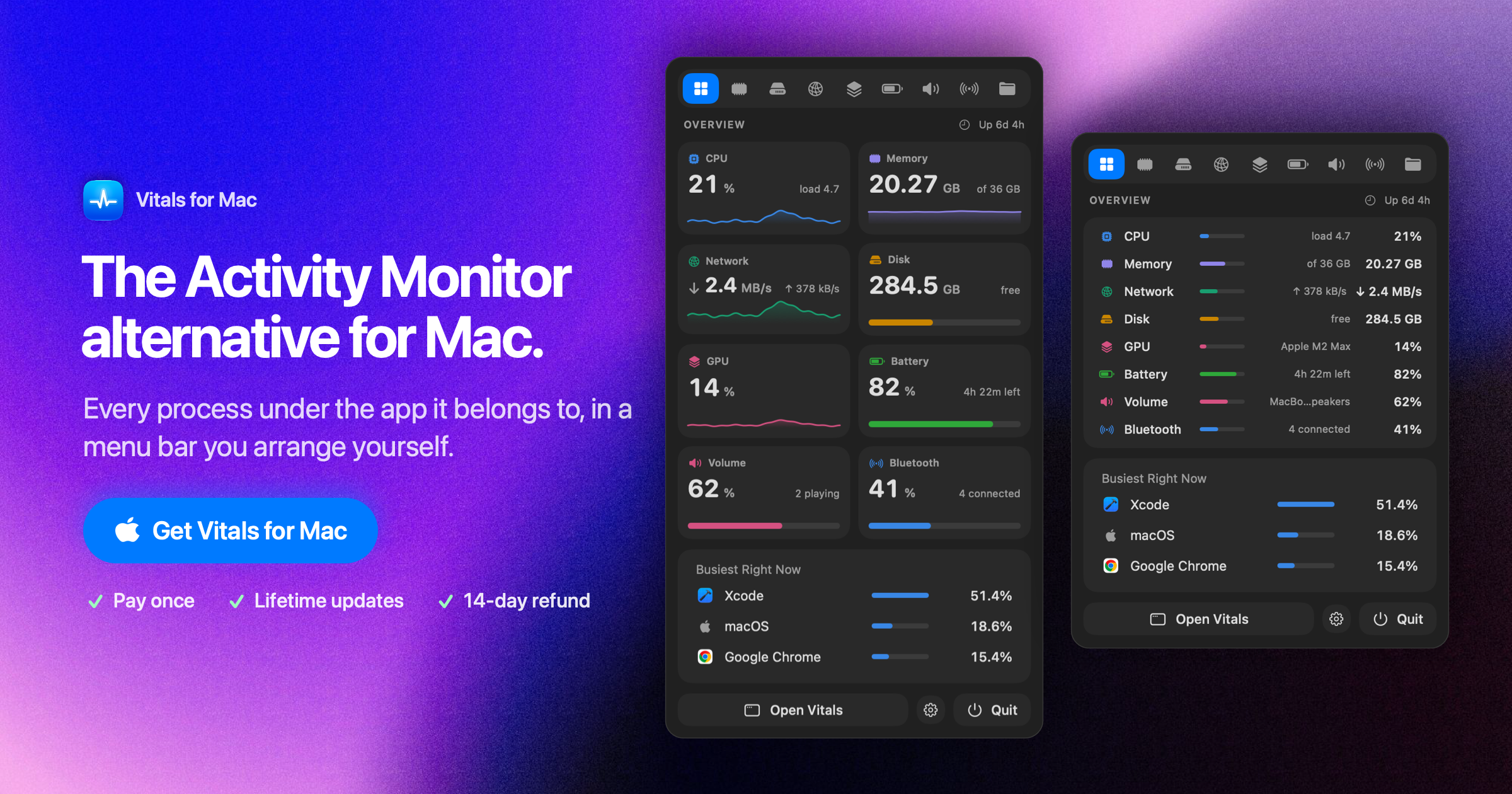
Processes grouped by app
Helper processes are counted under the application that launched them, providing one app-level view of resource use instead of separate rows for every helper.

Vitals es un monitor de actividad para macOS que agrupa los procesos auxiliares bajo sus aplicaciones principales, registra el uso de CPU, memoria, disco, red, GPU y batería, y guarda historiales por aplicación.
Vitals is a macOS activity monitor and menu bar utility that groups helper processes under the apps that launched them. This gives users an app-level view of CPU, memory, energy, disk, and network usage instead of requiring them to interpret a long list of individual processes.
The app keeps up to 30 days of per-app usage history and can alert users when an app keeps the CPU busy, continues growing in memory, or heavily uses disk or network resources. It is intended for everyday monitoring and complements Activity Monitor rather than replacing its process-sampling and spindump tools.
Helper processes are counted under the application that launched them, providing one app-level view of resource use instead of separate rows for every helper.
Overview tabs cover CPU, memory, disk, network, GPU, and battery activity, with per-app figures for identifying which applications are using resources.
Vitals keeps up to 30 days of history for each app and can flag sustained CPU use, growing memory consumption, or heavy disk and network activity.
The menu bar can show individual readouts as values, graphs, or both, with a dropdown that provides access to the wider set of metrics.
Processes can be grouped by project folder, with listening ports and idle development servers called out. Users can quit or force-quit a process or an entire project after confirmation.
The app includes CPU and GPU temperatures, fan speed, per-app volume controls, sound output information, Bluetooth device battery levels, and configurable overview tabs.
When the Mac feels constrained, users can view memory by app with helper processes included rather than manually adding several related process rows.
The 30-day history helps users look back at CPU, memory, disk, or network activity and identify patterns that a live-only view may miss.
Developers can inspect projects, listening ports, and idle servers to see what is still running and use the project controls to stop unnecessary processes.
Users who want quick status checks can place selected values or graphs in the menu bar and open the dropdown for more detail without starting with a process list.
Vitals monitors CPU, memory, disk, network, GPU, and battery activity, and also provides views for temperatures, fan speed, sound, per-app volume, and Bluetooth device battery levels.
Vitals groups helper processes by app, keeps up to 30 days of per-app history, and provides alerts and menu bar monitoring. Activity Monitor remains the better fit for examining individual processes, sampling a process, or taking a spindump.
Yes. Its Projects view groups processes by project folder, shows listening ports, identifies idle development servers, and offers quit or force-quit controls with confirmation.
Vitals requires macOS 15 or later and has native support for both Apple silicon and Intel Macs.
The available product information presents Vitals as a utility for individual Mac users. It does not document team administration, shared monitoring, or collaboration features.

www.conscioussai.com
ConscioussAI es un asistente de ejecución con IA para macOS, Windows, iOS y Android. Con tu permiso, ayuda a manejar aplicaciones, navegadores, archivos, mensajes y flujos de trabajo, y convierte instrucciones y conversaciones en tareas completadas en el móvil y el ordenador.

browser.arunbrahma.com
Nook es un navegador web minimalista para macOS que bloquea anuncios y rastreadores, ofrece modos de lectura y concentración, y guarda los datos de navegación localmente de forma predeterminada. Está pensado para disfrutar de una lectura más tranquila, sin extensiones, cuentas ni sincronización.

mydesigns.io
Plataforma de automatización para vendedores de productos de impresión bajo demanda y productos digitales: crea productos por lotes, genera maquetas, optimiza fichas para SEO y automatiza la publicación, las entregas y la gestión de pedidos.

pixelfreestudio.com
Crea interfaces visualmente o importa proyectos de Figma y expórtalos como código editable para web y aplicaciones de escritorio Windows.

payflip.xyz
Aplicación de pagos y protocolo de enlaces de cobro para enviar dinero por correo electrónico, teléfono, nombre de usuario, código QR o enlace, con devolución automática de transferencias no reclamadas.

trynearfield.com
Nearfield convierte dos Apple Studio Displays en un sistema estéreo izquierdo/derecho real para Mac, con reproducción en todo el sistema, enrutamiento por aplicación y control de volumen normal sin configurar manualmente un dispositivo agregado.