
AI website creation with manual editing
Create a site from a prompt, then switch into the editor to refine layouts, content, and visuals. Wix describes this as a hybrid workflow that combines AI generation with manual control.

Wix is a website builder for individuals and businesses to create, customize, and manage sites without coding, with AI, templates, drag-and-drop editing, hosting, and business tools.
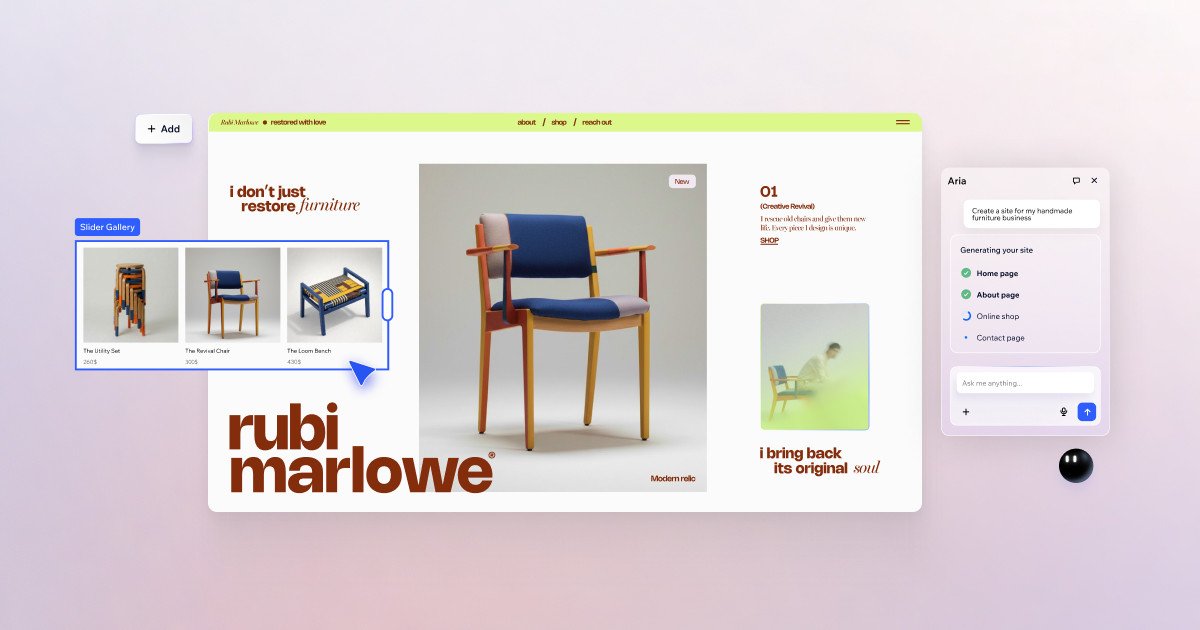
Wix is a website creation platform that combines an AI website builder, drag-and-drop editing, templates, hosting, and built-in business tools. It is designed for people and businesses that want to create, customize, and manage a website without needing to code.
The source positions Wix as a flexible system for starting from a prompt, a template, or a blank canvas. Users can build business sites, online stores, portfolios, blogs, booking-based services, courses, and event pages, then manage marketing, payments, and site operations from one dashboard.
Create a site from a prompt, then switch into the editor to refine layouts, content, and visuals. Wix describes this as a hybrid workflow that combines AI generation with manual control.
Start from more than 2,000 customizable templates across business, portfolio, eCommerce, blog, events, and landing page styles. Templates are presented as a fast way to begin before tailoring the site.
Use freeform drag and drop, pixel-level adjustments, and layered elements on a flexible canvas. The editor is positioned for detailed visual control without coding.
Add business functions such as eCommerce, scheduling, portfolio pages, blogs, online courses, and event ticketing as the site grows. The platform also includes payments, CRM, automations, and analytics in the dashboard.
Run SEO tools and AI visibility features, launch ads, create social posts, and generate email marketing campaigns from the dashboard. Wix frames these tools as part of taking a site from launch to growth.
Choose a plan with hosting, domain options, and infrastructure features such as multi-cloud hosting, 99.99% uptime, security monitoring, and accessibility support. These are presented as part of the platform foundation.
Create a business website for a small company, then add forms, payments, scheduling, and marketing tools from the same platform.
Build an online store and manage products, orders, shipping, and payments through Wix’s business tools.
Showcase work in a portfolio site with customizable templates and detailed design control for layouts, colors, fonts, and content.
Publish content regularly with blog tools and use the built-in SEO and social marketing features to help grow traffic over time.
Set up service-based offerings such as bookings, online courses, events, or coaching programs and manage them from the dashboard.
Yes. Wix lets you start with a free website builder, and the pricing page shows a Free plan with no credit card required. Paid Premium plans add features such as a custom domain, more storage, marketing tools, and business capabilities.
Wix offers multiple ways to create a site, including templates and an AI website builder. The home page also describes a hybrid workflow that lets you move between AI generation and manual editing.
Wix is positioned for general website creation as well as business sites. The source highlights small business websites, online stores, bookings, blogs, portfolios, courses, events, and similar use cases.
The pricing page says plans include free web hosting, AI creation tools, and 24/7 customer care. The home page also mentions built-in business solutions such as payments, CRM, automations, analytics, and mobile management.
The source does not provide detailed limits for team collaboration beyond collaborator counts on paid plans and mentions up to 100 site collaborators on Business Elite. It does show different plan tiers with increasing storage and collaboration capacity.