
Resume-based job matching
Tuilink recommends eight jobs each day that are said to match a user’s resume, giving job seekers a starting set of openings to review.

Tuilink is an AI-assisted job search tool that focuses on referrals, resume-based job matches, and follow-up outreach. It is aimed at job seekers who use LinkedIn and want help connecting with hiring teams more directly.
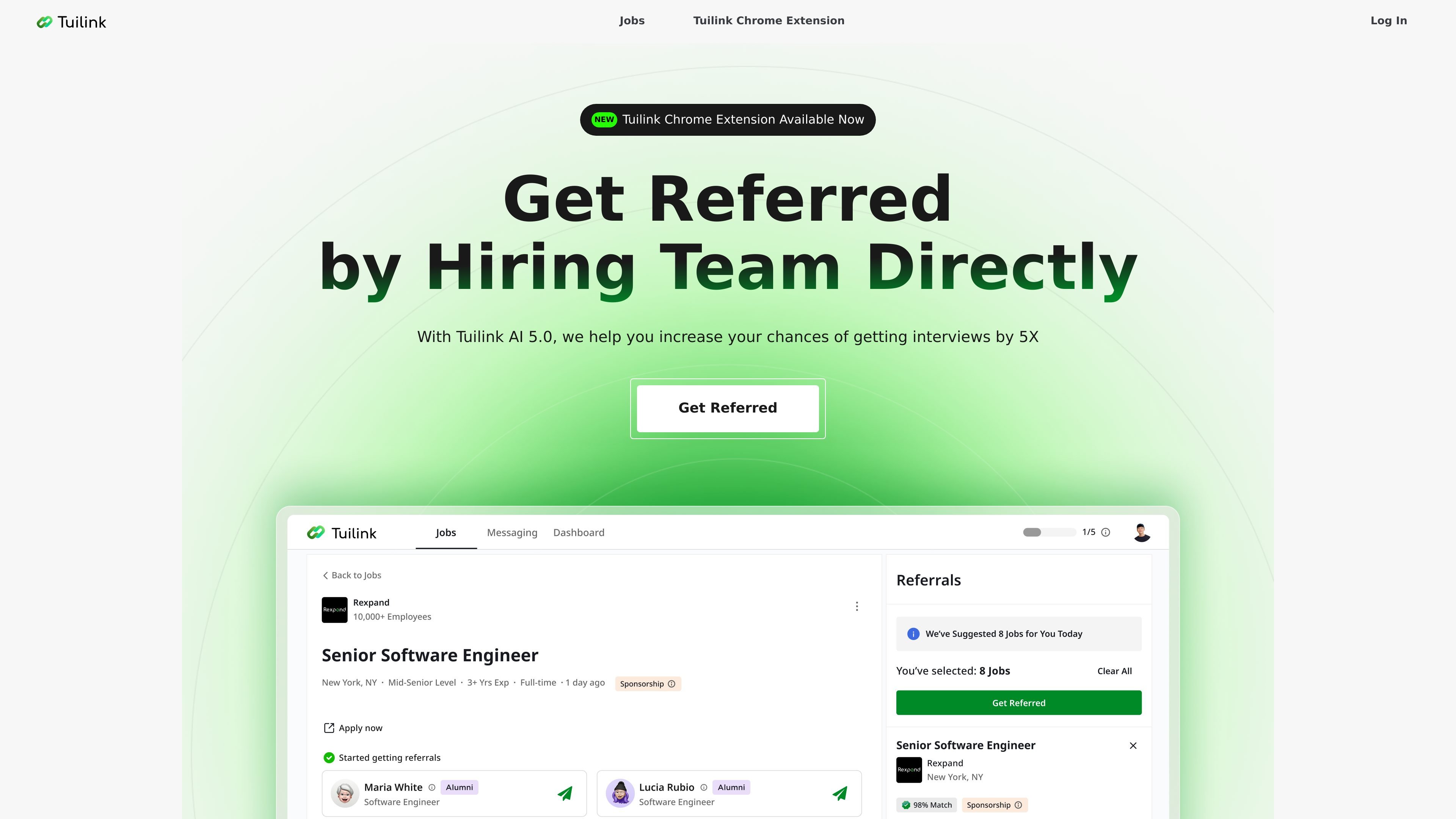
Tuilink is an AI-assisted job search tool built around referrals. Its homepage positions the product as a way to simplify job hunting by finding hiring-team contacts, exposing a resume to the right people, and reducing reliance on traditional HR filtering.
The site describes a workflow that starts with resume-based job matches, then moves to referral outreach, follow-up messages, and interview outcomes. A Chrome extension and LinkedIn connection flow are part of that process, and the privacy policy confirms that LinkedIn account data may be used to support the platform’s referral features.
Tuilink recommends eight jobs each day that are said to match a user’s resume, giving job seekers a starting set of openings to review.
The product says it can find alumni and hiring-team contacts directly and connect users with one click to pursue referrals.
Tuilink sends follow-up messages after the initial outreach, using the user’s goals to help keep referral conversations moving.
The homepage highlights a Chrome extension that connects Tuilink to LinkedIn in one step and is meant to help users get referrals faster.
The pricing page lists Smart AI Reply and a Referral Call Cheat Sheet in Premium, which suggests support for messaging and interview prep around referral conversations.
Use Tuilink when you want a daily shortlist of openings that are said to match your resume, so you can begin with roles that already fit your background.
Use the product when you want to reach people who may refer you internally, including alumni and hiring-team contacts, instead of relying only on standard applications.
Use the follow-up workflow after sending an initial message, so referral conversations continue without manual reminder tracking.
Use the Chrome extension if you work through LinkedIn and want to connect the product to that account in a faster, browser-based flow.
Use the Premium plan if you want unlimited referral actions plus the reply and call-prep tools listed on the pricing page.
Tuilink is a job-search product that uses AI to recommend matched jobs, find referrers or hiring-team contacts, and send smart follow-up messages. The homepage also says it offers a Chrome extension and LinkedIn connection flow.
The source shows a browser-based flow and a Chrome extension that connects Tuilink to LinkedIn in one step. It is presented as a tool for getting referred to jobs faster.
The homepage says Tuilink Premium includes unlimited Get Referred usage, Smart AI Reply, Resume-Based AI Job Matches, and a Referral Call Cheat Sheet. Tuilink Basic is listed as free with 0 Get Referred uses per day, Smart AI Reply, and Resume-Based AI Job Matches.
The pricing page shows a sign-in form and a free account creation link, and the homepage mentions a limited-time 1-week free trial for Premium. The source does not provide a full checkout flow or all billing details.
The privacy policy says users can bind a LinkedIn account, and that LinkedIn data such as name, profile picture, connections, and job history may be used to support the platform’s core features.