
Document-to-deck generation
Upload PDFs, papers, and reports, then have Tosea turn them into a slide deck that follows the document’s content.

Tosea is an AI slide generator that turns PDFs, papers, and reports into editable presentations, keeping charts, formulas, and data points faithful to the source.
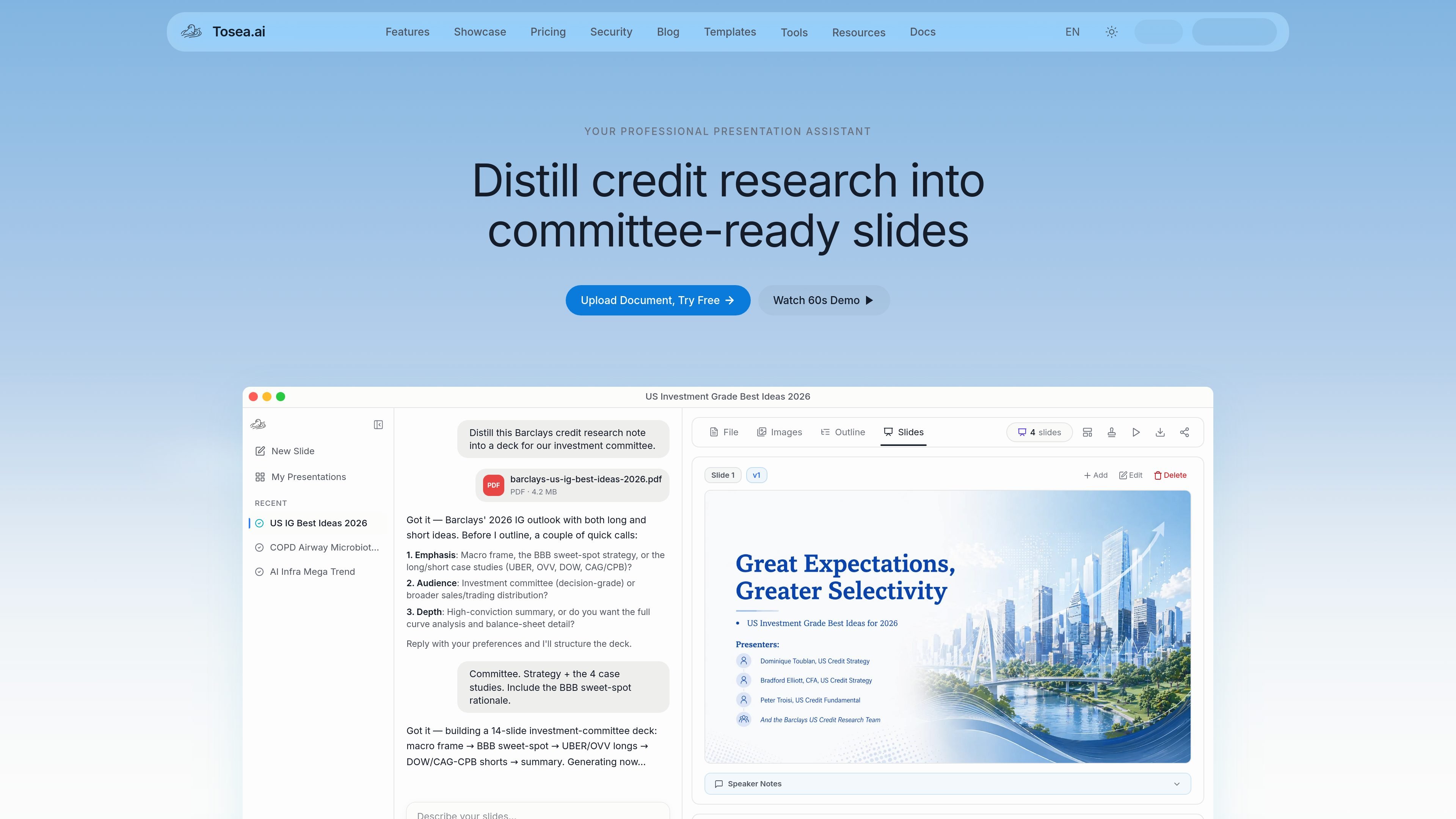
Tosea is an AI slide generator that converts source documents into editable presentation decks. The site positions it for turning PDFs, papers, and reports into polished slides while keeping charts, formulas, and data points aligned with the original source.
The homepage demo shows a document upload workflow, a generated outline, slide-by-slide editing, and export to PDF. It also emphasizes an evidence-first approach: the system is meant to transcribe and structure source material faithfully rather than inventing new content.
Upload PDFs, papers, and reports, then have Tosea turn them into a slide deck that follows the document’s content.
The page emphasizes that charts, formulas, and data points are reproduced faithfully from the source rather than rewritten loosely.
A visible example shows the assistant asking follow-up questions about audience, emphasis, and depth before building the deck.
Users can inspect a generated outline and work through slides one by one, adjusting structure and narrative flow before export.
The interface shows slide-level actions such as add, edit, delete, and speaker notes, indicating a hands-on editing workflow.
The site highlights export to PDF and presents a preview-focused workflow for polishing pages before download.
Turn a research paper into a presentation outline, then refine the deck slide by slide for a talk, review, or briefing.
Convert investment research or committee materials into a deck that preserves the underlying figures and formulas used in the source document.
Start from a long report or white paper, then use the AI to shape a clearer narrative and produce a more presentable slide format.
Use the outline, add/edit/delete controls, and speaker notes to polish the presentation after the first draft is generated.
Tosea turns uploaded PDFs, papers, and reports into editable slide decks. The source text shows a workflow where the user uploads a document, reviews an AI-generated outline, and then edits individual slides before exporting the presentation.
The homepage shows a document-upload workflow rather than a separate setup flow. Users appear to start by uploading a file, giving the AI direction on the audience and depth, and then refining the generated outline and slides.
The product appears to support iterative outline and slide editing. The rendered page shows options such as adding, editing, and deleting slides, plus speaker notes, layout-only changes, and export to PDF.
The source does not list formal collaboration features, team workspaces, or integration details. The contact page does show email channels for product questions, support, partnerships, and feedback.