
Real-time transcript
SayCraft transcribes speech as you talk, so the meeting produces a live record without separate note-taking.

SayCraft is a web-based AI app builder that turns spoken meeting discussions into working products with live previews and replay. Free to start, with paid tiers for more meeting time and export options.
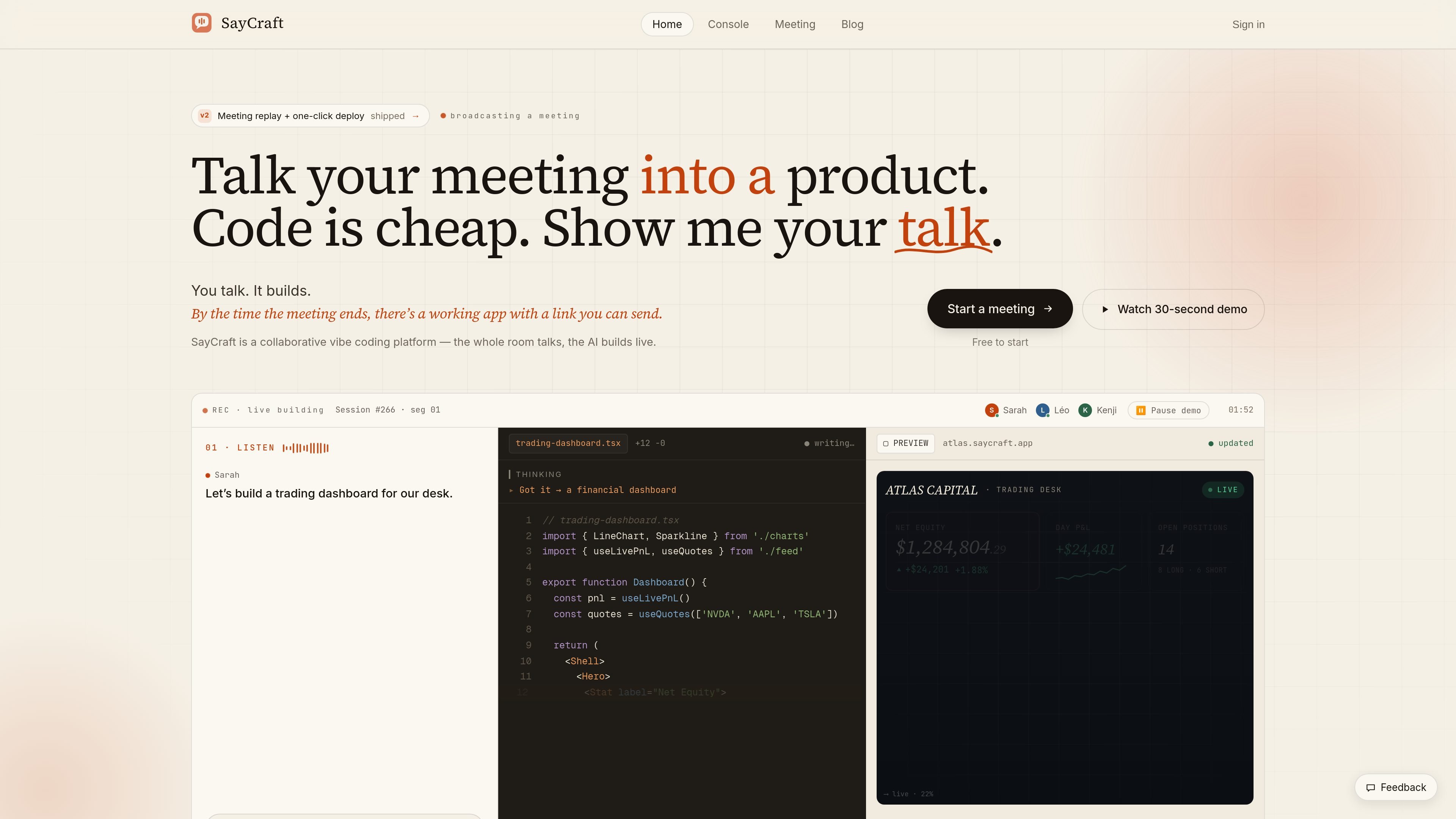
SayCraft is a collaborative vibe coding platform for building web apps by talking. A meeting starts with conversation, and the system turns that discussion into a live product with a preview URL as the page updates in real time.
The product is designed for both solo and team sessions. The homepage says the room can talk through an idea while AI builds live; the pricing page adds pay-per-meeting billing, free starting access, and export or deploy options on higher tiers.
SayCraft transcribes speech as you talk, so the meeting produces a live record without separate note-taking.
The system pulls product requirements out of conversational speech, including messy back-and-forth discussion.
Pages update while you speak, letting you watch the interface take shape before the meeting ends.
You can replay the meeting with audio, conversation, and page changes scrubbed on a timeline.
Each meeting leaves behind a live website, a shareable link, and a short summary of what was decided.
The next meeting continues from the previous state, so you can keep iterating on the same product instead of starting over.
Use it to sketch a product idea with a teammate and see the interface appear as you discuss requirements.
Use a solo meeting to turn rough thoughts into a working draft before sharing it with anyone else.
Use the replay and live preview to review what was decided, what changed, and what still needs attention.
Use the carry-forward flow to keep iterating on the same app in later meetings without rebuilding context.
Use an uploaded recording to convert an existing meeting into a product rather than starting from a live call.
Yes. The site says a meeting can ship a website, a shareable live link, and a full replay of the audio, conversation, and page changes.
Yes. SayCraft supports solo use, and the site says many people use it alone to sketch an idea before showing anyone.
Yes. The pricing page says every plan gives a shareable live preview URL, while Pro and Max add a one-click live deployment link; Max also allows downloading the full project source code.
The site says you can use it online or in person from the browser with a microphone, and it also supports uploading a recording to turn an old meeting into a product.
The FAQ says meeting data is private by default, audio is cleared after a while, and enterprise plans support on-prem deployment.