
Local multitrack recording
Record solo or with guests in separate audio and video tracks, with local recording designed to preserve quality even when internet connection quality varies.

Riverside is a web-based studio for recording, editing, repurposing, streaming, and publishing podcasts and videos with local high-quality recording and AI tools.
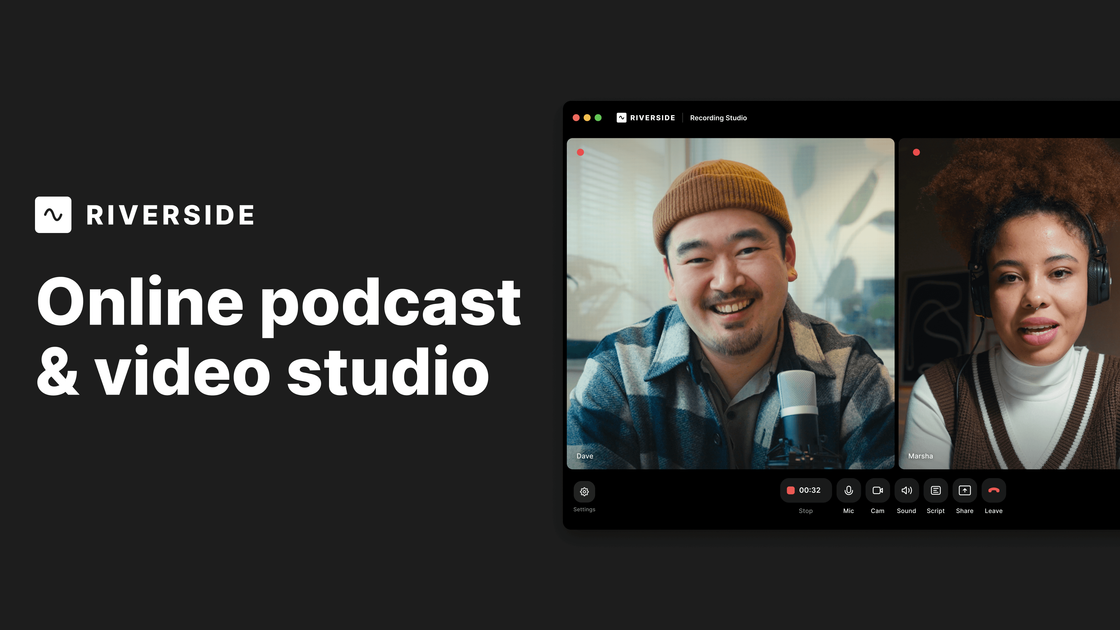
Riverside is an online studio for recording, editing, repurposing, streaming, and publishing podcasts and videos. The site positions it as an AI-powered platform built for human conversations, with tools for creators, interviewers, webinar hosts, and business teams.
Its workflow centers on recording locally in high quality, then using a text-based editor and AI features to shape the result into clips, captions, show notes, and other publishable outputs. Riverside also supports live streaming, podcast hosting, and business collaboration features, so it can cover both production and distribution from the same workspace.
Record solo or with guests in separate audio and video tracks, with local recording designed to preserve quality even when internet connection quality varies.
Edit recordings by searching and trimming the transcript like a document, with color-coded speakers and per-track controls for cleaner conversation edits.
Use AI tools to remove filler words and silences, adjust eye contact, generate B-roll, create layouts, and translate or dub content into multiple languages.
Create clips, show notes, titles, descriptions, chapters, takeaways, and captions from a recording to speed up post-production and publishing.
Stream live in full HD to multiple destinations, manage chat and call-ins, and add branding such as overlays and lower thirds.
Support team production with workspaces, custom roles, collaborative editing, remote control, and integrations such as HubSpot and Salesforce on higher tiers.
Record remote interviews or podcasts in separate tracks, then edit the transcript and export the final episode for distribution.
Produce webinars or live events with HD streaming, chat, call-ins, registration follow-up, and post-event clips.
Create short-form social clips, captions, and show notes from a longer recording to support promotion and repurposing.
Give teams a shared workspace for collaborative editing, custom roles, and controlled production workflows.
Publish recorded shows to major podcast apps and video channels after editing and AI cleanup.
Yes. Riverside’s pricing page shows a Free plan and paid plans with monthly and yearly billing options. The site also offers a 14-day free trial on several paid plans.
Riverside records separate audio and video tracks from each participant’s device, and the host can download those tracks after the session uploads.
The site says you can edit recordings in a text-based editor, generate show notes, remove filler words or silences, and create social clips from the same workspace.
Riverside supports live streaming in full HD and lists destinations such as YouTube, Facebook, LinkedIn, Instagram, X, and Twitch, plus custom RTMP.
The pricing page says you can upgrade, downgrade, or cancel in the dashboard, and that recording hours are counted by total time recorded across participants.