
PS2-style image transformation
Applies a PlayStation 2-style visual treatment to photos and videos to recreate the look associated with early 2000s games.

PS2 Filter AI turns photos and videos into PS2-inspired visuals with a free start and paid credits for higher-quality output.
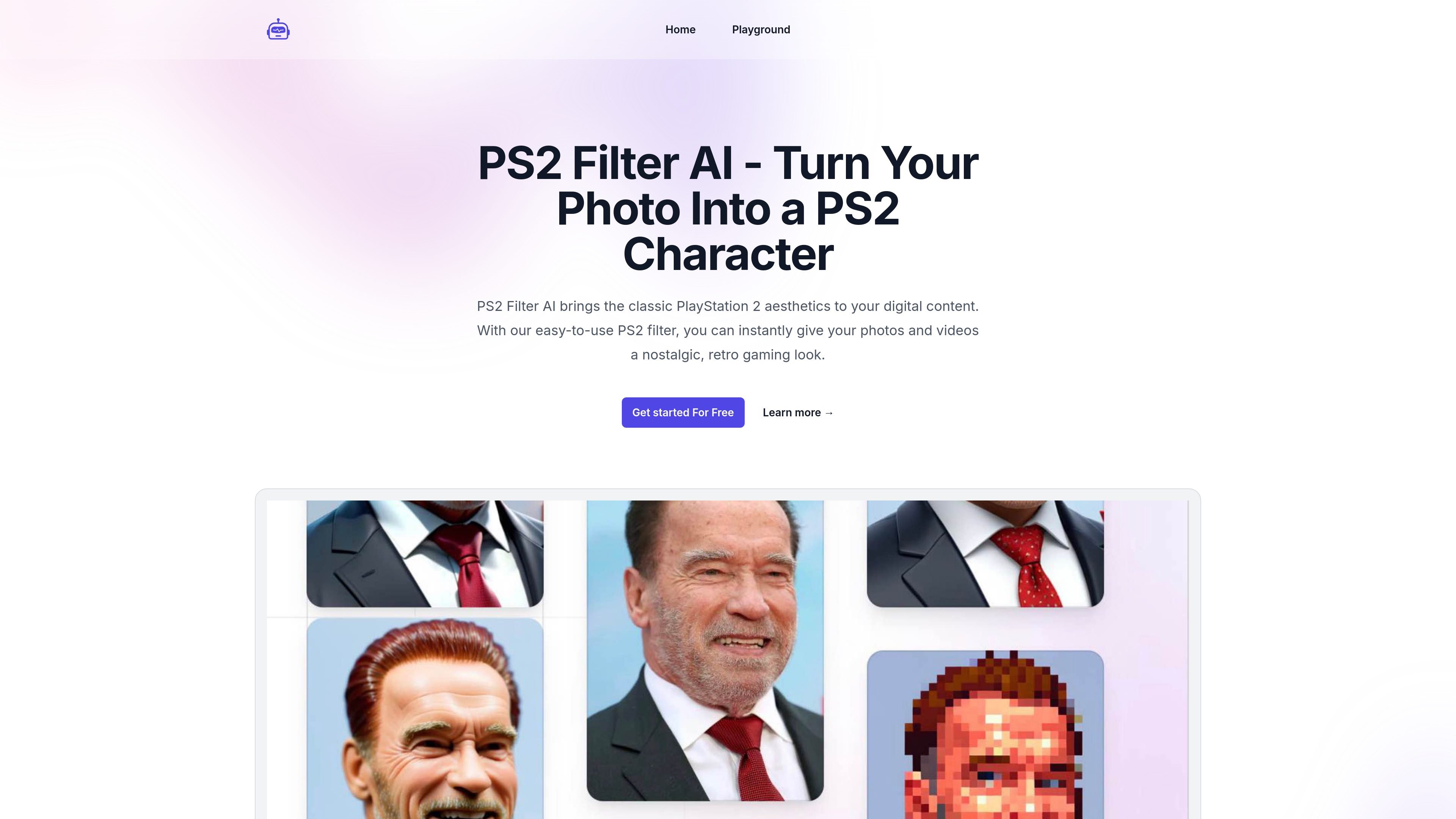
PS2 Filter AI is an online image and video effect service that turns uploaded content into a PlayStation 2-inspired style. The product positions itself as a way to recreate the look and feel of early 2000s PS2 graphics on photos and videos through a simple browser-based workflow.
The site describes the service as easy to use and compatible with a range of devices and file types. It also offers both free and premium access, with premium credit packages for users who want higher-quality transformations and additional options.
Applies a PlayStation 2-style visual treatment to photos and videos to recreate the look associated with early 2000s games.
The site says the interface is simple to use, with a workflow centered on uploading content, selecting the filter, and applying it.
The homepage describes the transformation as real-time, so users can see the effect as it is applied.
The service says it works with a wide range of file formats and devices, including smartphones and tablets.
Users can adjust filter intensity before finalizing the output, which gives some control over the strength of the effect.
Upload personal photos or clips and apply the PS2 filter to give them a nostalgic, retro gaming appearance before sharing or saving them.
Use the browser-based workflow on a phone or tablet when you want to edit content without moving to a desktop app.
Experiment with different filter strengths to find a look that matches the source image or video and the level of stylization you want.
Create transformed content for social media posts and download the result for external sharing.
Use the free starting option to test the effect before deciding whether a paid credit package is needed for more generation volume or higher-quality output.
The site says you upload a photo or video, select the PS2 filter, and apply it. It also notes that you can adjust the intensity before finalizing the transformation.
Yes. The homepage says the filter is compatible with smartphones and tablets, and the terms page also requires only a modern browser with JavaScript enabled for website use.
The pricing page says PS2 Filter AI offers a free way to start, plus premium credit packages for paid use.
The site describes the filter as working on a wide range of photos and videos, but it also notes that results may vary depending on the resolution and details of the original content.
After applying the filter, the site says you can download the transformed content and share it on social media.