
Automatic relationship memory
Builds a distilled memory of each relationship from calls, calendar activity, and email, reducing the need for manual CRM updates.
min. is a CRM that builds itself from meetings, calendar events, and email, helping people keep relationship context current without manual data entry. It is designed for users whose work depends on remembering what was said, promised, and decided across conversations.
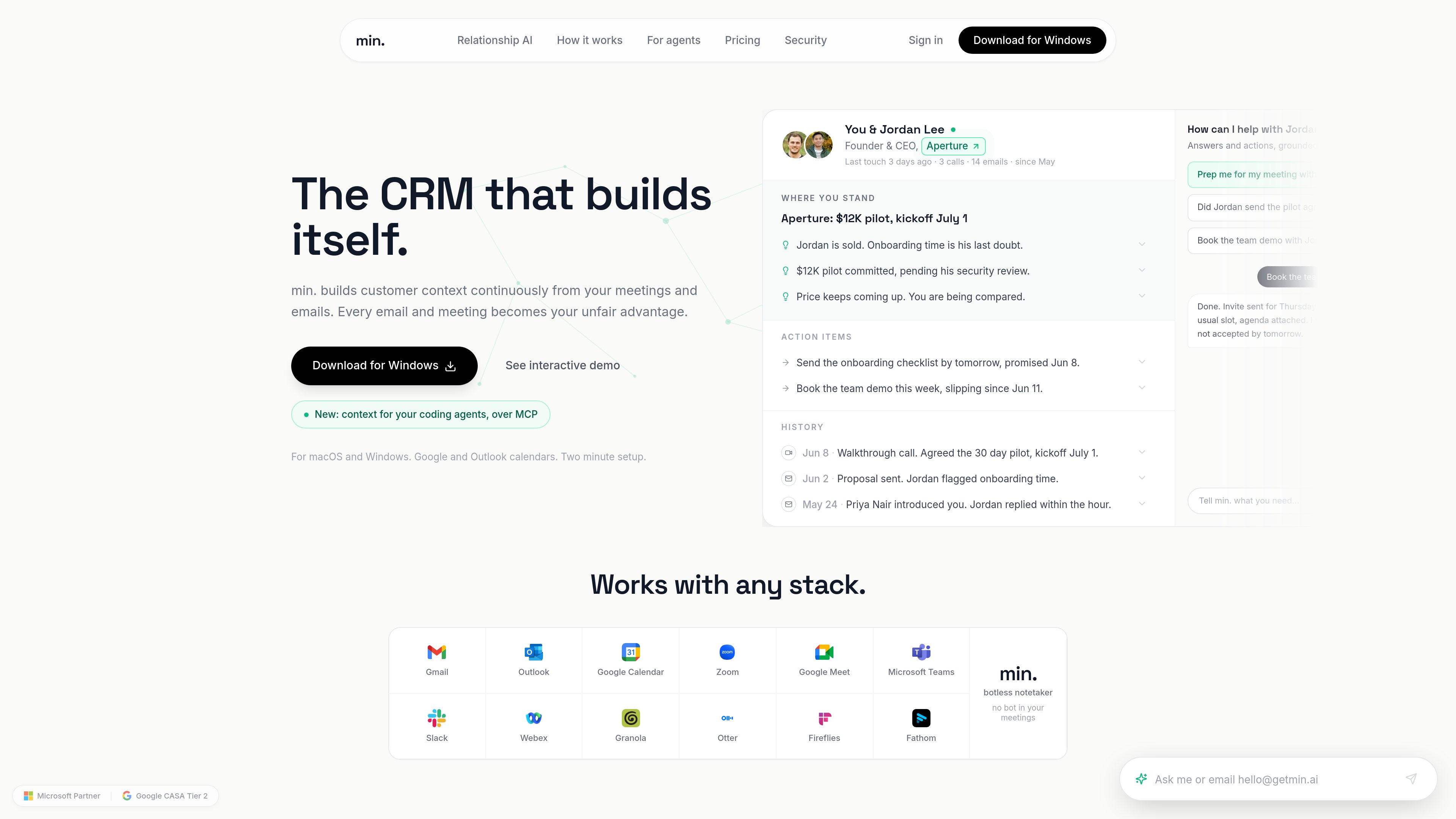
min. turns meetings, calendar events, and email into a live record of each relationship, so users do not have to enter notes and follow-ups by hand. It focuses on people, companies, and groups, and keeps track of where a deal or relationship stands, what was promised, and what should happen next.
The product is built for work that depends on context across many conversations. It can be reviewed before a call, shared as a capsule, and used alongside an existing CRM when a team still wants another system for reporting rather than replacing that layer entirely.
Builds a distilled memory of each relationship from calls, calendar activity, and email, reducing the need for manual CRM updates.
Organizes each person, company, or group into a current capsule with where you stand, action items, and history.
Lets users open a relationship before a meeting to see recent touches, open commitments, and the background needed to prepare quickly.
Surfaces promised actions and deadlines so users can send the right follow-up or nudge at the right time.
Allows sharing of a single meeting, a person capsule, or a company capsule, with revocation available on the pricing page.
Provides relationship context over MCP for tools and agents, with support mentioned for Claude Code, Cursor, and other MCP clients.
Review the person capsule before a call to see the latest history, what was last discussed, and any open questions or commitments.
Use the relationship record to identify what was promised, what the other side is waiting on, and how to shape the next email.
Share a person or company capsule with teammates so everyone has the same context on the account or working group.
Keep a separate CRM if needed, then paste a capsule into it so min. handles memory and the other system handles reporting.
Expose relationship context over MCP so agents can answer questions using the conversations and commitments already in the CRM.
It builds memory from calls, calendar events, and email. The site says it keeps distilled memory and metadata rather than a raw copy of your mailbox.
No. The product is positioned as a CRM that builds itself from the work you already do, with zero data entry.
Yes. The pricing page says teams can keep another CRM for reporting and paste any capsule into it, because min. replaces the data entry layer rather than reporting.
The free plan is described as free to use and includes the last 3 months of recall history, plus sharing for meetings, person capsules, or company capsules.
The site mentions support for Windows, macOS, Google Calendar, Outlook, Gmail, Outlook email, and context delivery over MCP for coding agents.
Traffic-Daten dienen nur als Referenz.
| Mai | 0 |
|---|---|
| Jun | 0 |
| Jul | 0 |
Traffic-Analysen sind noch nicht verfügbar.
Traffic-Analysen sind noch nicht verfügbar.