
AI-powered extraction
Uses AI-based document understanding rather than plain OCR, which the site positions as better for turning unstructured receipts, invoices, forms, and tables into columns.

Img2Sheet turns receipts, invoices, forms, and tables into structured data for Google Sheets, Excel, CSV, JSON, XML, or ODS, with web, webhook, Android, BYOK, and self-hosted workflows.
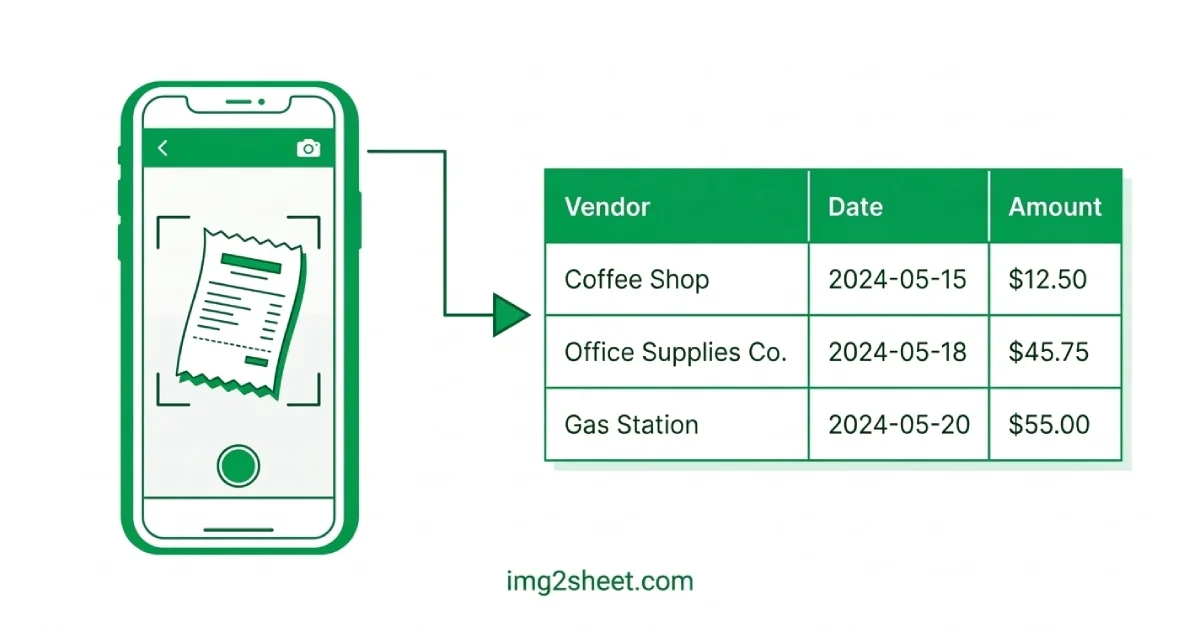
Img2Sheet is an AI-powered document extraction product that turns receipts, invoices, forms, tables, and related files into structured spreadsheet-ready data. The landing page describes it as a way to scan any document and see the output live, with exports to Google Sheets, Excel, CSV, JSON, XML, or ODS.
It is designed for people who want to reduce manual data entry. Users can upload files in the web app, work inside Google Sheets, send data to their own systems through a webhook, use an Android app for mobile capture, or deploy the product on their own infrastructure for private environments.
Uses AI-based document understanding rather than plain OCR, which the site positions as better for turning unstructured receipts, invoices, forms, and tables into columns.
Returns results in seconds so users can move from upload to structured output without queueing or manual transcription.
Supports uploading many documents at once for recurring work such as monthly receipts or backlogs of scans.
Splits multi-page PDFs and extracts pages automatically, which helps when documents contain several forms or receipts in one file.
Stores extraction results in Scan Records, where users can view, filter, and export data to CSV, Excel, JSON, XML, or ODS.
Provides a webhook workflow that sends extracted data as JSON to a configured endpoint, with signed requests for verification.
Upload receipts, invoices, or forms in the web app and turn them into structured rows for later review or export.
Work directly in Google Sheets when your team already keeps data in spreadsheets and wants extraction without leaving the sheet.
Send extracted data to an endpoint as JSON with signed webhook requests when the next step happens in another system.
Capture documents from a phone camera using the Android app when paper documents are collected away from a desk.
Process documents inside your own environment or use BYOK when infrastructure control, privacy, or AI billing management matters more than a default managed setup.
Img2Sheet processes receipts, invoices, forms, business cards, tables, and similar documents. The site says it supports JPEG, PNG, WebP, and PDF files up to 5 MB, and that handwritten documents can work too.
The site says clear documents can reach 95%+ accuracy. Results depend on image quality, with better lighting, less blur, and flat documents producing better extraction.
No. Google Sheets is optional. Img2Sheet saves extracted data to Scan Records, where you can view, filter, and export it to CSV, Excel, JSON, XML, or ODS without a Google account.
Yes. The pricing page says the self-hosted option runs inside your own environment, and the FAQ says it can be installed on your own servers with data kept on-premise.
The pricing page says you can subscribe to the BYOK plan and configure your key in Settings, and the setup guide explains that you enable your own OpenAI API key in the app settings after creating and funding the key with OpenAI.