ImagePrompt logo

ImagePrompt

Beanspruchen

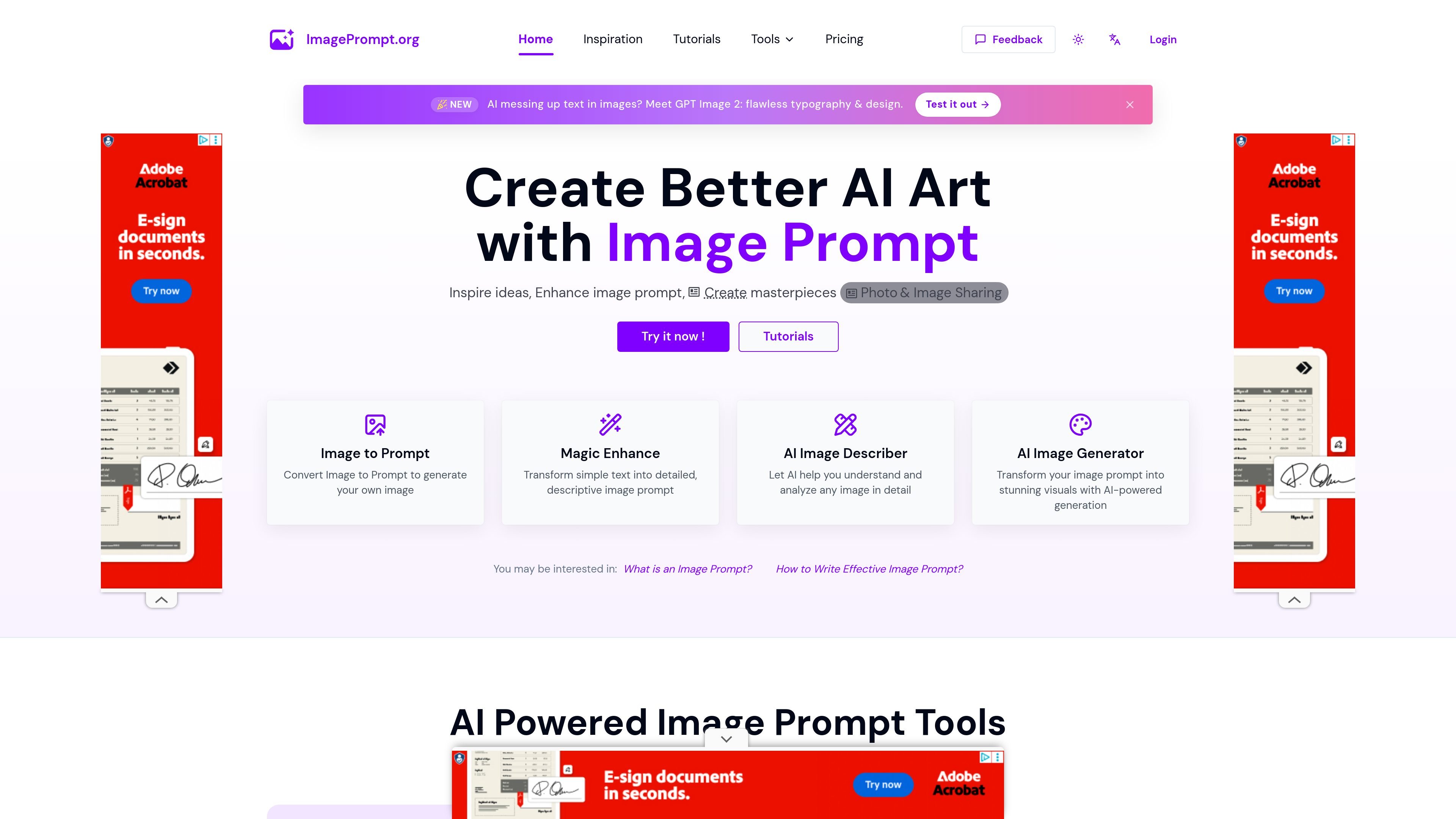
ImagePrompt is a web-based AI tool suite for generating, editing, and translating image prompts, describing images, and creating images from prompts for Midjourney, Flux, and Stable Diffusion workflows.

ImagePrompt preview

Overview

ImagePrompt.org is a web-based set of AI tools for turning images and ideas into prompts, descriptions, and generated images. Its main workflow covers image-to-text analysis, prompt creation, prompt editing, translation, and prompt-guided image generation.

The site centers on practical prompt work for AI image creation. The homepage positions the product around Midjourney, Flux, and Stable Diffusion, while the dedicated tools let users upload an image to describe it, convert it into a prompt, or start from a plain idea and expand it into a more detailed prompt.

Key capabilities

Image-to-text analysis

Create prompts from an image by uploading, pasting, or linking to an image URL, then choose outputs such as detailed description, brief description, object recognition, art-style analysis, text extraction, or prompt generation.

Prompt generation and editing

Turn a simple idea into a more detailed prompt, then refine it with natural-language edits or translate it into another language.

Generator-specific prompt formats

Choose output styles aimed at common generators, including general image prompts plus Flux, Midjourney, and Stable Diffusion prompt formats.

AI image generation

Generate images from prompts and use the pricing page's credit packs or subscriptions to manage image generation usage.

Multi-language workflow

Work in several languages through the prompt generator and the image describer, which both expose multi-language result options.

Common use cases

  • Reverse-engineer a prompt from an image

    Upload a reference image when you want a text prompt that captures its subject, style, or composition for reuse in another generator.

  • Draft and refine image prompts

    Start from a short idea and expand it into a more detailed image prompt, then edit or translate it before using it in a generator.

  • Analyze an image for content

    Ask the describer to identify objects, describe the scene, or answer a custom question about an image when you need a visual summary.

  • Prepare prompts for a target model

    Use the generator-specific prompt outputs when you are working with Midjourney, Flux, or Stable Diffusion and want prompt text tailored to that workflow.

  • Manage usage with subscriptions or credits

    Use the pricing options and credit packs when you only need occasional image generation or need extra usage beyond the free daily limit.

Pros and Cons

Pros

  • Covers both image-to-text and text-to-prompt workflows in one site.
  • Supports multiple prompt outputs, including general prompts and formats for popular generators.
  • Offers flexible input methods for image analysis, including upload, paste, and image URL.
  • Provides a free tier for trying core tools before subscribing.
  • Includes privacy language stating uploaded images are deleted after processing.

Cons

  • The source does not show desktop or mobile apps; the product appears to be browser-based.
  • Some limits and features are plan-dependent, so free use is restricted compared with paid tiers.

FAQ

Is ImagePrompt.org free to use?

ImagePrompt.org offers a free tier with text-to-prompt tools, 5 daily image-to-text uses shared across image-to-text tools, and 2 complimentary image generation credits. Paid plans increase image-to-text usage limits and add larger image generation credit bundles.

What inputs does the product support?

The image-to-text tools accept image uploads, pasted images, or image URLs. The image prompt generator accepts a text idea and can also translate or refine prompts with AI.

What can I do with the image-to-text tools?

The site provides image-to-prompt, AI image describer, image prompt generator, image generation, and image-based prompt examples. The describer can return detailed descriptions, brief descriptions, object recognition, art-style analysis, text extraction, and prompt variants.

How is uploaded image data handled?

Uploaded images are processed temporarily to generate results and are then deleted from the system. The site says it does not store uploaded images long term or use them to train models.

What pricing options are available?

The pricing page includes monthly and annual subscriptions as well as one-time image generation credit packs. It also states that free users get limited daily use and that subscriptions include commercial license access.

Quick Facts

Category
AI image prompt tools
Platform
Web app
Primary use
Prompt creation, image description, and image generation
Supported workflow
Upload image, generate description or prompt, refine or translate prompt, then generate images
Source domain
imageprompt.org
Pricing model
Free tier plus paid subscriptions and one-time credit packs