
Text-to-image generation
Generate images from text prompts using a prompt-driven interface. The site presents the workflow as simple text input with AI-generated results.

Image Fx is a web-based AI image generator that turns text prompts into images, with free basic access, no sign-up, and paid credit-based premium models.
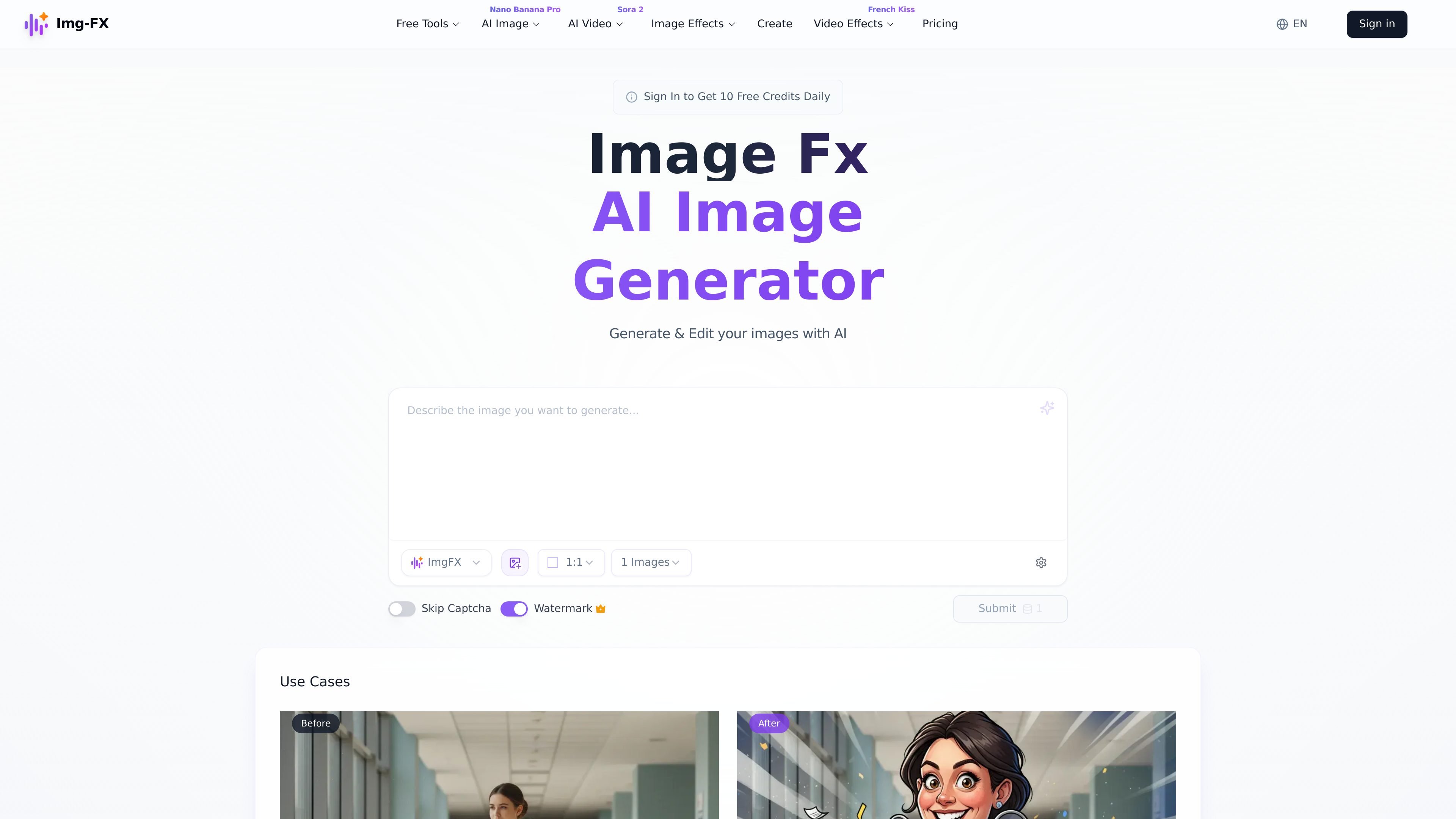
Image Fx is a web-based AI image generator that creates images from text prompts and uploaded references. The product is positioned as free to use, with no sign-up required for basic access and a separate pricing page for paid plans and credit-based premium usage.
The interface shown on the home and create pages supports a simple prompt workflow with model selection, aspect ratio, batch size, seed control, and watermark options. The site also says generated images can be downloaded, shared, copied as prompts, and stored in a personal library for later use.
Generate images from text prompts using a prompt-driven interface. The site presents the workflow as simple text input with AI-generated results.
Use different model options shown on the create page, including the default ImgFX model and a V15 10-second mode. Premium models are also referenced in the FAQ.
Adjust generation controls such as aspect ratio, batch size, seed, and watermark before creating an image.
Create multiple outputs at once. The home page says the product can return four unique results from one prompt, and the FAQ says up to four images can be generated simultaneously.
Store generated images in a personal library and revisit, download, or share them later.
Use SynthID watermarking and content filters to mark AI-generated images and limit problematic content.
Turn a short text prompt into a generated image without creating an account first. This fits quick experimentation, one-off concept exploration, and casual use.
Generate several variations from one prompt to compare different visual directions. The home page highlights multiple results, and the FAQ says up to four images can be created simultaneously.
Set aspect ratio, batch size, seed, and watermark options before generating output. This is useful when a specific format or repeatable result matters.
Save, revisit, download, or share generated images from the personal library. This supports creators who want to return to earlier outputs or move them into other tools.
Use the tool for personal or commercial projects where generated visuals need attribution and AI watermarking awareness. The source says commercial use is allowed, with credit to the artist noted in the pricing FAQ.
Yes. The source states that Image Fx is free to use and that users can generate unlimited images with the basic model. Premium models require credits.
The home and create pages show a prompt-based workflow. You enter a text prompt, choose settings such as model, aspect ratio, batch size, seed, and watermark, then create the image.
The source says you can download, share, or copy the prompt for each generated image, and that images are stored in a personal library on the create page.
Yes. The FAQ says you retain full ownership and can use the images for personal or commercial purposes. The pricing FAQ also says commercial use is allowed, but credit to the artist is required.
The source says safety is handled through SynthID watermarking and content filters that limit problematic content such as violence, offensive material, or explicit images.
Traffic-Daten dienen nur als Referenz.
| Apr | 203487 |
|---|---|
| Mai | 146113 |
| Jun | 82467 |