
Image upload and analysis
Upload an image and let the tool analyze the visual content automatically before generating captions.

Image Caption Generator is a free, no-login web tool that creates AI-generated captions from uploaded images for social media posts in multiple types, tones, and languages.
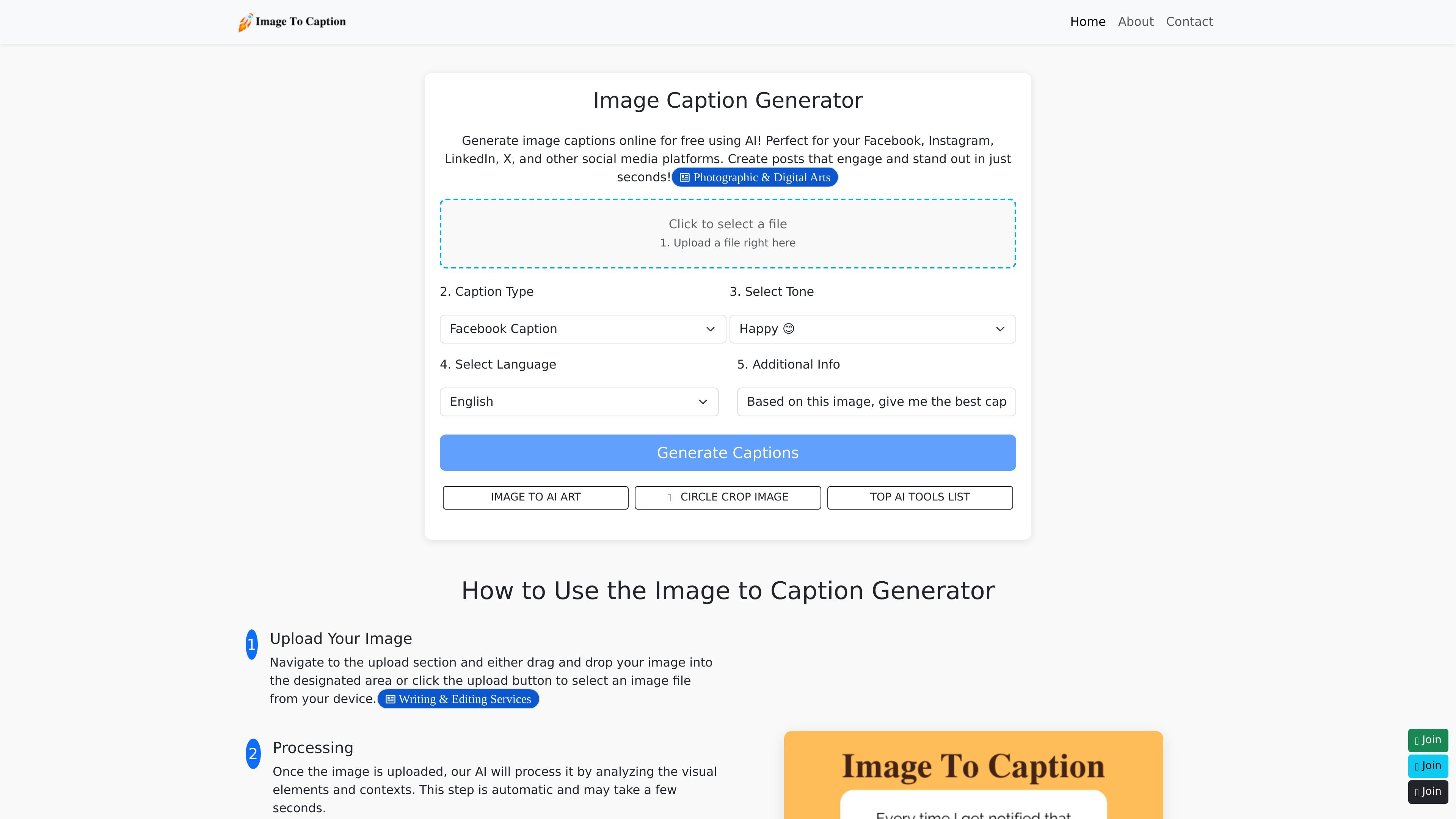
Image Caption Generator is a web tool that generates AI-written captions from an uploaded image. The homepage positions it as a free, no-login option for creating captions in seconds.
It is aimed at people who need short-form copy for social media posts and similar image-based content. Users can upload a file, choose a caption type, tone, and language, then review the generated caption options and edit or regenerate them as needed.
Upload an image and let the tool analyze the visual content automatically before generating captions.
Choose a caption type such as Facebook, Instagram, Twitter, LinkedIn, or others to better match the destination platform.
Pick from tones including happy, sad, funny, curious, angry, and cute to shape the style of the output.
Generate captions in English, Spanish, German, Japanese, Korean, Simplified Chinese, or Traditional Chinese.
The homepage says the tool can provide multiple caption styles, hashtag recommendations, and captions that users can copy or edit.
Create post copy for image-based updates on platforms such as Facebook, Instagram, LinkedIn, or X when you want a caption that fits the channel.
Choose a different tone, such as funny or curious, when the same image needs a caption that matches a specific brand voice or audience mood.
Generate captions in another language for a multilingual audience or for posts that need localized copy.
Use the generated suggestions as a starting point, then edit the text before publishing if you need tighter control over wording.
Ask for more options when the first caption set does not fit the image or the message you want to send.
The site says the generator can create captions for uploaded images without requiring a login. The homepage also states it is free to use.
The homepage lists JPEG, PNG, and GIF as supported formats in its FAQ section.
The generator is presented as suitable for Facebook, Instagram, LinkedIn, X, and other social media platforms, and the interface lets you choose a caption type and tone.
The site says users can edit generated captions and generate more options if needed.
The pricing page at /pricing returns a not found response, so the site does not currently expose a dedicated pricing page with plan details in the collected evidence.