
Paste a product link
Accepts a pasted product URL and surfaces researched results for that item, which supports shopping from a product page you already found.

Flash is an AI shopping assistant for researching products from links or plain-language prompts, ideal for comparing beauty, electronics, and other consumer items.
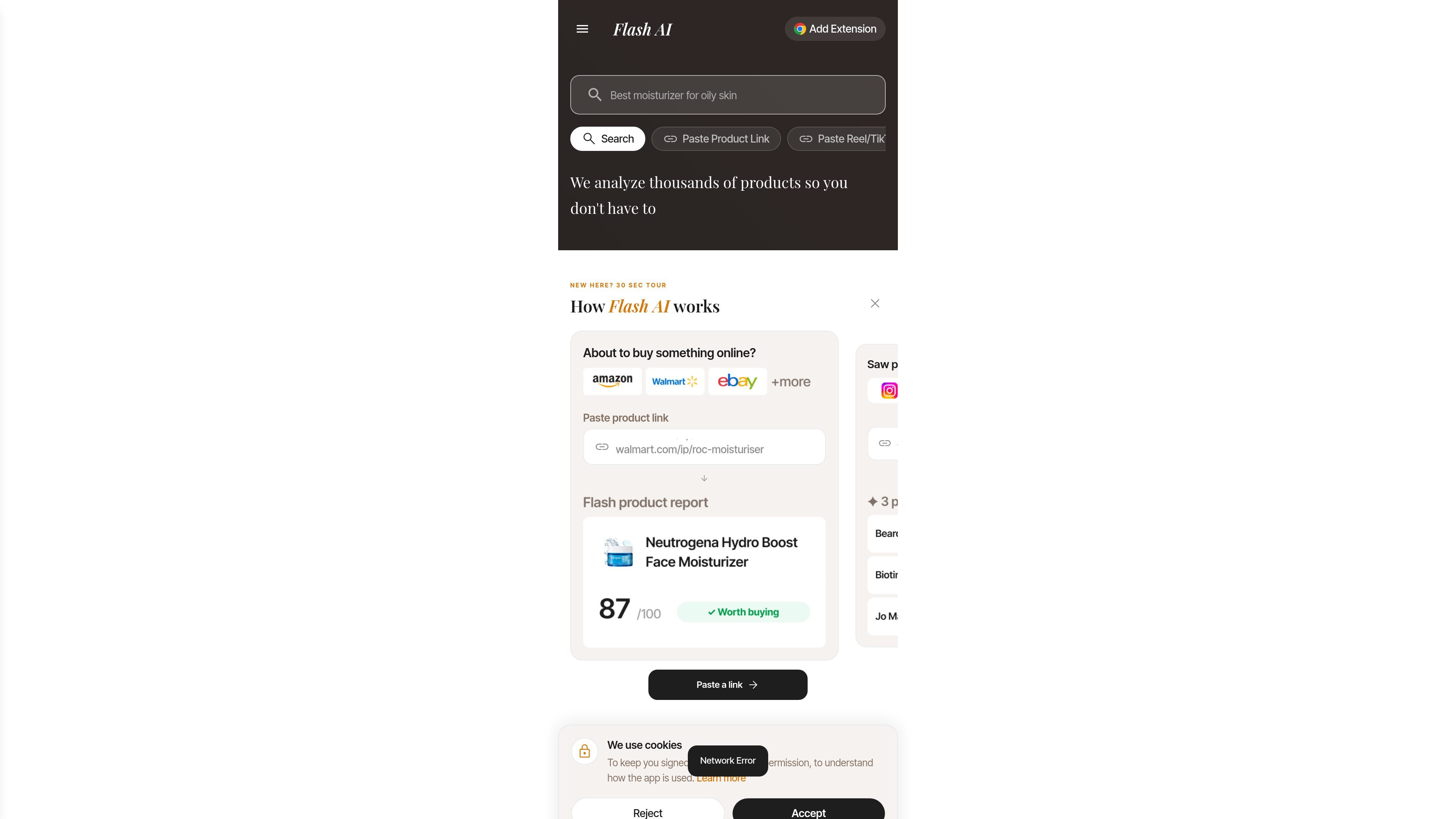
Flash is an AI shopping assistant that helps people research products before they buy. Its homepage positions the product around three entry points: paste a product link, paste a Reel or TikTok link, or describe what you want in plain language.
The site also presents Flash as a research-backed shopping companion, with curated product lists, category browsing, and editorial coverage that explains why certain products score well. That combination makes it useful for shoppers who want faster product screening without giving up context about ingredients, features, or category trends.
On the homepage, Flash highlights broad shopping topics such as sunscreens, moisturizers, smartphones, laptops, conditioners, and face serums. The product appears designed for consumers comparing everyday purchases, especially in beauty and electronics, where the site surfaces ranked products and concern-based guides.
The articles section adds editorial research on skincare and personal care topics, including niacinamide concentration, scalp care, sunscreen filters, and retinoids. This suggests Flash is not only a search tool, but also a product research layer that pairs shopping queries with evidence-oriented editorial guidance.
Accepts a pasted product URL and surfaces researched results for that item, which supports shopping from a product page you already found.
Accepts social video links such as Instagram Reels or TikTok posts, letting users investigate products they saw in short-form content.
Lets users describe a need in natural language, such as a sunscreen for dry skin or a moisturizer for oily skin, and returns products that match the request.
Supports open-ended shopping questions through an "Ask Flash" flow, so users can ask for help without starting from a specific product or link.
Shows researched product collections with scores, prices, merchants, and category filters, which helps users compare options at a glance.
Paste a product page when you are already considering a specific item and want a faster read on how it compares with similar options.
Drop in a Reel or TikTok link when a creator recommends something and you want to identify the product and see whether it seems worth buying.
Type a need like "best moisturizer for oily skin" or "sunscreen for dry skin" when you want Flash to narrow a category from scratch.
Use the researched lists and category pages when you want a shortlist rather than a blank search result, especially for beauty and electronics.
Read the Flash Take articles when you want a more evidence-based explanation of ingredient or category claims before choosing a product.
Flash is an AI shopping assistant that helps you research products from a pasted product link, a pasted Reel or TikTok link, or a plain-language search prompt. The homepage also shows an "Ask Flash" mode for questions about what to buy.
The source material shows Flash handling shopping-related searches and surfacing researched products, but it does not document a formal browser extension, mobile app, or other setup step.
Flash is positioned for shoppers who want help comparing products, checking ingredients or features, and narrowing down options without manually reading through large numbers of listings.
The pricing page shows product results and a signed-in app experience, but it does not provide a clear public plan breakdown, subscription price, or usage limits in the captured content.
The captured sources do not describe team features, shared workspaces, or multi-user account controls.