
Text translation workspace
Translate text directly in the browser with language auto-detection, selectable source and target languages, a professional translation option, and tone/domain controls.

Doctranslate is a web-based translation tool for text, documents, images, audio and video, with office uploads, OCR image translation and team workflows.
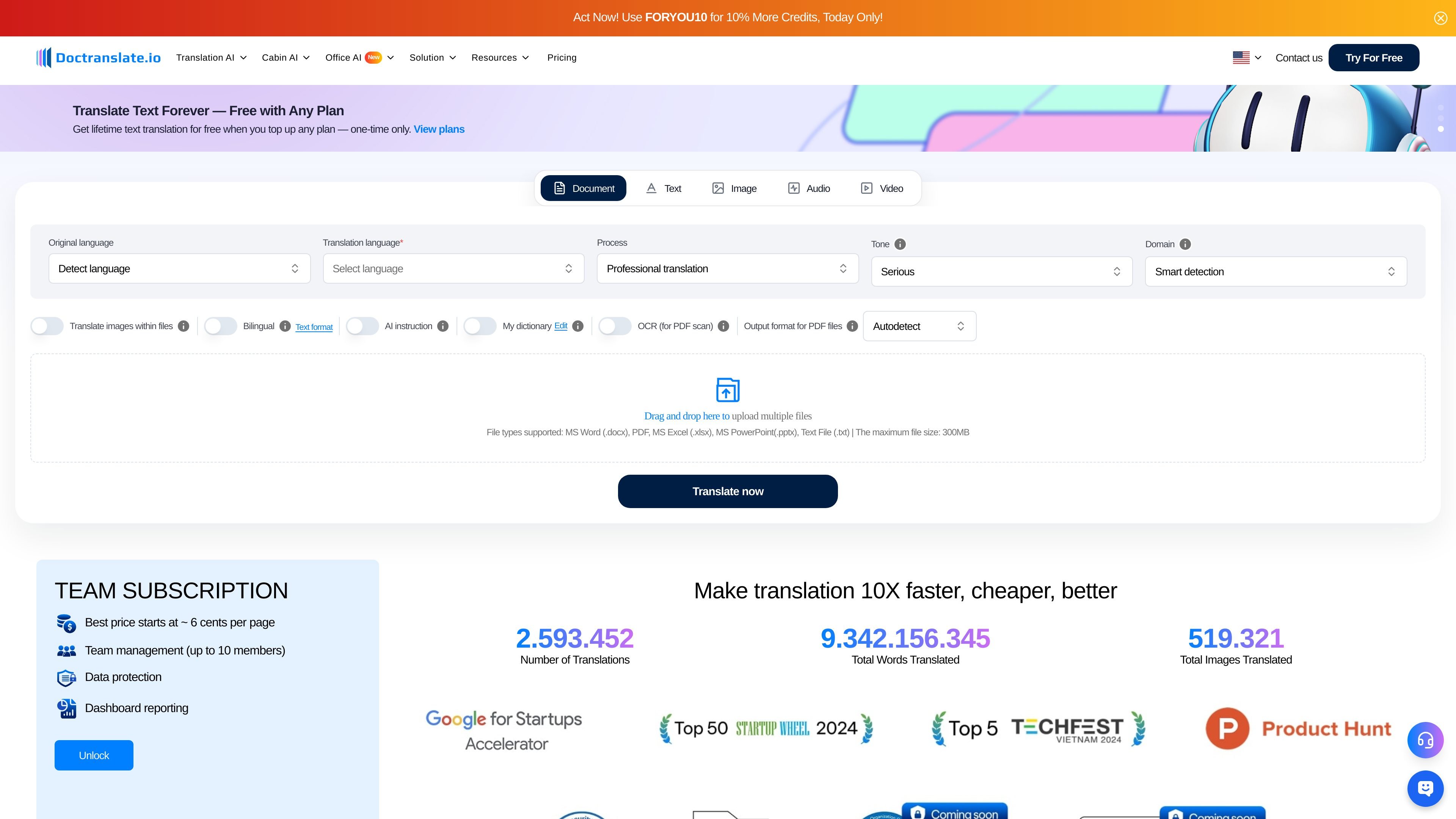
Doctranslate.io is a web-based translation product that combines text, document, image, audio, and video translation tools in one site. The main pages emphasize live translation, file-based translation, and supporting workflows for slides, PDFs, and meeting content.
Its core purpose is to reduce the time and effort needed to translate everyday business and content workflows. The interface shown supports language detection, target-language selection, professional translation settings, bilingual output, and upload-based translation for common office file formats.
Translate text directly in the browser with language auto-detection, selectable source and target languages, a professional translation option, and tone/domain controls.
Upload office files and documents for translation, including Word, PDF, Excel, PowerPoint, and plain text, with support for files up to 300MB.
Translate images and scanned documents, with OCR for PDF scans and support for PDF, JPEG/JPG, and PNG uploads.
Apply bilingual display, edit the output, use AI instructions, and save terms in a personal dictionary to shape the result.
Access adjacent workflows for slides, video, PDF conversion, and meeting transcription from the same product suite.
Translate business correspondence, web copy, or short passages directly in the text workspace with language detection and professional tone settings.
Convert Word, PDF, Excel, PowerPoint, or text files while preserving a document-centric workflow for office materials and longer content.
Extract and translate text from scanned pages or image files when the source material is not editable text.
Support content teams working on subtitles, presentations, or meeting materials through the site’s adjacent video, slides, and transcription tools.
Use the team subscription features when multiple people need shared access, reporting, and protected usage in one workspace.
Doctranslate.io provides browser-based translation workflows for text, documents, images, audio, and video. The pages shown support text and document translation directly, with dedicated entry points for image translation and broader site navigation for audio and video tools.
The product surface includes language auto-detection, translation language selection, a professional translation mode, tone and domain controls, bilingual display, AI instruction, and a personal dictionary. The image workflow also shows OCR and font-setting options, while document translation supports multiple file types and uploaded files up to 300MB.
The site shows a free offer of 500 words, with a maximum of 10 pages, and notes that text translation can be free with any plan after a one-time top-up. The pricing page also promotes a team subscription and credits-based usage.
The site indicates support for MS Word, PDF, Excel, PowerPoint, and text files in the document workflow, and PDF, JPEG/JPG, and PNG in the image workflow. It also offers separate entry points for slides, video, PDF conversion, and meeting transcription.
The pricing page highlights team management for up to 10 members, along with data protection and dashboard reporting. The product appears aimed at individual and team translation workflows rather than a narrow single-use utility.