Calendar-connected Notetaker
Connect your calendar so the Notetaker can automatically join eligible meetings, securely record the call, and capture notes without manual setup each time.

Bubbles is an AI meeting note taker and screen recorder for teams, with automated summaries, action items, and browser-based async video capture.
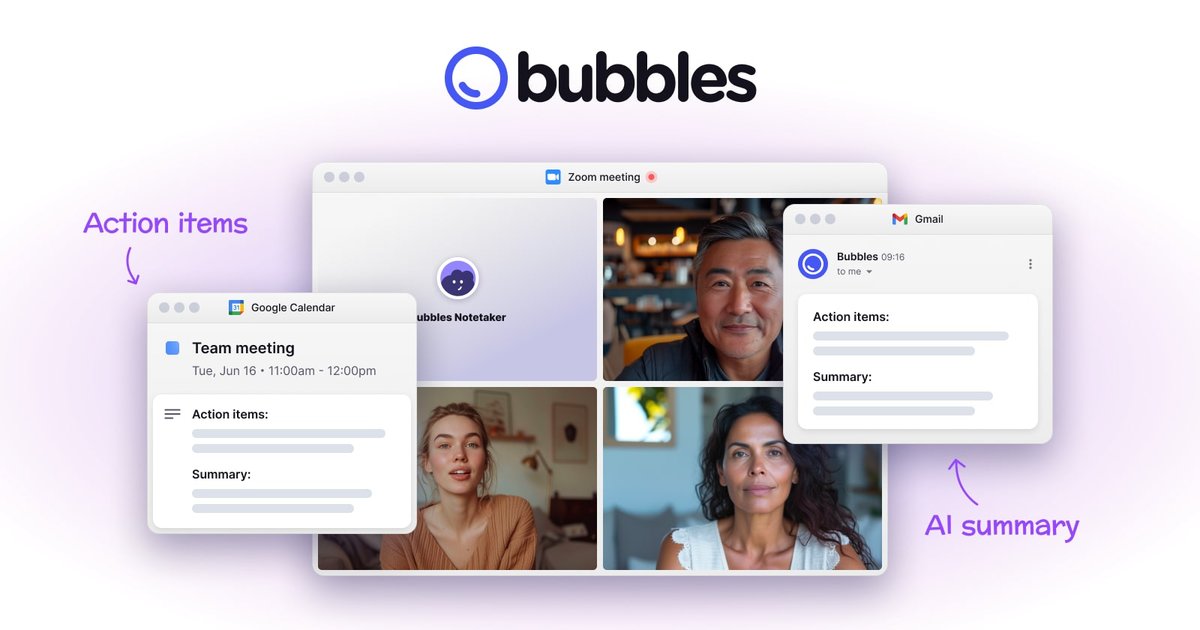
Bubbles is an AI meeting note taker and screen recorder for teams that want to capture live calls, create follow-up notes automatically, and use asynchronous video instead of recurring meetings when that fits better. It combines calendar-connected meeting recording, AI summaries, action items, and browser-based screen capture in one product.
The product is built for workflows where people need to document conversations, review work later, and collaborate without another live call. The homepage highlights meeting notes, video replies, organized recordings, and async feedback on projects, designs, and other shared work, while the pricing and security pages show a free plan, paid controls, and SOC 2 Type II certification.
Connect your calendar so the Notetaker can automatically join eligible meetings, securely record the call, and capture notes without manual setup each time.
Receive AI-generated summaries and action items after meetings, with notes delivered in email and available from calendar events when connected through Google Calendar.
Store recordings in one workspace so teams can search, organize, and share meetings with teammates or guests.
Reply to meeting videos with comments or video responses instead of moving the discussion to another call.
Record live meetings or capture your screen and voice from the browser with a one-click extension.
Set meeting-level controls on paid plans to choose which meetings the Notetaker joins, who receives recordings, and how the Notetaker is branded.
Connect a calendar so the Notetaker can join selected meetings, record the discussion, and send summaries and action items after the call.
Replace a quick live call with a recorded screen-and-voice update that teammates can watch when convenient and respond to with comments.
Review designs, websites, or documents with screen, voice, text, or video annotations instead of scheduling another meeting.
Keep external collaborators in the loop by sharing recordings with guests who do not need an account or installation.
Capture ad-hoc questions, check-ins, and short updates when the topic does not justify a full meeting.
Bubbles automatically joins meetings from your calendar, records them, transcribes the conversation, and sends AI summaries and action items. On the Pro plan, you can also choose which meetings the Notetaker joins and who receives recordings.
Yes. The pricing page shows a Free plan with limited recording length, five meeting recordings per week, unlimited screen recordings, AI summaries and action items, and Notetaker joining all meetings it has access to. Paid plans add longer recordings, AI transcripts, and more control over Notetaker behavior.
Bubbles offers a browser extension for recording live meetings or screen and voice captures from the browser, plus async video workflows for feedback, project check-ins, and ad-hoc questions.
The security page says Bubbles is SOC 2 Type II certified, uses AWS and Netlify for hosting, encrypts confidential data in transit and at rest, and restricts customer data access to authorized employees.
The pricing page says Bubbles supports supported meeting links including Zoom, Google Meet, Microsoft Teams, GoTo Meeting, and Webex on the Free plan when the Notetaker has calendar access.