
Code-aware task setup
Define work using project context such as files, commits, symbols, methods, or images instead of starting from a blank prompt.

JetBrains Air is a desktop environment for running coding agents in parallel, keeping tasks isolated, and reviewing changes from one workspace. Supports Codex, Claude Agent, Gemini CLI, and Junie on macOS and Linux, with Windows coming soon.
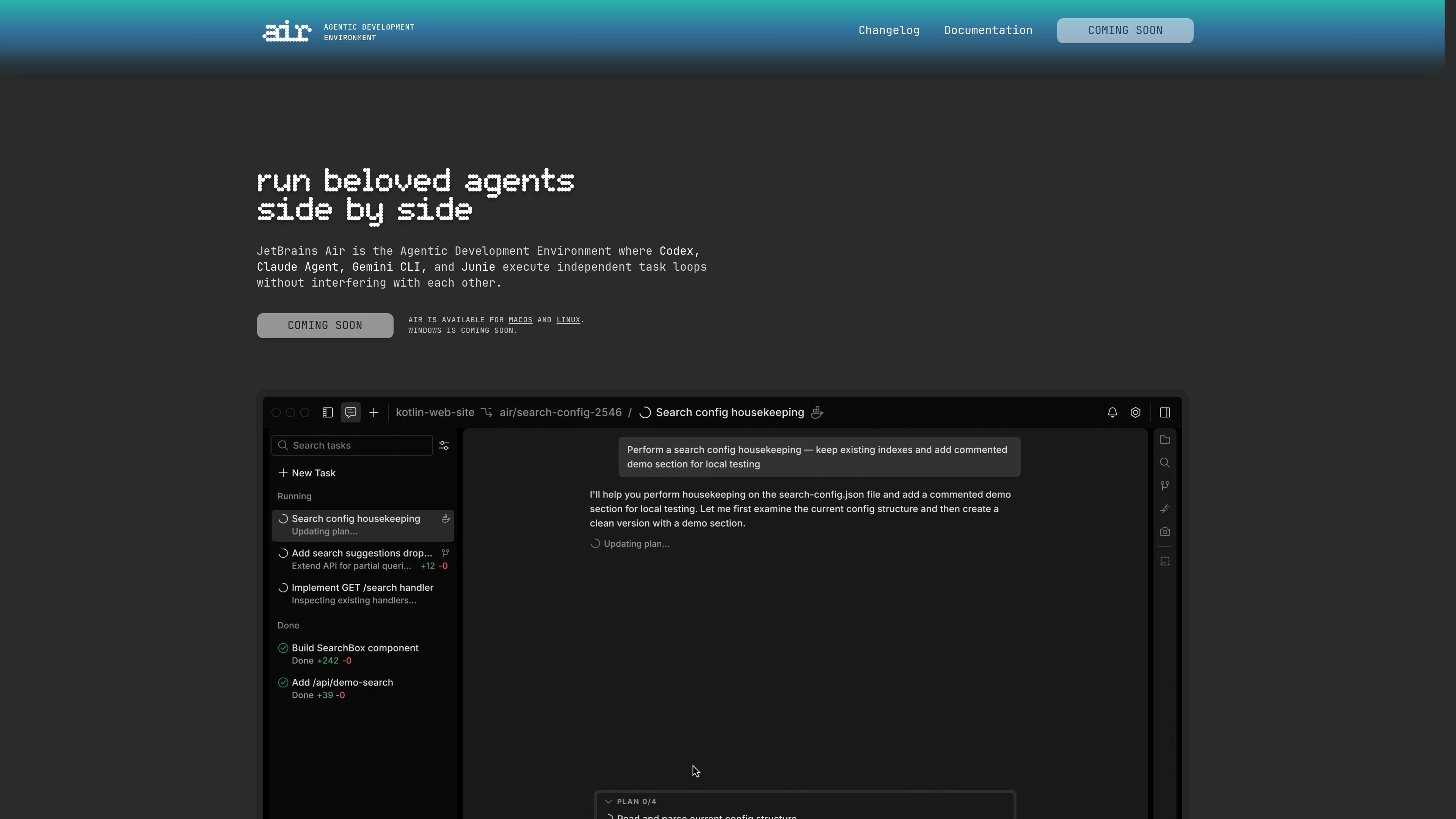
JetBrains Air is an agentic development environment built for running multiple coding agents side by side without losing control of the workflow. The product brings Codex, Claude Agent, Gemini CLI, and Junie into one desktop application so tasks can be split, isolated, and reviewed in a single place.
Its core purpose is to help developers delegate work more precisely, run tasks in parallel, and keep visibility into what each agent is doing. Air supports macOS and Linux, with Windows listed as coming soon, and is positioned as a standalone app that complements JetBrains IDEs rather than replacing them.
Define work using project context such as files, commits, symbols, methods, or images instead of starting from a blank prompt.
Launch Codex, Claude Agent, Gemini CLI, or Junie in parallel and decide where each task runs.
Keep each task separated with Docker containers, Git worktrees, or cloud environments that are coming soon.
Monitor progress while tasks run, then switch into a task to add input or review what the agent is doing.
Review changes in a language-aware workspace and commit results from the same environment.
Keep sessions, Git state, navigation, and tools scoped to a single project so concurrent work stays organized.
A developer can break a larger change into smaller tasks and run them at the same time with different agents, instead of waiting for one completion before starting the next.
A team member can keep agents isolated in Docker containers or Git worktrees when they want to avoid conflicting changes during exploration or edits.
A reviewer can compare output from different agents on the same task and inspect progress before deciding what to keep or revise.
A JetBrains user can use Air as a companion app for agent orchestration while continuing to rely on their IDE for the rest of the development workflow.
A project owner can organize agent sessions, navigation, and Git state inside one workspace to manage concurrent work on a single codebase.
Air is a desktop application by JetBrains for running coding tasks with multiple AI agents in a coordinated workflow. It supports Codex, Claude Agent, Gemini CLI, and Junie.
Air is designed around workflow control rather than a single chat terminal. It provides code-aware task definition, isolated execution with Docker containers or Git worktrees, and ongoing review while agents run.
At launch, Air supports Claude Agent, Codex, Gemini CLI, and Junie.
Yes. Air is agent-agnostic, so you can switch between supported agents depending on the task or compare their outputs side by side.
JetBrains AI Pro or Ultimate can be used to sign in and access supported agents at no additional cost. Air also supports BYOK for Anthropic, OpenAI, and Google keys, and the two methods can be used together with BYOK taking priority when configured.