
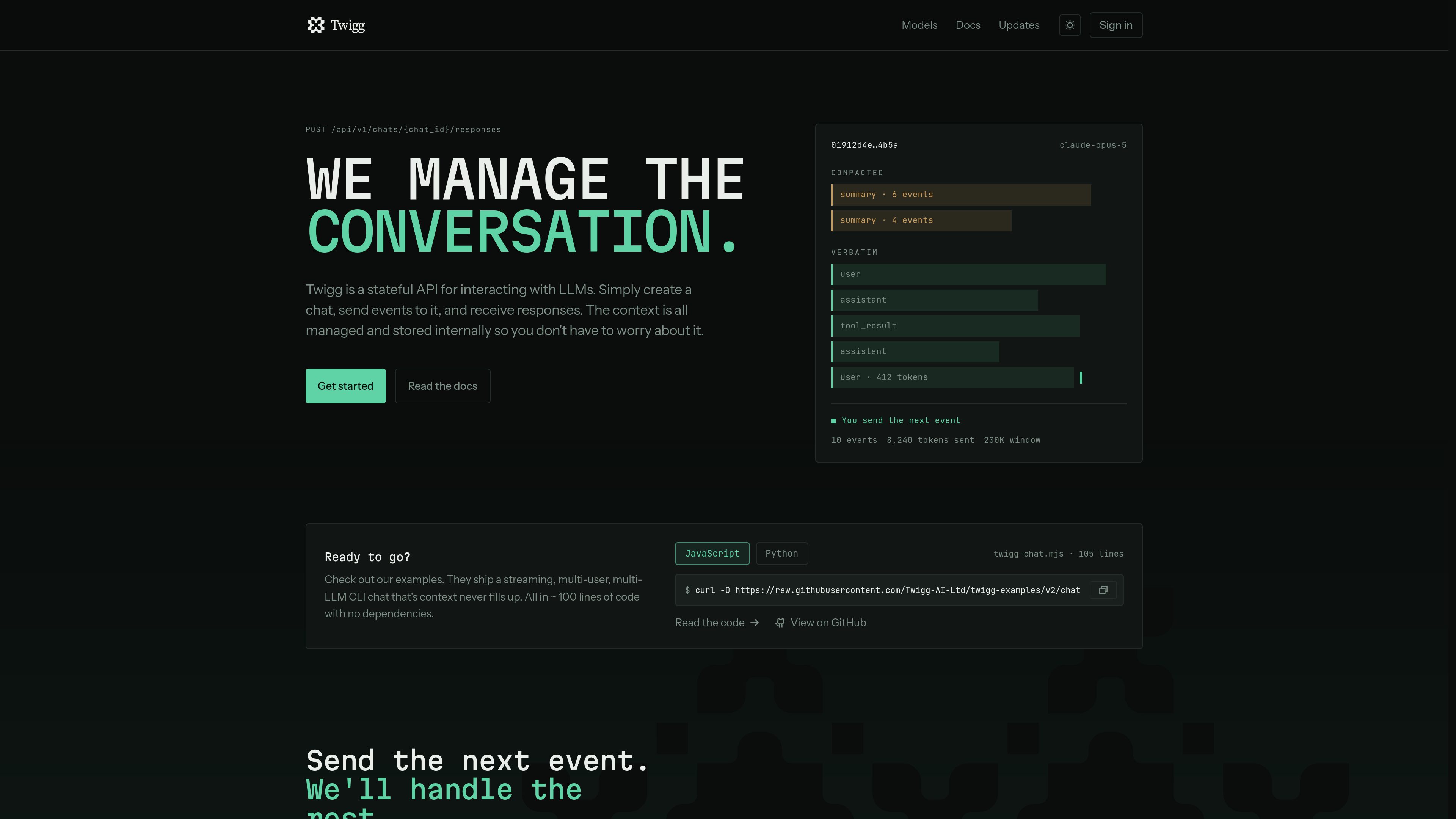
Stateful chat API
Create a chat once and post subsequent events to `/api/v1/chats/{chat_id}/responses`, rather than rebuilding the full transcript for every request.

Twigg 是用於建置 LLM 應用程式的有狀態 API,提供代管式對話儲存、脈絡組裝、壓縮與模型路由。開發者只需傳送下一個事件,即可在多個請求間保留聊天記錄,並切換模型或提供者,而不必將對話移至特定廠商的執行緒。
Twigg is a hosted context store, assembler, and model router for applications that interact with large language models. An application creates a chat, keeps its chat ID, and sends new events to the same chat; Twigg stores the conversation, assembles the request context, calls the named model, and returns the response and usage information.
The conversation remains outside the LLM providers, allowing a single chat to be used with models from different providers. The API can retain provider-native artifacts such as reasoning and tool calls, translate the accumulated ledger into each provider's message format, and compact older context when necessary.
Create a chat once and post subsequent events to `/api/v1/chats/{chat_id}/responses`, rather than rebuilding the full transcript for every request.
Twigg stores and retrieves conversation history, so the application can keep only the chat ID instead of its complete transcript.
Each run names the model to use, allowing a conversation to move between listed models and providers without migrating the chat into a new vendor thread.
Twigg assembles the history for each request and compacts older material when needed to keep the request within the configured context budget.
Namespaces can define context-window budgets and rules for retaining, truncating, or dropping different content types. Tool arguments and results can have separate size and recency rules.
Responses can stream back through the API, and completed runs include model, token usage, stop reason, and cost information when returned by the service.
Keep each user's chats under a separate namespace while the application stores only the open chat ID. Twigg's example CLI supports creating, listing, reopening, and switching between user conversations.
Let a process restart or move between machines without losing the conversation, because the transcript is retrieved by chat ID rather than held in application memory.
Send different turns in one conversation to different named models or providers to compare behavior or match tasks to available model capabilities.
Preserve tool calls, tool results, reasoning artifacts, and ordinary messages in the context ledger while applying separate retention rules to large tool payloads.
Use the documented JavaScript or Python examples to build a streaming chatbot without an SDK or external package dependencies in the examples.
For the documented chat workflow, the application can keep the chat ID and its own agent-loop state. The example CLI says it stores nothing beyond the ID of the open chat, while Twigg keeps the chat and messages.
Yes. The response request includes a model name, and the examples list models through `GET /api/v1/models` and select a different model for later turns in the same chat.
Yes. The examples consume a streamed response and print text delta events as they arrive. The API example also shows a run frame and a final `done` event.
Twigg assembles the conversation within a context budget and can compact older material. The site also describes namespace and model-level controls for budgets, retention boundaries, and truncation rules.
No such full runtime is documented. The product description assigns the application responsibility for the agent loop and tools, while Twigg manages the context ledger, request assembly, model call, and related response data.
流量數據僅供參考。