
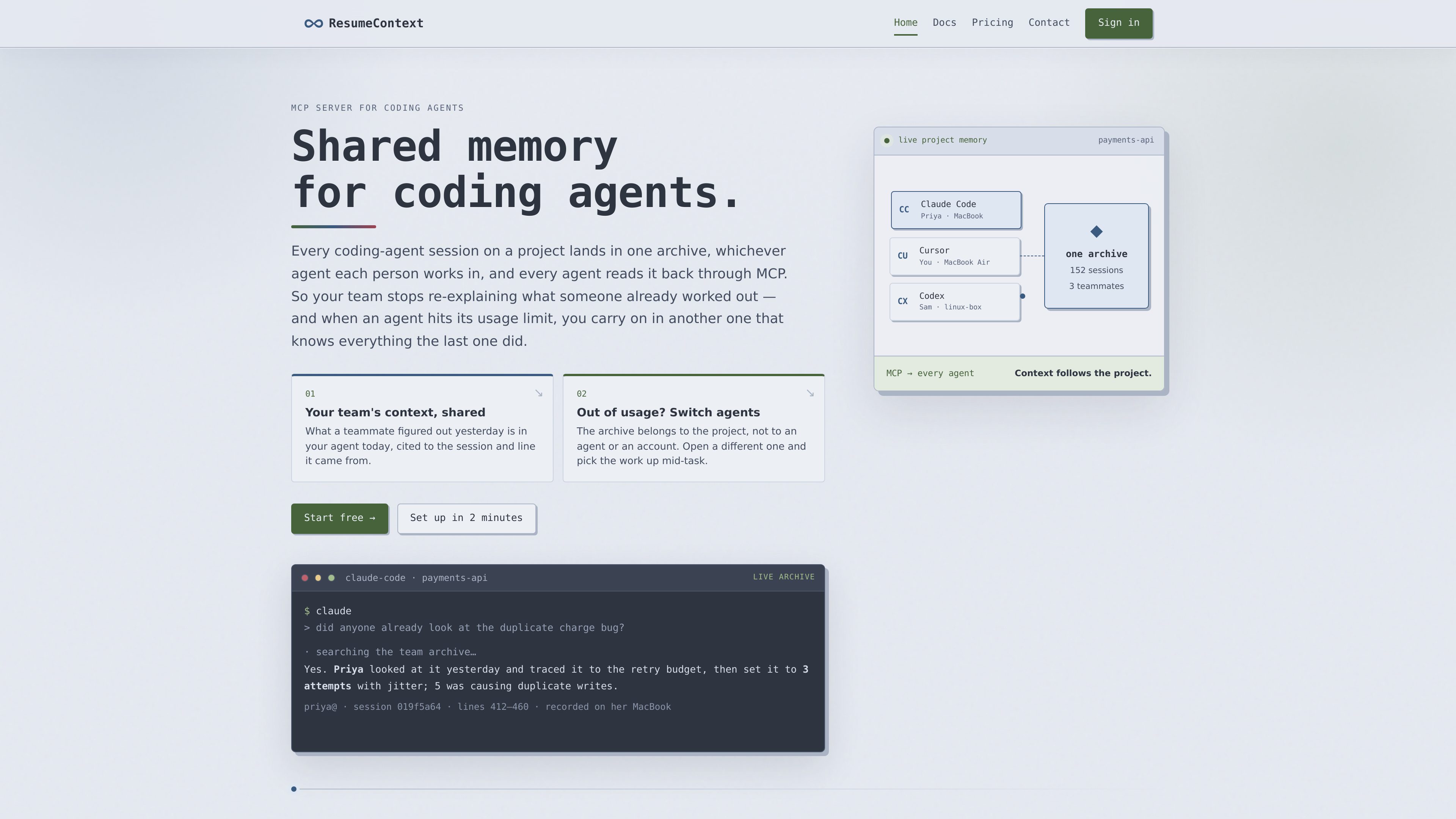
Shared project archive
Sessions from team members are collected in one archive associated with a project, allowing agents to access prior project work.

ResumeContext 是提供給程式碼代理團隊的共享記憶服務。它會在本機記錄代理工作階段、同步至專案檔案庫,並透過 MCP 將檔案庫提供給代理,讓它們搜尋過往工作,並在不同代理、帳戶或裝置間接續任務。
ResumeContext is a shared memory service for coding-agent teams. A local daemon reads the session history that supported coding agents already write to disk, syncs those sessions to a shared project archive, and makes the archive available to agents through the Model Context Protocol (MCP). The product is designed to preserve project decisions, investigations, and unfinished work beyond an individual agent session.
Its main workflows are cross-agent continuity and shared team recall. An agent can search previous sessions and return answers with references to the originating session and line. Because the archive is associated with a project rather than a particular agent or account, a developer can switch tools, accounts, or machines without starting the task context over.
Sessions from team members are collected in one archive associated with a project, allowing agents to access prior project work.
The archive is provided back to coding agents as an MCP server, so users can query shared history from the agent session they are already using.
Responses can identify the source session and relevant line range, making it possible to trace an answer back to the recorded work.
A small daemon reads agent history from local disk and syncs it without requiring an installation inside the agent or changes to prompting.
The `resumecontext agents` command can list supported agents, inspect their history locations, and choose which agent histories to sync, including custom paths.
Months of sessions remain searchable, with the agent retrieving relevant passages instead of requiring all history to remain in the active context window.
Point another agent at the same project archive when the current tool reaches its limit, allowing work to continue without manually reconstructing the previous session.
A teammate can ask what another developer discovered about a bug and receive an answer grounded in the recorded investigation, including session and line references.
Project members can ask what changed, who is blocked, or whether work is overlapping, using the team’s recorded sessions instead of separate status updates.
The project archive supports continuity when work moves between agents, accounts, or machines, provided those environments are connected to the same project.
The product reads session history from supported coding agents. Its agent-management command can list supported agents, show their normal history directories, report whether history is present locally, and configure a custom history path where needed. The supplied documentation examples include Claude Code, Cursor, and Codex, but the complete supported-agent list should be checked in the current documentation.
No. ResumeContext reads the history agents already write to disk and returns the shared archive through MCP. The documentation states that nothing is installed into the agent and prompting does not need to change.
The quickstart describes a setup of about two minutes: install the CLI, sign in, run `resumecontext init` in the project directory, and connect the coding agent. After setup, it syncs automatically. The setup is performed on each machine that will contribute or read project history.
History is stored on ResumeContext’s servers within the project it was synced to and is readable by members of that project. The pricing page states that agent access is read-only and enforced by a database role without access to other data.
A teammate can be removed from the project page, and their access ends immediately. Sessions they already recorded remain in the archive and retain attribution to that teammate.
流量數據僅供參考。