

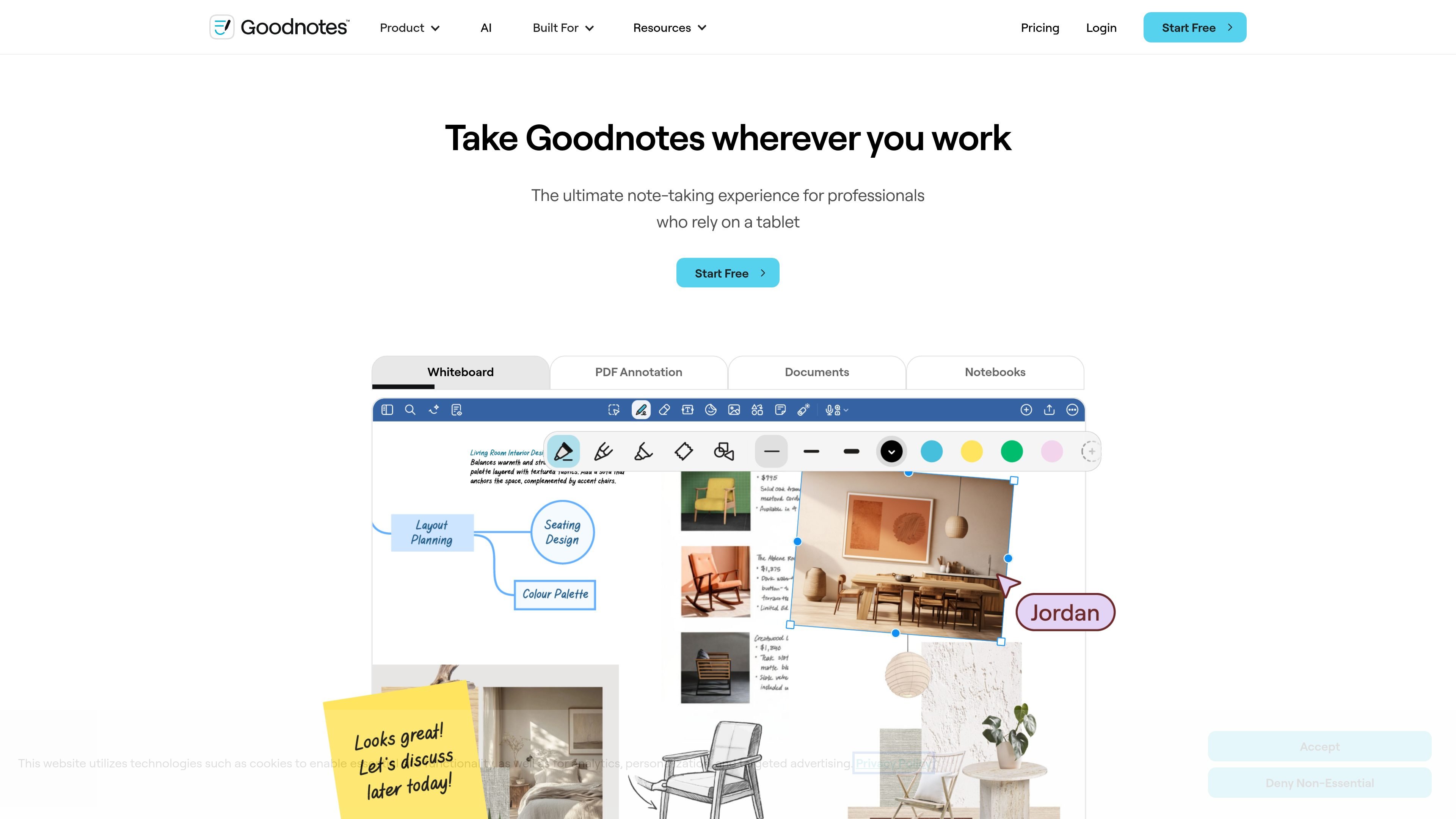
Multiple input modes
Write, type, sketch, or speak in the same workspace. Goodnotes is positioned as a flexible note-taking app rather than a single-format editor.
Goodnotes brings handwritten notes, typed documents, PDFs, whiteboards, and meeting work together. The site positions it as a flexible workspace for people who want to write, type, sketch, or speak in one place.
It is built for individual and team workflows, with features for real-time collaboration, document review, audio recording, handwriting support, and AI-assisted note use. The site also presents Goodnotes as usable across tablet, phone, and laptop, with plans ranging from Free to Enterprise.
Write, type, sketch, or speak in the same workspace. Goodnotes is positioned as a flexible note-taking app rather than a single-format editor.
Annotate PDFs, search annotations, and export when needed. The home page emphasizes reviewing contracts, briefs, and reports without leaving the app.
Work with others across notebooks, documents, and whiteboards in real time. The pricing page also lists comments and link-sharing options on higher tiers.
Use AI tools for handwriting support, Q&A, math help, meeting notes, and turning notes into maps or project plans. The pricing page lists several AI features, with additional AI access available as an add-on on some plans.
Move between tablet, phone, and laptop and keep work in sync across devices. The site presents this as part of a cross-platform workflow for finishing work away from a desk.
Organize work with notebooks, folders, bookmarks, search, templates, and digital stationery. The pricing page also includes storage and notebook limits that vary by plan.
Capture handwritten notes, type into text documents, or mix sketches and audio when you need one place for meeting notes, class notes, or project notes.
Review contracts, briefs, reports, or other PDFs by marking them up directly, searching annotations, and exporting when the work is ready to share.
Work with teammates in shared notebooks, documents, or whiteboards when you need live input without passing files back and forth.
Turn rough notes into next steps with AI tools that can help with Q&A, meeting notes, mind maps, and project planning.
Use Goodnotes on tablet, phone, and laptop when you want to start on one device and continue the same work elsewhere.
Goodnotes is built for note-taking, document annotation, whiteboards, and text documents. The site also highlights real-time collaboration, AI features, and support for both individual and team workflows.
The pricing page shows a Free plan, paid Individual plans, Teams pricing, and an Enterprise option with custom pricing. The site also offers an education-oriented Free option with an Admin console.
Yes. The site says Goodnotes supports real-time collaboration across notebooks, documents, and whiteboards, including shared and private link sharing on higher tiers.
The site highlights collaboration, PDF annotation, meeting notes, audio recordings, handwriting experience, and AI productivity. The home page also says you can use it on tablet, phone, and laptop.
流量數據僅供參考。

craft.do
A notes, documents, and task app for writers, students, and everyday planning.
coconote.app
Coconote 運用 AI 將講座、會議與文件整理成筆記、逐字稿及學習資料。

saga.so
用於筆記、文件、任務與協作的 AI 工作空間

easynoteai.com
AI 筆記助手,將音訊、影片和 PDF 轉為適合學習的筆記、摘要、學習卡、測驗和聊天機器人。

www.theodorehq.com
Muse 是一款原生 Mac App,可將連結、圖片、影片、PDF 和筆記儲存並整理到私密的本機資料庫中。無論是蒐集視覺參考素材或進行研究,都能讓所有內容方便搜尋、以檔案形式保存,並隨時在 Mac 上使用。

www.dictantor.app
Dictantor is an on-device voice notebook for recording, transcribing, searching, summarizing, and sharing voice notes. It is designed for capturing ideas and reviewing recordings across iPhone, Apple Watch, and Mac.