
Configurable workflow builder
Define input fields, add agents and connect their steps. Agent settings include plain-language instructions and task-specific configuration, with conditional branches for different outcomes.

Build enterprise AI Employees with Ema: connect business inputs, reasoning steps and human approvals, then test and publish workflows for your teams.
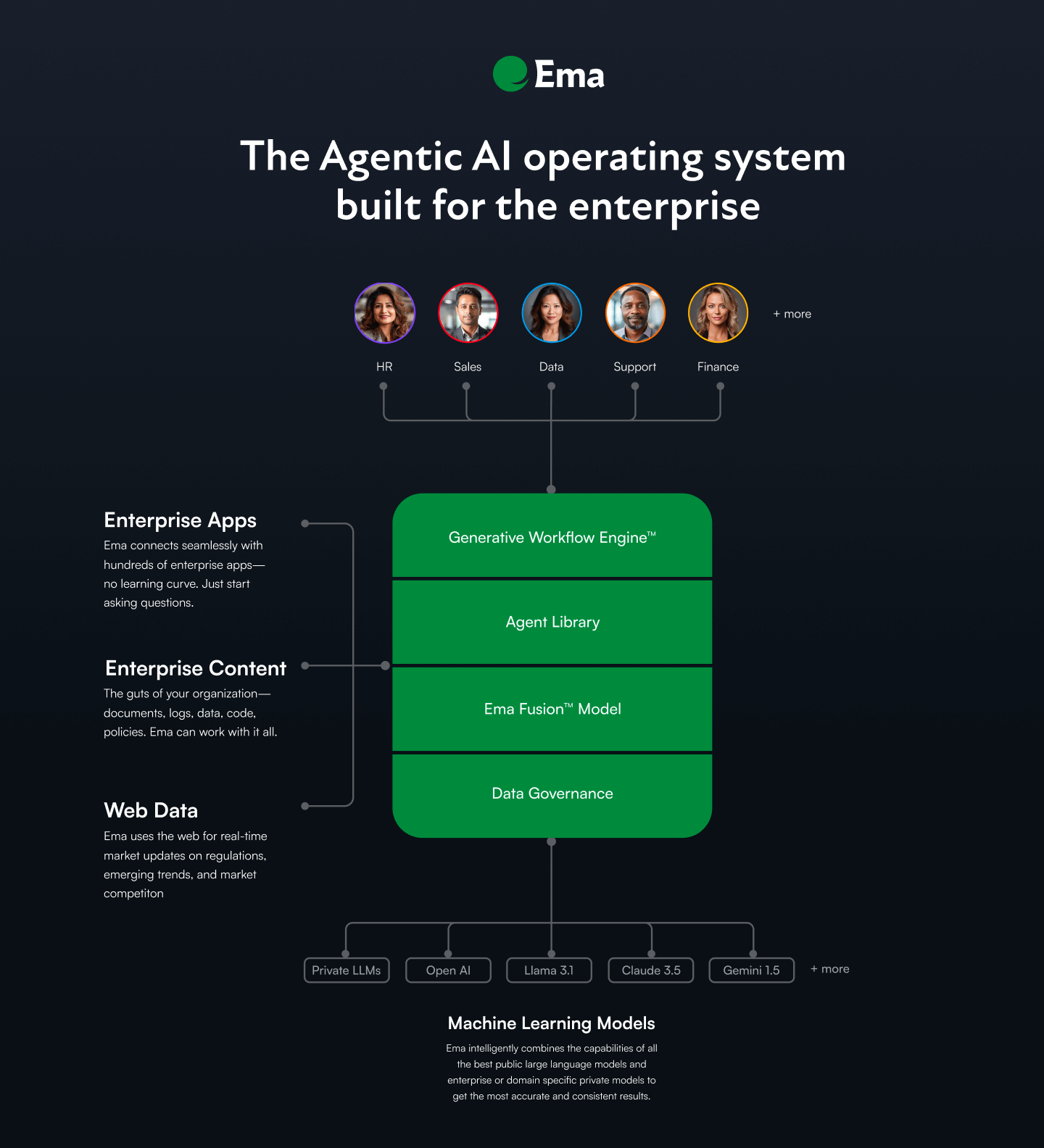
Ema is an enterprise AI Employee platform for configuring agents around business workflows. Teams can describe a task in natural language, connect it to enterprise context and systems, and make it available through channels such as Teams, Slack or voice. Its current focus includes HR, IT and Finance.
In the builder, a workflow defines the information it accepts, the agents that process it and the steps that follow. Builders can add approval or clarification requests, test a draft with sample inputs, and publish a validated version for live use. Creating and editing workflows requires an assigned builder role; organizations can request a guided demo to evaluate the platform.
Define input fields, add agents and connect their steps. Agent settings include plain-language instructions and task-specific configuration, with conditional branches for different outcomes.
Choose agent types for intent classification, extraction or rule validation. A Custom Agent can search attached knowledge bases; tools and model settings are configured for the task.
A configured human-in-the-loop step can pause a run, assign a question or form to a user or role, and resume after a response. Builders set the waiting period and what happens if no response arrives.
Save changes as a draft, test it with input values and inspect step-by-step progress. Publishing validates the configuration and promotes it to live; saving alone does not change the running version.
Connect workflows with prebuilt integrations and enterprise context. Employees can use Ema through Teams, Slack and voice rather than relying only on the builder interface.
EmaFusion combines models for a request and can switch to other models when one slows down or has an outage. This is a model-handling capability, not a guarantee that every workflow will be error-free.
Accept a support message, classify its urgency and produce a short summary. Configure the labels, instructions and routing for the team that will use the result.
Pause an agent for an approval, clarifying question or structured form, then continue with the response instead of treating every step as fully autonomous.
Test edits against a saved draft and publish only when the configuration and results are ready for the team’s intended use.
Attach relevant knowledge bases to a Custom Agent and configure its instructions and tools for the business task rather than relying on generic responses alone.
Request a guided demo for a platform tour and a discussion of how its AI Employees could fit the organization’s workflows.
A builder, builder admin, system admin or environment admin role is required. An administrator must grant access if the AI Employees or workflow area is not visible to the user.
Yes, when a human-in-the-loop step is configured. It assigns a request to a user or role and pauses for a response. Timeout behavior can fail the run, skip the step or auto-approve, so the builder must choose the behavior appropriate to the task.
No. Saving creates a draft. Testing runs that draft, while publishing validates the configuration and promotes a version to live. Live API, scheduled and channel runs use the active published version.
Ema supports Teams, Slack and voice access channels, with integrations and enterprise context configured for the workflows being deployed.
流量数据仅供参考。
