
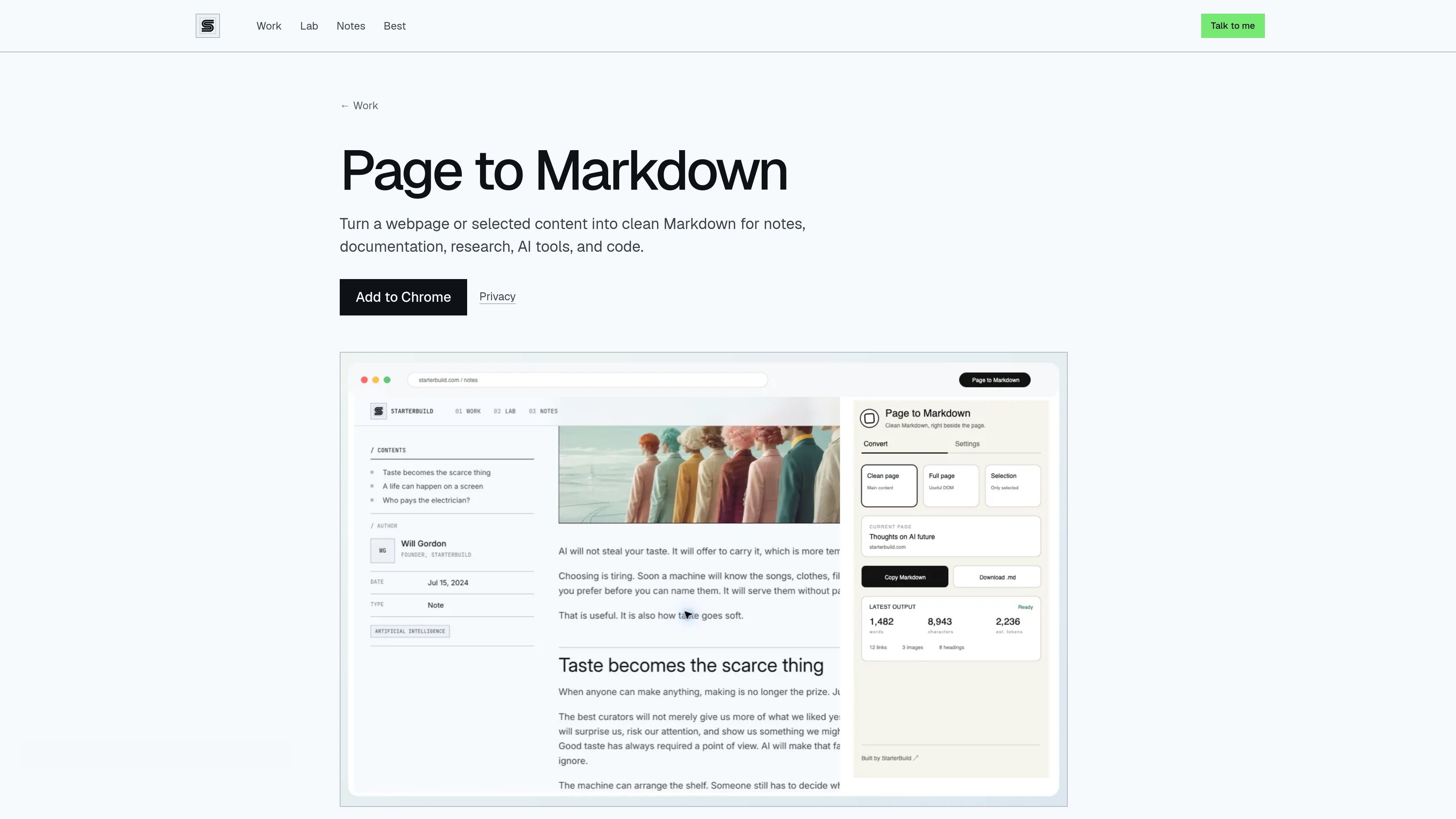
Three page conversion modes
Convert the main content, the full page, or only the text selected in the browser. Clean page mode removes navigation and other clutter, while full page mode keeps useful rendered content in reading order.

Page to Markdown is a free Chrome extension that converts webpages or selected content into clean, usable Markdown. It is designed for notes, documentation, research, AI tools, and coding workflows.
Page to Markdown is a free Chrome extension that converts webpages or selected content into clean Markdown. It can process a page’s main content, the full page, or text highlighted by the user, with output intended for notes, documentation, research, AI tools, and coding workflows.
The extension runs conversion locally in Chrome. It preserves useful structure such as headings, links, images, lists, blockquotes, tables, fenced code blocks, and expandable details when available. The resulting Markdown can be copied or downloaded as a .md file.
Convert the main content, the full page, or only the text selected in the browser. Clean page mode removes navigation and other clutter, while full page mode keeps useful rendered content in reading order.
Highlight the portion of a page you need and use Selection mode or the browser’s “Copy selection as Markdown” command.
Preserves headings, links, images, lists, and blockquotes instead of flattening the source into an undifferentiated block of text.
Tables, fenced code blocks, and expandable details are preserved when available, supporting technical notes and code-related workflows.
Send the generated Markdown to the clipboard or download it as a ready-to-use `.md` file.
Conversion takes place locally in Chrome after an explicit request. The extension has no account requirement, server, AI API, cloud sync, analytics, advertising, or runtime network requests.
Convert a clean version of an article or reference page for use in research notes without carrying over navigation and other page clutter.
Select only the relevant passage and copy it as Markdown when supplying structured webpage content to an AI workflow.
Use full-page or clean-page conversion to turn web-based instructions and references into Markdown that can be copied or downloaded for documentation.
Preserve headings, tables, fenced code blocks, and expandable details when available while extracting technical material from a webpage.
Yes. Highlight the content you need and use Selection mode, or choose “Copy selection as Markdown” from the browser’s right-click menu.
Clean page mode removes navigation and other clutter, full page mode keeps useful rendered content in reading order, and Selection mode converts only the text you highlighted.
No. Conversion runs locally in Chrome and does not send page content to StarterBuild or a third party. The extension has no server, AI API, cloud sync, or runtime network requests.
Generated Markdown remains in memory only long enough to copy or download it. Converted page content, HTML, selections, and page URLs are not stored.

www.browseract.com
BrowserAct is a no-code AI web scraping and browser automation platform that builds reusable Bots from plain-language data requests. It helps teams collect structured, refreshed web data in the cloud or give local AI agents a browser layer for web tasks.

skilldocs.dev
SkillDocs is a collaborative markdown workspace for editing, commenting on, and sharing the documents that agents run on. It combines live multiplayer editing with an MCP-based workflow for pushing skills from local files, collecting feedback, and pulling changes back.

compyle.ai
Compyle 是一款环境尽职调查 AI 平台,可自动完成第一阶段 ESA 调研和报告草稿,同时由 EP 掌控审核流程。

documentation.ai
Documentation.AI 是面向产品、开发者和支持团队的 AI 文档与知识库软件,可借助 AI 编辑和文档内问答创建、维护文档、API 参考、帮助中心与知识库。

cortexdocs.dev
Cortex Docs is an open-source API tooling workflow that turns API specifications and Markdown into interactive documentation, typed SDKs, and MCP servers. It helps developers publish API interfaces for human users, applications, and AI agents from a shared project.

deepwiki.com
将软件代码库转换为可浏览、可对话的 AI 文档