
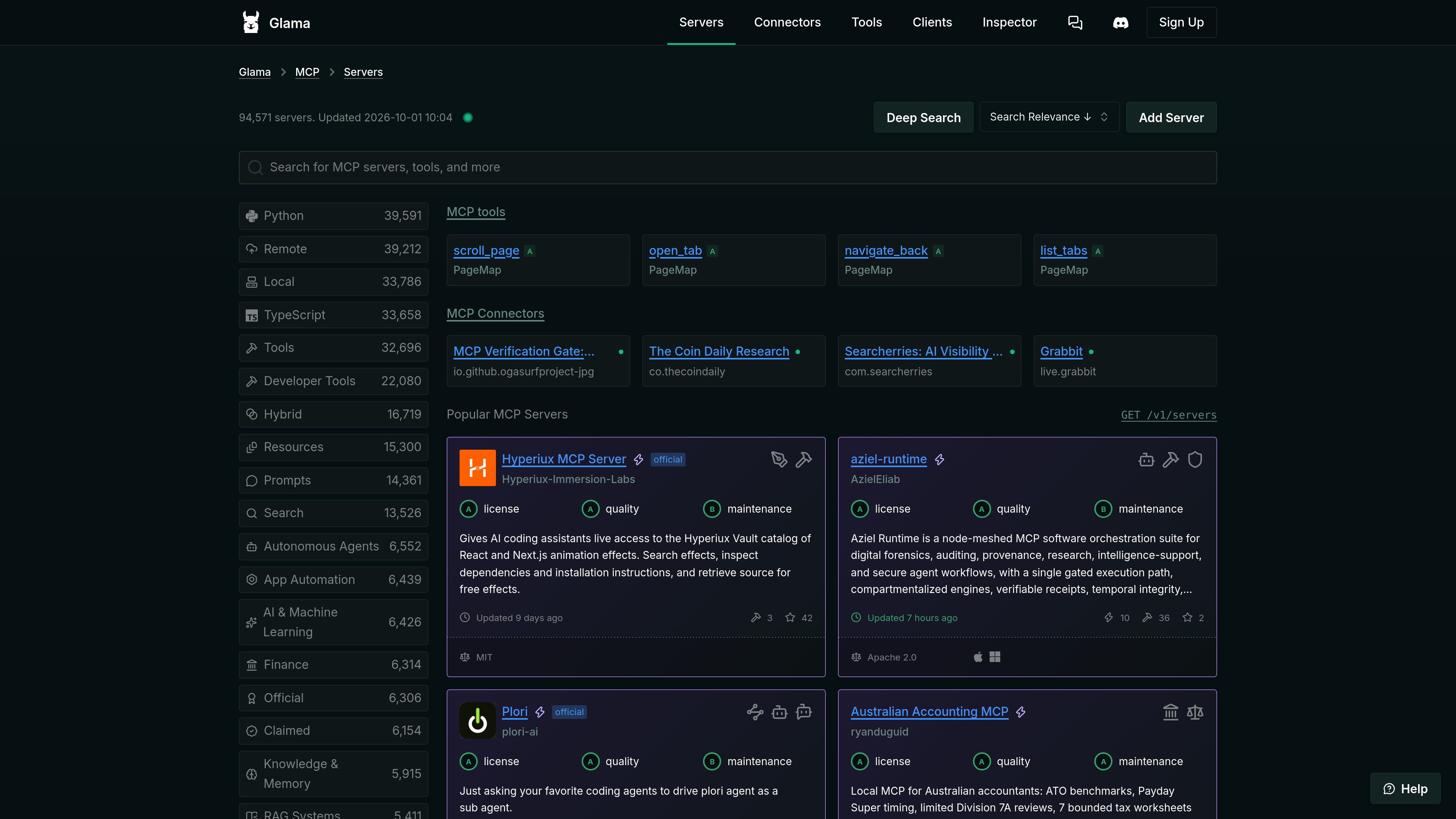
Searchable MCP registry
Browse and search MCP server listings across technical and functional categories, including developer tools, finance, research, browser automation, databases, security, and knowledge systems.

Glama is a registry and infrastructure platform for discovering, evaluating, and connecting to Model Context Protocol (MCP) servers, connectors, clients, and tools. It supports browsing open-source and remote MCP entries, with hosted access and gateway features described on the site.
Glama is a Model Context Protocol (MCP) directory and infrastructure platform. It indexes MCP servers, remote connectors, clients, tools, and integrations so users can search, compare, and evaluate components for AI-assisted workflows.
The main registry includes open-source server listings with filters and sorting for attributes such as deployment type, programming language, tools, resources, prompts, categories, license, update date, usage signals, and maintenance. A separate connector directory focuses on remote MCP servers that can be connected without local installation.
Glama also describes hosted MCP access through a ChatGPT-like interface and a gateway that can proxy MCP calls with logging and access control. The available source does not provide complete pricing, setup, or usage-limit details for those hosted features.
Browse and search MCP server listings across technical and functional categories, including developer tools, finance, research, browser automation, databases, security, and knowledge systems.
Registry entries can show deployment type, language, available tools, resources or prompts, license, update date, repository signals, and quality or maintenance ratings.
A dedicated directory lists remote MCP servers intended for direct connection without local installation. Listings may indicate authentication options, health status, tool counts, and supported categories.
The client directory catalogs applications that connect to MCP servers, with filters for platforms and capabilities such as desktop, web, CLI, VS Code extensions, resources, prompts, OAuth, and elicitation.
Glama describes a ChatGPT-like workspace with native MCP support and access to hosted servers, allowing users to interact with connected MCP capabilities through a conversational interface.
The platform describes a gateway for proxying MCP calls through a controlled endpoint, including full logging and access control.
Developers can compare candidate MCP servers using listing metadata such as license, update history, tool coverage, repository signals, and quality or maintenance indicators.
Teams that want to avoid local installation can search the connector directory for hosted MCP servers and check whether entries support OAuth, require no authentication, or report a healthy status.
Users can browse client applications by operating system, delivery format, and protocol capabilities when selecting an environment for connecting to MCP servers.
Researchers, developers, and operations teams can search domain categories such as data access, documentation, browser automation, finance, security, and project management to identify relevant MCP components.
Organizations evaluating hosted usage can use the described gateway model to proxy MCP calls through a controlled layer with logging and access control, subject to the platform's available plan and setup requirements.
Glama is an MCP registry and platform for discovering servers, remote connectors, clients, tools, and related integrations.
Yes. The connector directory lists remote MCP servers intended to be connected directly without local installation. Entries may show authentication and health attributes.
Depending on the entry, the registry can show categories, deployment type, programming language, tools, resources, prompts, license, update date, repository signals, and quality or maintenance indicators.
The site describes a ChatGPT-like interface with native MCP support and hosted server access, as well as a gateway that proxies MCP calls with logging and access control. The supplied information does not specify the complete setup or plan requirements.
Yes. Its client directory catalogs MCP applications and provides filters for platforms and capabilities such as web, desktop, CLI, extensions, OAuth, resources, and prompts.

0mcp.io
将 OpenAPI API 操作转换为托管 MCP 服务器,让团队无需自行实现和运维协议层,即可向兼容 MCP 的 AI 客户端开放经批准的 API 操作。

gitmcp.io
为公共 GitHub 仓库和 GitHub Pages 网站创建远程 MCP 服务器,让兼容的 AI 助手获取项目文档与代码上下文,提供更相关的编程响应。

modelcontextprotocol.io
用于构建 Model Context Protocol 服务器和客户端的官方 TypeScript SDK,提供按仓库组织的开发基础,涵盖客户端、服务器、核心、中间件、文档和示例等部分。

obot.ai
Obot 是面向企业的开源 AI 控制平面与 MCP 网关,用于部署、治理和审计 AI 代理、MCP 服务器及 Skills。

usefiretower.com
Firetower 是一个开源、自托管的控制平面,用于在自有服务器上运行编码代理。开发者可以从代码仓库启动代理会话,通过桌面或移动客户端监控进度、审查更改,并在无需保持发起设备在线的情况下交付分支。

www.docker.com
Docker MCP 企业网关管理 MCP 兼容客户端对获批服务器和工具的访问,实施基于身份的策略、从获批机密存储提取凭据,并记录工具调用决策。