
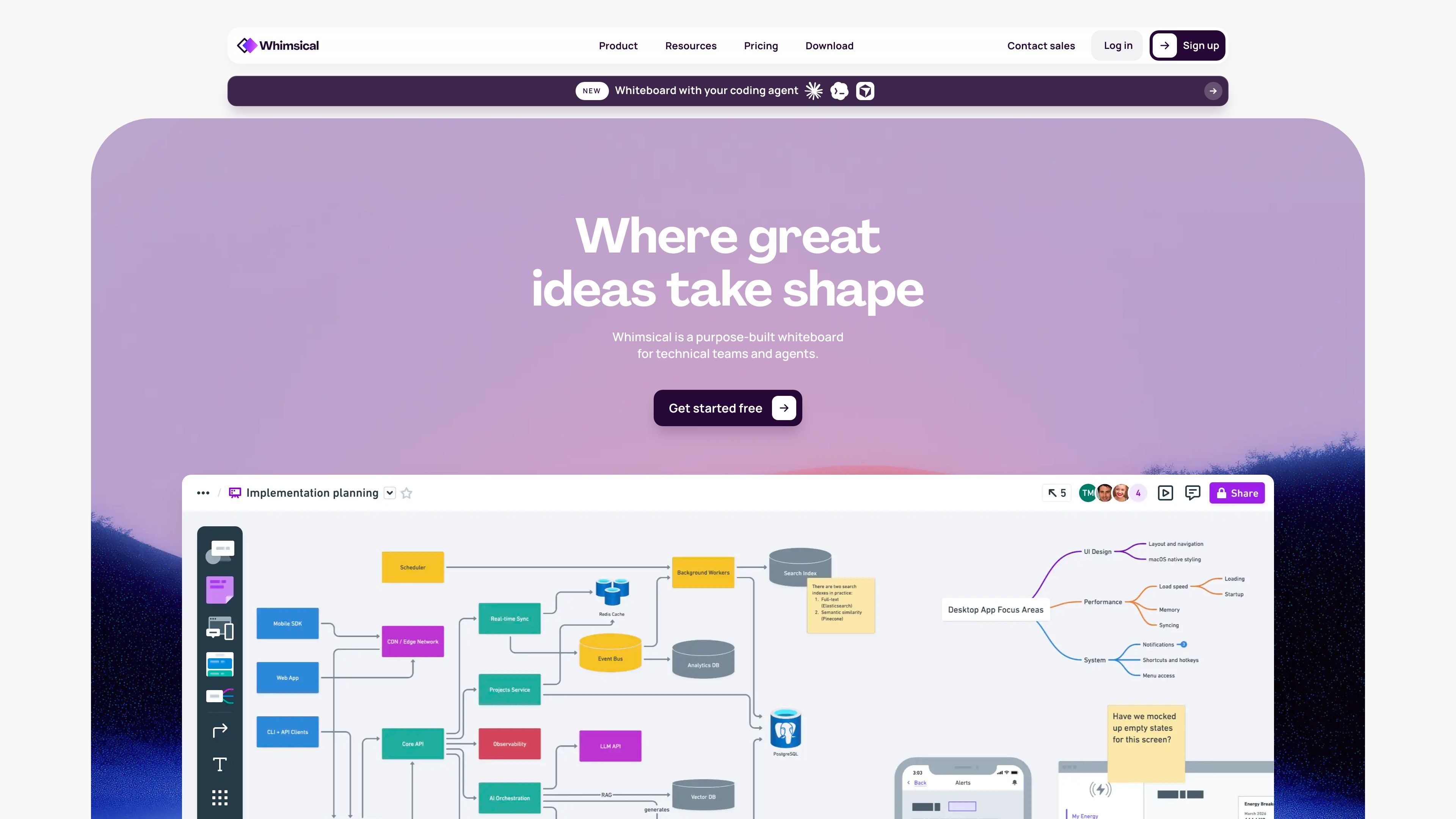
Map processes with flowcharts
Break down a process or user flow into visual steps with Whimsical flowcharts. Predictive shapes and keyboard shortcuts help you build and refine the diagram on an infinite canvas.

Map processes, organize ideas, and sketch product wireframes together in a shared visual workspace.
Whimsical is a shared visual workspace for product teams. Use its infinite canvas to map processes, organize ideas in mind maps, sketch wireframes, and develop diagrams together.
Whimsical AI can turn a text prompt into a flowchart or mind map. Teams can refine these drafts on the same canvas with real-time editing, comments, templates, and version history.
Break down a process or user flow into visual steps with Whimsical flowcharts. Predictive shapes and keyboard shortcuts help you build and refine the diagram on an infinite canvas.
Enter a text prompt to generate a flowchart for a user flow, process, or sequence diagram, or expand an idea into a mind map. Generated flowcharts and mind maps are editable.
Use drag-and-drop components to explore and refine early product interface ideas on the shared canvas.
Edit files in real time, add comments, start from templates, and include images or video for context. Version history lets you review changes and restore an earlier board state.
Lay out process steps and user interactions in a flowchart to explain how a service or feature should work.
Use an AI mind map to expand an initial prompt into branches you can edit and organize with your team.
Create a low-fidelity wireframe with drag-and-drop components while discussing product structure and layout.
Bring a team into one file to edit together, add comments, and revisit earlier versions as ideas change.
Create diagrams, flowcharts, mind maps, wireframes, and boards on an infinite canvas.
Yes. A text prompt can generate a flowchart for a user flow, process, or sequence diagram, or expand into a mind map. Both outputs are editable.
Yes. Share a file with a link or invite people as guests. Guests are free and unlimited on every plan, including Free.
The Free plan includes up to 50 board objects and 50 doc blocks per month, a watermark on exports, and 7-day version history. Pro and Business add higher creation limits and other paid features.
Traffic data is for reference only.
| Aug | 1319281 |
|---|---|
| Sep | 1189744 |
| Oct | 966895 |

lunit.io
Medical AI for cancer screening, imaging analysis, and precision oncology research.

mootion.com
AI video storytelling from ideas, scripts, images, and recordings

skim-recap.vercel.app
Skim Recap is a Chrome extension that detects fast scrolling and summarizes the passage you skipped, helping readers recover context without leaving the page. Its summaries run locally in the browser with Gemma 4 E4B through LiteRT-LM.

tryitonai.com
AI headshot generator creating professional portraits from selfies

teeai.co.uk
AI design tools for creating and ordering custom apparel, accessories, and home goods.

bypassai.ai
Online AI humanizer that rewrites AI text naturally and reduces detector flags, with multilingual support and built-in checking.