
Text and image to 3D generation
Generate 3D models from text prompts or images, including single, batch, and multi-view image inputs, through the workspace generation flow.

Tripo Studio is a web-based AI 3D workspace for creating and editing models from text or images, supporting artists, game developers, VR/AR creators, filmmakers, and 3D printing.
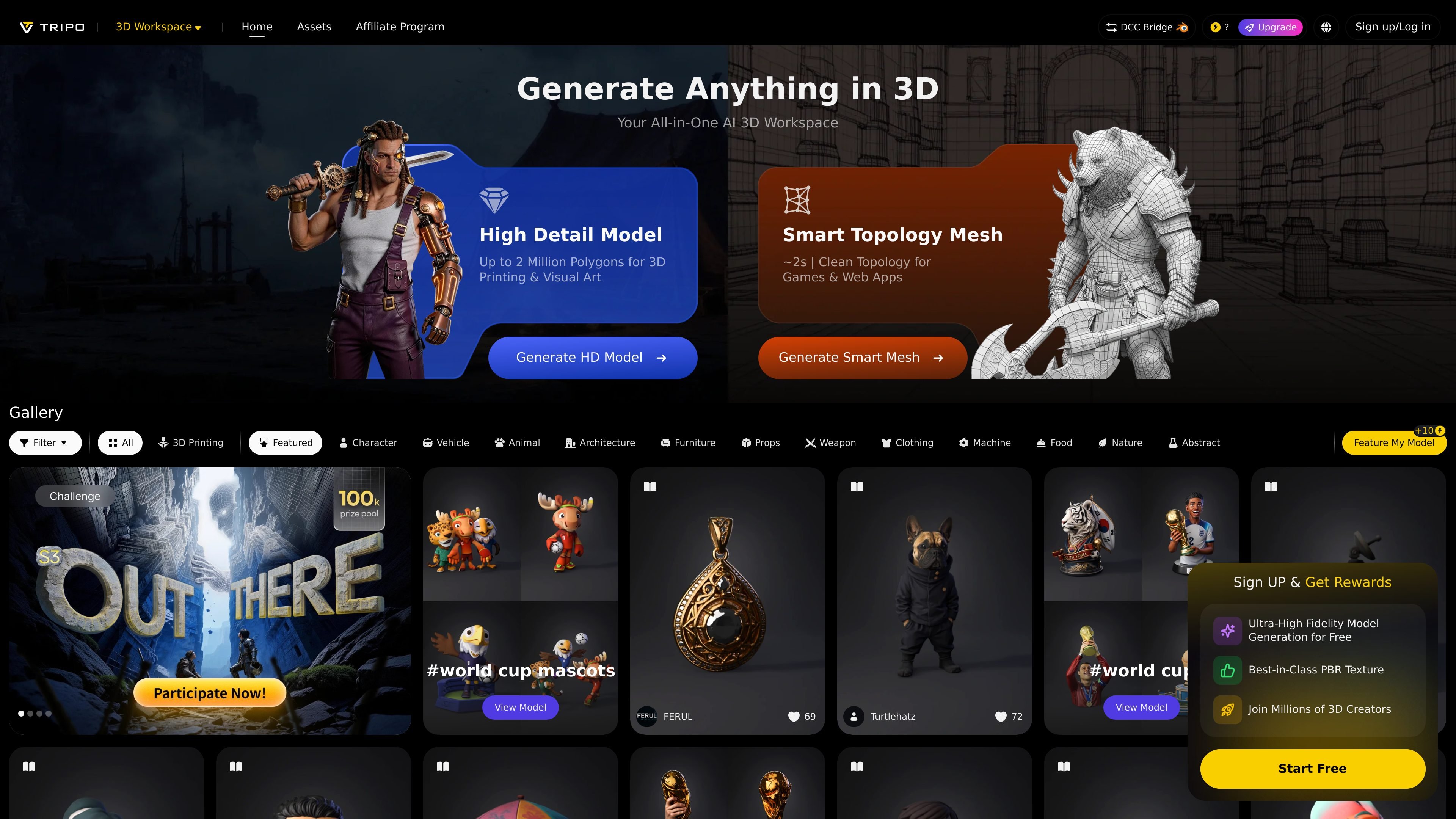
Tripo Studio is a web-based AI 3D workspace for generating and working with 3D models from text or images. The product combines generation with editing and finishing tools, rather than stopping at a first draft model.
The site highlights several stages of the 3D workflow, including model generation, segmentation, texturing, rigging, retopology, stylization, and asset management. It also presents dedicated areas for generating models, browsing a gallery, and managing saved assets.
Generate 3D models from text prompts or images, including single, batch, and multi-view image inputs, through the workspace generation flow.
Create higher-detail outputs for 3D printing and visual art, with the homepage calling out models up to 2 million polygons.
Produce smart topology meshes aimed at cleaner downstream use, with the page describing this as suitable for games and web apps.
Access post-generation tools such as segmenting, fill parts, retopo, texture, edit, upscale, PBR, and animate within the workspace interface.
Manage created and collected assets from a dedicated My Assets area, including model states such as smart mesh, untextured, textured, and rigged.
Download gallery models in common exchange formats including STL, FBX, GLB, OBJ, 3MF, and USDZ for reuse in other workflows.
Start from a prompt or reference image to create a base 3D model, then move into the workspace tools for cleanup and finishing.
Generate assets with cleaner topology for interactive use cases where the source highlights games and web apps as targets.
Produce high-detail models for 3D printing or visual art, where the homepage specifically calls out up to 2 million polygons.
Take generated or collected assets into the My Assets area to organize versions, inspect model states, and download files for reuse.
Browse model gallery examples and download shared assets in common interchange formats for experimentation or downstream work.
It is an AI-powered 3D workspace for generating and editing 3D models from text, single images, batch images, or multi-view images. The site also highlights downstream tools such as segmenting, texturing, rigging, retopology, stylization, and export for 3D workflows.
The source shows a free entry point and a pricing page, but it does not expose concrete plan names, price points, or quotas in the collected text. Users can start from the site and see upgrade prompts such as DCC Bridge and Members Only features.
The gallery page states that models can be downloaded in STL, FBX, GLB, OBJ, 3MF, and USDZ formats. The generate workspace also accepts JPG, PNG, and WEBP image uploads up to 20 MB, and can upload 3D models up to 150 MB in OBJ, FBX, STL, or GLB.
The source presents it as useful for artists, game developers, VR/AR creators, filmmakers, 3D printing, eCommerce, and animation workflows. The product page also positions the generated assets for game, film, and 3D printing use.
The collected pages do not document a dedicated desktop app or plugin list. The product is presented as a web-based workspace with a DCC Bridge option mentioned in navigation and upgrade prompts.
Traffic data is for reference only.

reka.ai
Reka is a multimodal AI platform for video, image, audio, and text, supporting visual search, inference, and training-data generation for enterprises, creators, and developers.

qwen.ai
Qwen Studio is an AI assistant powered by Qwen series models for chat, research, image generation, multimodal understanding, and web-based creation. Free to use on web, iOS, Android, macOS, and Windows.

customvision.ai
Build custom computer vision models from labeled images and use them to tag new images through a REST API.

imentiv.ai
Imentiv AI analyzes video, audio, images, and text to reveal emotional signals.

imagetopsd.com
ImageToPSD turns flat images into editable layered PSDs in your browser with AI-assisted separation of backgrounds, subjects, text, and logos.