
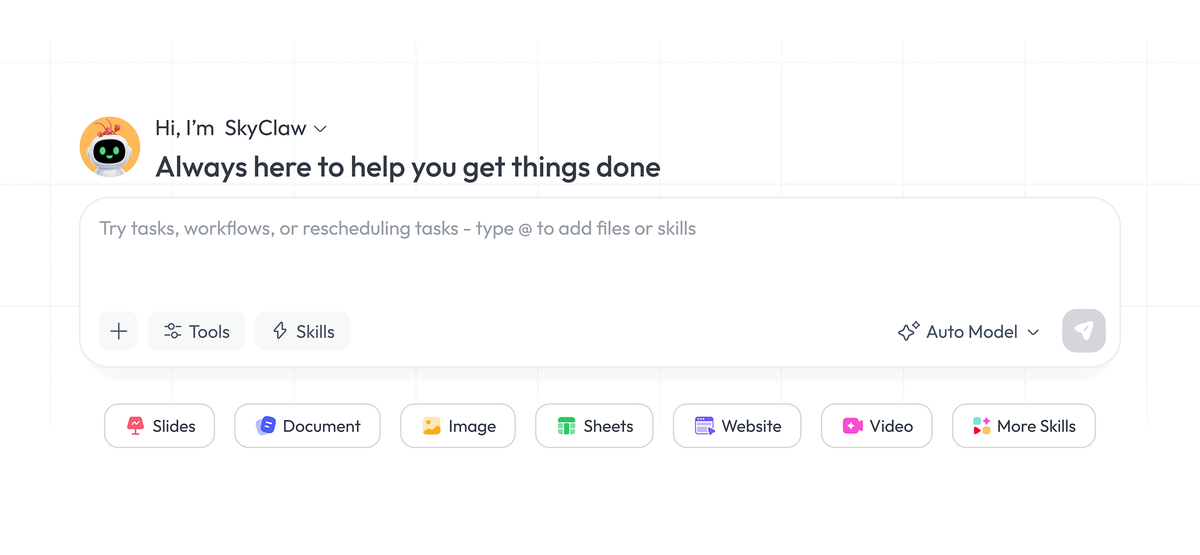
Multimodal content generation
The homepage describes Skywork as turning simple input into multimodal content, with outputs that include documents, slides, sheets, podcasts, and webpages.

AI workspace agent creating documents, slides, sheets, podcasts, webpages, and images from simple prompts
Skywork is an AI workspace agent product that turns a simple input into multimodal content. The homepage and meta description present it as a tool for creating documents, slides, sheets, podcasts, webpages, images, and other workspace outputs from a single starting prompt or request.
The source positions Skywork for practical content work rather than open-ended chat alone. Its examples point to analyst reporting, slide creation for educators, and audiobook-style content for parents, while the site navigation and tutorial center suggest a broader workflow across documents, presentations, spreadsheets, and other media formats.
The homepage describes Skywork as turning simple input into multimodal content, with outputs that include documents, slides, sheets, podcasts, and webpages.
The site navigation lists Slides, Documents, Images, Sheets, AI Developer, and Videos, indicating the product supports multiple workspace-oriented content types.
The tutorial page includes a topic on estimating credit consumption, which suggests users can track or plan how much generation capacity a task may use.
Tutorial topics cover tasks such as adding a slide template, adding a cover and outline to a document, and choosing a slide template.
The tutorial gallery separates official material from influencer content and supports language filtering, which helps users find relevant walkthroughs more easily.
Use it to turn a brief or rough prompt into a report-style document when you need structured output instead of a blank page.
Use it to assemble slide content and work through template choices, cover pages, and outlines when preparing a presentation.
Use it to produce audiobook-style or podcast-style content from simple input when the goal is a more consumable media format.
Use it to work across documents, sheets, images, videos, and other workspace categories when a project spans more than one content format.
Use the tutorial center to learn specific actions such as choosing a slide template or estimating credit consumption before building more complex outputs.
Skywork is presented as an AI workspace agent product that turns a simple input into multimodal content such as documents, slides, sheets, podcasts, and webpages. The source does not describe a technical setup flow, so the practical answer is that users start from the site and choose the workspace output they want.
The homepage explicitly mentions analysts creating reports, educators designing slides, and parents making audiobooks. The product also shows categories for Slides, Documents, Images, Sheets, AI Developer, and Videos, which suggests it is aimed at a broad set of content-creation and productivity tasks.
The source shows the product generating multiple output types, including documents, slides, sheets, podcasts, webpages, and images. The tutorial page also includes guidance topics such as slide templates, cover and outline creation for docs, and credit consumption, which suggests the platform supports several content workflows.
The available source does not provide a detailed pricing table or plan limits. A pricing page exists, but the rendered text in the sample does not expose specific prices or tiers.
Yes. The tutorial page is organized into Official Tutorial and Influencer Insight tabs, and the influencer section can be filtered by language, including English, Japanese, Korean, Chinese, and Other. That indicates Skywork provides learning content in multiple languages.
Traffic data is for reference only.

www.vitra.ai
Vitra Universe is an agentic content platform for creating, translating, personalizing, reviewing, and publishing video, images, documents, websites, and app content. It is designed for marketing, localization, product, engineering, agency, and enterprise teams that need shared content memory and controlled workflows.

listenhub.ai
ListenHub turns source material into explainer videos, slides, podcasts, and text-to-speech audio for creators, educators, and teams.

autocontentapi.com
Turn documents, web pages, videos, notes, and social content into AI podcasts and more with a public REST API.

storydoc.com
Storydoc is an AI platform for creating, sharing, and tracking interactive presentations and business documents.

tiangong.cn
天工(Skywork) is an AI agent for deep research and content creation, with AI Docs, PPTs, spreadsheets, web pages, images, and videos.

myninja.ai
Web-based AI agent for research, writing, coding, images, and file analysis, plus autonomous multi-step tasks.