
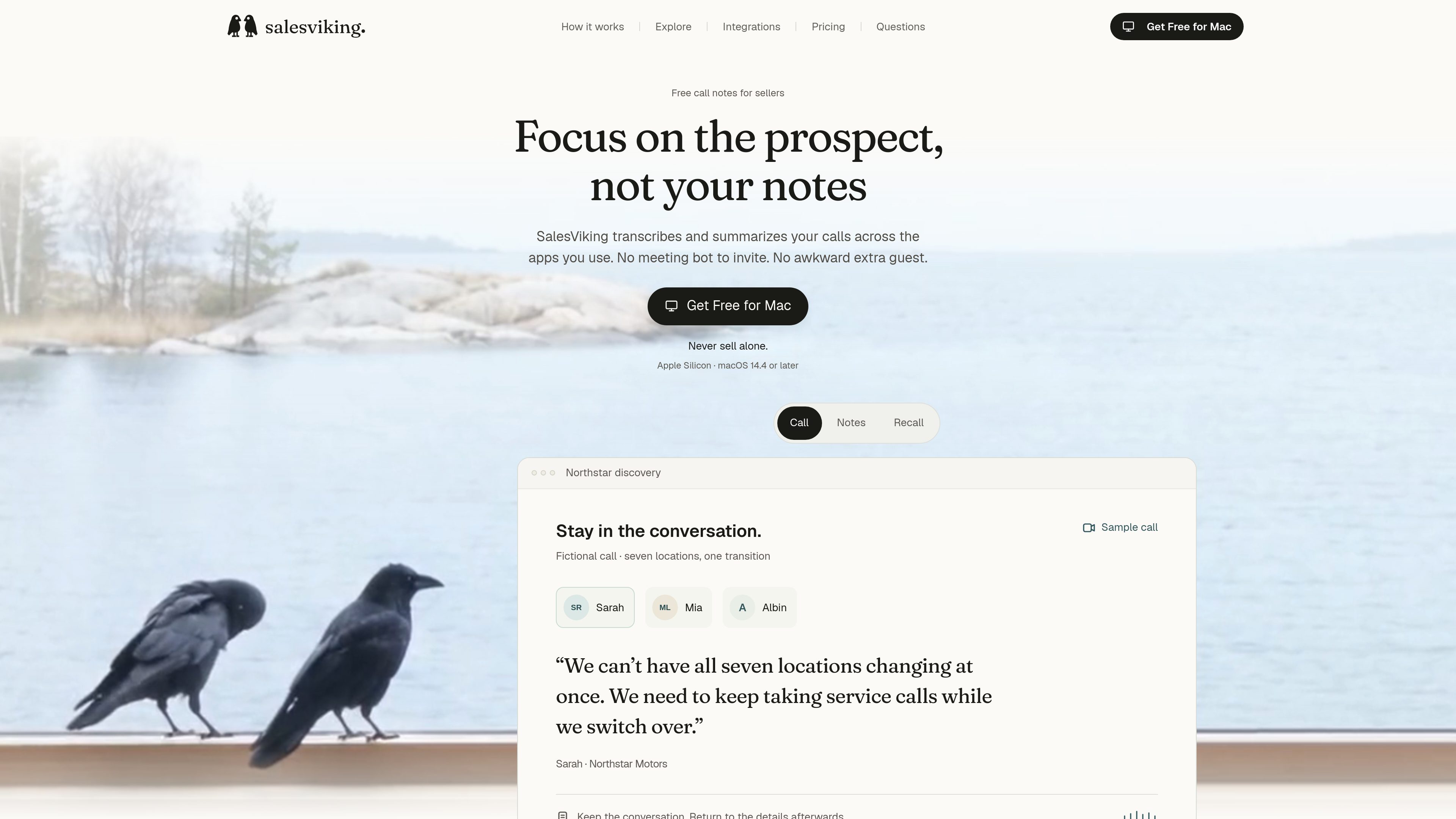
Bot-free Mac audio capture
Captures audio played through the Mac while users keep their usual call app. Setup requires Microphone and System Audio Recording permissions; other Mac sounds can also enter the transcript.

Mac call assistant for sellers that captures conversations, creates notes, and provides in-call guidance.
SalesViking is an AI call assistant for sellers on Mac. It captures call audio from the apps used on the computer without adding a meeting bot, then creates a transcript, summary, and action items for review. The product is intended to help sellers stay focused on the conversation and return afterward to buyer concerns, commitments, and open questions.
Beyond call notes, users can ask questions about saved meetings and uploaded documents. Pro adds live guidance during calls and unlimited Ask. SalesViking requires an Apple Silicon Mac running macOS 14.4 or later.
Captures audio played through the Mac while users keep their usual call app. Setup requires Microphone and System Audio Recording permissions; other Mac sounds can also enter the transcript.
After a call, review the transcript alongside a summary of what mattered, commitments, and unresolved points. Transcript lines include speaker names and times.
Ask questions about saved meetings and uploaded documents. Free includes 100 questions per week; Pro includes unlimited Ask.
Before a repeat meeting with an outside company, a brief can draw on the Mac calendar and saved meetings to surface prior context and follow-ups.
Correct a name or product term in a transcript; SalesViking saves the correction in a dictionary and applies it to later call transcripts.
Pro provides in-call guidance that can combine technical sources, account context, and a sales approach into suggested answers and next questions. Follow-up drafts for coached calls remain for the user to review; they are not sent automatically.
Run a usual call app on a supported Mac and use Mac audio capture to produce notes without adding a bot as a meeting participant.
Review a brief based on Mac calendar information and saved calls, helping bring previous commitments and unresolved buyer questions into the next conversation.
With Pro live guidance, consult relevant technical material and prior account context for a suggested answer and follow-up question, while adapting the cue in your own words.
Review the transcript and summary, then use a coached-call draft or Ask to help shape a follow-up. The user decides what to send.
Use prior call context to frame an internal discussion, such as sharing an unconfirmed business impact and identifying help needed. Team features are listed as coming soon.
SalesViking requires an Apple Silicon Mac running macOS 14.4 or later. Call capture uses Microphone and System Audio Recording permissions.
No. SalesViking runs on the Mac alongside the call app and does not add a recording bot to the participant list. Follow your organization’s policies and let participants know when capturing a conversation.
You can choose whether to save call audio on your Mac. Audio is saved only when that option is enabled; the transcript and summary remain available whether or not you keep the recording.
Free includes meeting transcripts, summaries, action items, and Ask with 100 questions per week. Pro adds live guidance during calls and unlimited Ask. Pro is $49 per month.
No. Follow-up drafts are available for coached Pro calls, and Ask can draft from a saved call within the plan’s allowance. You review the wording and choose whether to send it.
Traffic data is for reference only.
| Apr | 930 |
|---|---|
| May | 333 |
| Jun | 234 |
Traffic analytics are not available yet.
getsalesman.ai
Salesman AI is an AI sales copilot for account executives that connects meeting preparation, rehearsal, call analysis, and follow-through around active opportunities. It helps sellers prepare for buyer conversations, capture useful outputs after calls, and identify next steps.

flowtica.ai
Flowtica Scribe is an AI recording pen that captures conversations as you write, then creates structured summaries and action items for reviewing meetings, interviews, lectures, and consultations.

store.comu.com
Comu Action Pro is a pocket-sized AI voice recorder and work assistant that turns spoken requests, conversations, and recordings into documents, slides, emails, summaries, and action items. Capture meetings and turn them into useful outputs without rewriting notes by hand.

sonnetai.com
Meeting assistant that records, transcribes, and creates searchable notes and action items without a visible bot

ruby.codeongrass.com
Ruby is an AI call assistant for Mac that listens during live calls and surfaces the right question or reminder at the right moment, helping with high-stakes conversations.

jottoo.com
Jottoo is a browser-based meeting notes workspace that records or imports audio, transcribes conversations, creates structured summaries, and turns follow-ups into tasks. It is designed for people who want meeting documentation and action tracking without adding a meeting bot.