Pulsetic logo

Pulsetic

Freemium
Visit

Pulsetic is a website and infrastructure monitoring service that checks uptime, performance, certificates, ports, APIs, scheduled jobs, and dependencies. It confirms failed checks from additional regions before alerting teams and provides status pages for communicating incidents.

What is Pulsetic?

Pulsetic is a website and infrastructure monitoring service for detecting downtime, performance problems, certificate expiry, and failures in supporting services. It checks resources from multiple regions and confirms a failed check from another region before sending an alert, helping distinguish a broader outage from a single broken route.

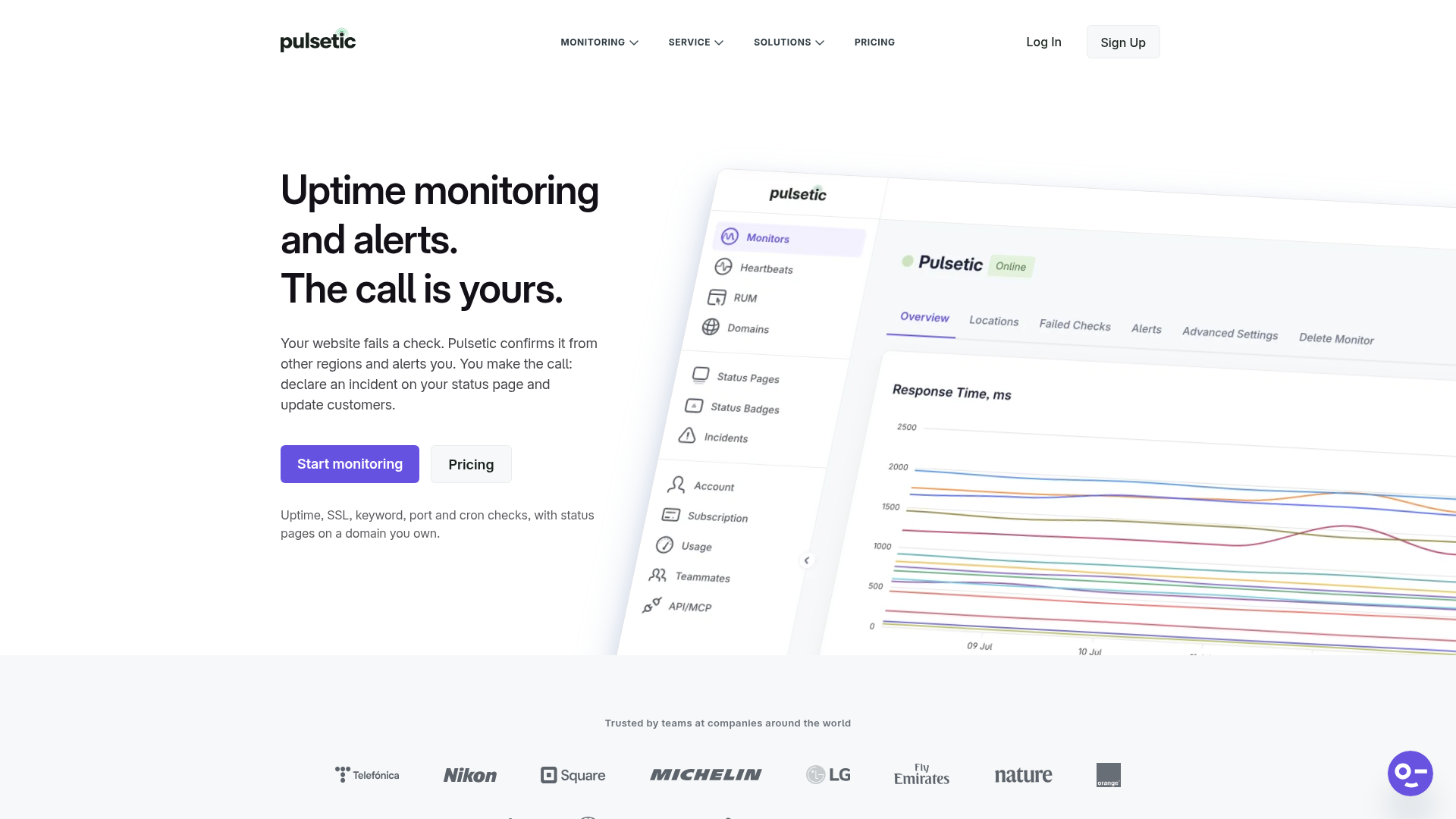
The service covers website uptime as well as SSL, ping, port and TCP, keyword, cron, API, domain, and IP monitoring. Its dashboards show live monitor status, response times, and regional results. An optional real user monitoring script adds browser-side performance and error data, while status pages provide a place to publish incident information to customers or keep it private for internal teams.

Pulsetic has a Free plan and paid Solo, Team, and Organization plans. Email alerts and webhooks are available on every plan; additional notification channels, status-page capabilities, team access, API access, and retention vary by plan.

What can Pulsetic do?

Multi-region uptime confirmation

Pulsetic checks monitored resources from multiple locations and re-checks a failed request from other regions before sending an alert. The published limits range from three region checks on Free to 15 on Team and Organization.

Broad monitoring coverage

Monitors can cover HTTP websites, SSL certificates, ICMP ping, individual ports and TCP, keywords, cron jobs, APIs, domains, and IPv4 or IPv6 hosts. Keyword checks can alert when a phrase appears or disappears.

Real user monitoring

An asynchronous script records LCP, CLS, INP, FCP, DNS and connection timing, time to first byte, total load time, browser-side JavaScript exceptions, and failed fetch or XHR requests. Pulsetic states that it does not use cookies or local storage for this data.

Alerts and workflow integrations

Email alerts are included on every plan. Paid plans add SMS, phone calls, WhatsApp, Slack, Microsoft Teams, Discord, Telegram, Mattermost, Zapier, SIGNL4, and other connections; webhooks are available on every plan for sending monitor events as JSON to an HTTPS endpoint.

Status pages and incident communication

Users can publish public or private status pages, use a custom domain, translate status-page text into one of 50 languages, and—on paid plans—post incident updates, schedule maintenance, notify subscribers, add branding, and send from a custom email service.

Operational context and access controls

Monitoring dashboards include regional response data, while annotations can mark deploys or configuration changes. Team and higher plans can capture failure screenshots, and account controls include two-factor authentication on every plan, with single sign-on on Organization.

Use Cases

“Website and SaaS operations”

Monitor a production website or application from more than one region, inspect regional response times, and receive a confirmed alert when a failure persists beyond a single monitoring route.

“Customer incident communication”

Use a public status page on a custom domain to explain an outage, post updates while investigating, announce scheduled maintenance, and notify subscribed customers when an incident opens, changes, or resolves.

“Internal infrastructure and scheduled jobs”

Track APIs, IP hosts, certificates, ports, TCP services, and cron jobs in one monitoring account. A cron monitor can flag a scheduled process that stops checking in.

“Frontend performance investigation”

Add real user monitoring when synthetic uptime checks are healthy but visitors report slowness. Performance and error data can be examined by page, country, browser, or device, subject to the plan's RUM limits.

Frequently Asked Questions

How does Pulsetic reduce alerts caused by a single bad route?

When a check fails, Pulsetic confirms the failure from other monitoring regions before an alert is sent. The service can also show uptime and response time by region rather than only one global average.

What can Pulsetic monitor besides a website homepage?

The published monitoring options include SSL certificates, ping, ports and TCP, keywords, cron jobs, APIs, domains, IPv4 and IPv6 hosts, and dependencies. Website monitoring can also include response codes and other HTTP checks.

Which alert channels are available?

Email alerts and webhooks are available on every plan. Paid plans add SMS, phone calls, WhatsApp, Slack, Microsoft Teams, Discord, Telegram, Mattermost, Zapier, and SIGNL4; the pricing information lists API, MCP, and n8n access for Team and Organization.

Can a status page be private or use my own domain?

Yes. Pulsetic supports public and private status pages, including password protection from the Solo plan and single sign-on protection on Organization. Custom domains and branded status pages are supported, with branding available from Solo.

What are the main published plan differences?

Pulsetic offers Free, Solo, Team, and Organization plans. The Free plan lists 10 monitors, five-minute checks, three region checks, three months of historical uptime and logs, three status pages, and 1,000 RUM page views per month. Team lists 50+ monitors, 30-second checks, 15 regions, and two included teammates; Organization lists 300+ monitors, 15 regions, and five years of historical uptime and logs.

Quick Facts

Category
Website, infrastructure, and real user monitoring
Plans
Free, Solo, Team, and Organization
Free plan
10 monitors, five-minute checks, three region checks, three status pages, and 1,000 RUM page views per month
Monitoring locations
Up to 15 locations, depending on plan
Status pages
Public or private pages; custom domains and subscriber notifications are available on supported plans
Source domain
pulsetic.com

Pulsetic Alternatives

OutageDeck logo

OutageDeck

outagedeck.com

OutageDeck monitors official status feeds for cloud and software providers, then shows current incidents and sends change-based alerts. It helps individuals and teams determine whether a service problem is external before troubleshooting their own systems.

Bundi logo

Bundi

trybundi.com

Bundi monitors websites, TCP services, scheduled jobs, and server health, then alerts designated people when incidents occur. It is built for small teams, self-hosted infrastructure operators, and client-facing hosting workflows.

AgentQuartz logo

AgentQuartz

agentquartz.vercel.app

AgentQuartz is a macOS menu bar companion for monitoring Claude and Cursor usage. It keeps usage status on your machine and offers a free tier plus a one-time Pro license for tray customization.

Splunk AppDynamics logo

Splunk AppDynamics

appdynamics.com

Splunk AppDynamics links app and infrastructure telemetry to business transactions. Use AI/ML baselines to investigate anomalies and prioritize performance issues.

EverSQL logo

EverSQL

eversql.com

AI-powered SQL optimization and performance monitoring for PostgreSQL and MySQL teams.

FATHER logo

FATHER

coastcreative.studio

FATHER is a macOS mission-control dashboard for teams managing sites and deployments on Vercel. It brings deployment status, uptime, and speed metrics into one live view, with menu-bar indicators and notifications for issues.