
Context builder
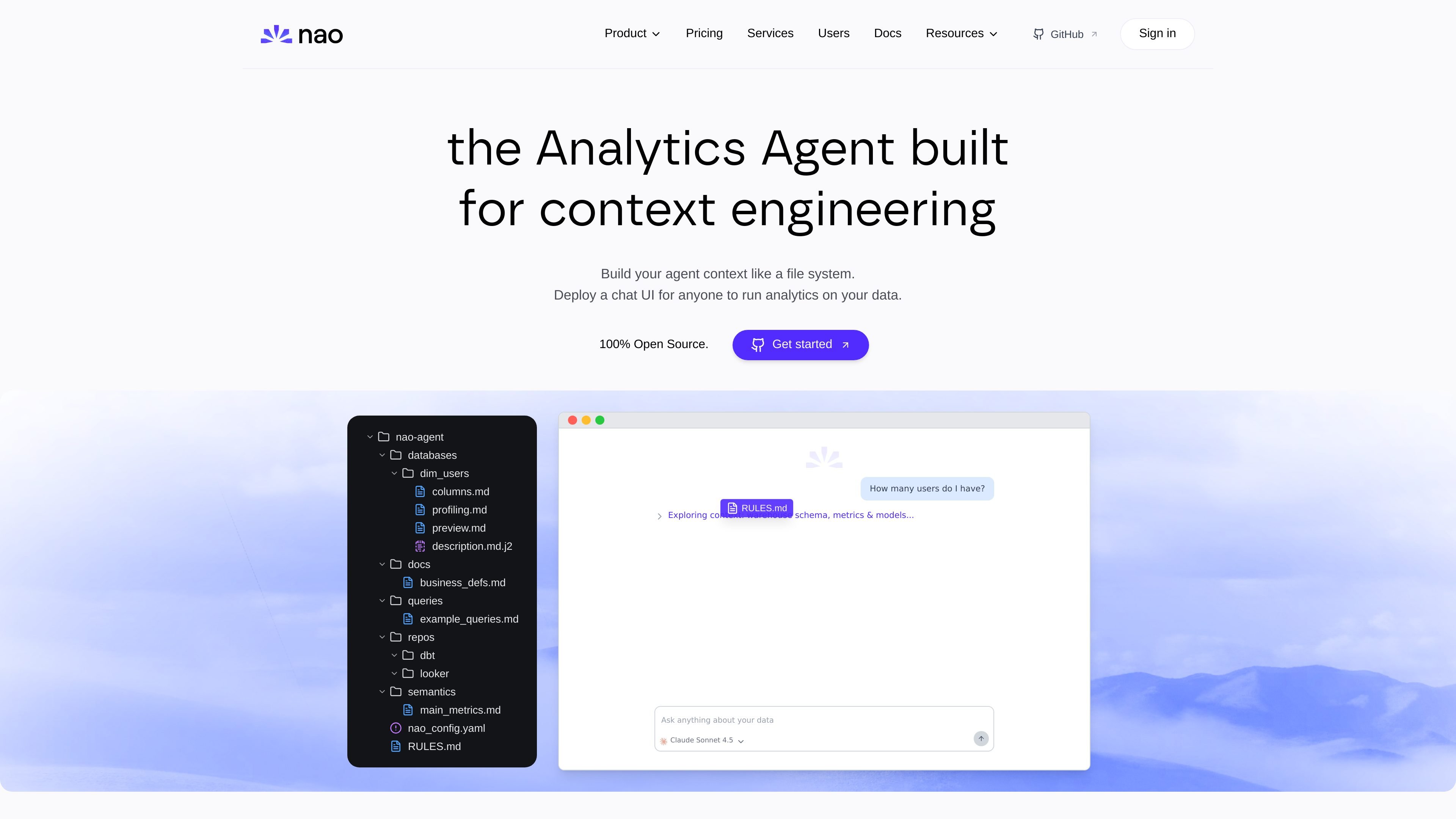
Create a file-system-like context for an analytics agent and organize schema, metrics, docs, rules, queries, and repositories as structured inputs.

nao is an open-source analytics agent builder for engineering, testing, and deploying agents on your own data stack.
nao is an open source analytics agent builder for teams that want to engineer the context behind a data agent instead of treating it like a generic chat assistant. It helps users organize warehouse schemas, metrics, documentation, rules, repositories, and external tools into a structured context that can be synced, tested, and deployed.
The product is designed around a local, security-conscious workflow. Users can initialize a context, synchronize it from existing data sources, measure reliability with tests, and then deploy a chat UI for people to ask questions in plain English. The site also positions nao for self-hosted and bring-your-own-key deployments, with enterprise options for teams that need SSO, row-level security, white labeling, and implementation support.
Create a file-system-like context for an analytics agent and organize schema, metrics, docs, rules, queries, and repositories as structured inputs.
Pull context from existing warehouses and other sources so the agent can stay aligned with current data assets and documentation.
Create unit tests for question-to-SQL behavior and track answer rate, speed, and token usage to monitor reliability.
Deploy a chat UI that lets people ask questions in plain English and run analytics against connected data.
Connect with warehouses, BI tools, ingestion tools, productivity tools, and custom MCPs to fit an existing stack.
Run locally or self-host, with security controls that keep queries and results in your infrastructure and avoid sending data values to LLMs by default.
Build an analytics agent around your warehouse, metrics, docs, and rules, then keep that context organized in a file-system-like structure that can be updated over time.
Validate whether an agent can answer questions correctly before wider rollout by creating tests for question-to-SQL behavior and reviewing reliability metrics.
Expose analytics to non-technical users through a chat UI so they can ask plain-English questions instead of writing queries.
Connect nao to an existing stack that includes warehouses, dbt, BI tools, and other MCP-enabled services so the agent can work with current data workflows.
Self-host the product when teams need to keep queries and results inside their own infrastructure and use their own LLM keys.
nao is set up to run against your existing data stack and can be deployed as a chat UI for analytics on that data. The source does not spell out a single setup path in detail, but it shows initialization, synchronization from data sources, testing, and deployment steps.
It is positioned for people who need to build and operate analytics agents over warehouse data, including data and analytics teams that want a controlled, testable workflow for answering questions from natural language.
The product supports a context-first workflow: initialize a file-system-like context, sync data sources into it, test question-to-SQL behavior, and then deploy a chat interface for end users.
The site presents nao as secure by design. It runs locally on your computer, connects directly to your data warehouse, does not access warehouse data values or credentials, and offers self-hosting options.
The source emphasizes analytics on your own data stack, with native warehouse and BI integrations plus custom MCP support. It does not describe a narrow industry focus, so fit should be evaluated against whether you need an analytics agent builder rather than a generic chatbot.
Traffic data is for reference only.
Traffic analytics are not available yet.
Traffic analytics are not available yet.
Traffic analytics are not available yet.
adk.dev
Agent Development Kit (ADK) is an open-source framework for building, evaluating, and deploying conversational and non-conversational AI agents. It supports multi-agent systems, tools, structured workflows, and production runtimes across Python, TypeScript, Go, Java, and Kotlin.

agno.com
Agno is an open-source Python framework for building AI agents and multi-agent workflows, with AgentOS for running and managing them as production API services in your own cloud.

flowiseai.com
Open-source platform for visually building AI agents, LLM workflows, and chat applications.

flower.ai
Open-source AI models, agents, and infrastructure for collaborative AI.
agpt.co
AutoGPT is an AI agent platform for building, deploying, and running agents that automate workflows with chat, visual building, scheduling, triggers, and monitoring.

tiledesk.com
Open source, no code platform for building AI agents, automating workflows, and connecting live support.