
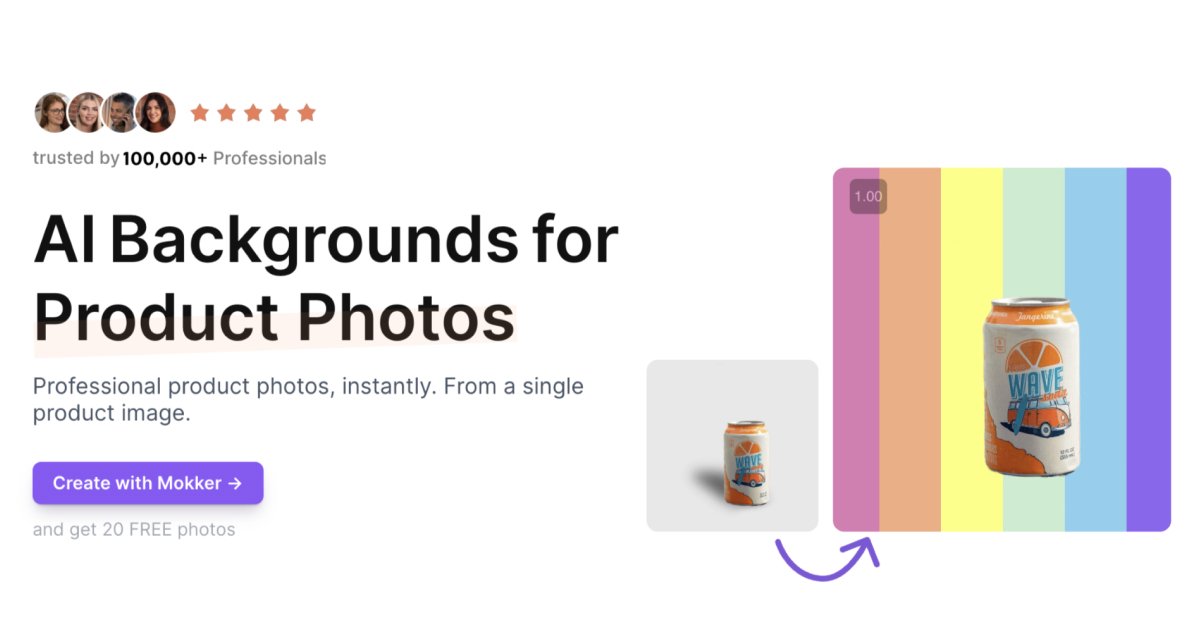
AI background replacement
Upload a product image and let Mokker remove the existing background before generating a new product scene.
AI product photography for creating and adapting product images from a single photo.
Mokker AI is an AI product photography tool that turns a product photo into new marketing images. It removes the original background, places the product into generated scenes, and lets users work from templates or reference images. The service is designed for product pages, online shops, social media imagery, and print materials that need consistent product visuals without a new photoshoot for every variation.
A typical workflow starts by uploading a product photo, choosing or adjusting a template, and generating the result. Mokker also includes tools for replacing the product within an existing photo, creating assets in different formats, and controlling image colors for brand consistency.
Upload a product image and let Mokker remove the existing background before generating a new product scene.
Choose from templates covering settings such as food, cities, outdoor scenes, kitchens, and minimal layouts, then adjust the result.
Replace the product in a base photo with another product while keeping a consistent visual setup across a product gallery.
In an open scene, Moodboard accepts up to three reference images to guide the generated photos. Use the reference images for visual direction, with optional prompts for more detail.
Create creative assets in formats such as website banners and stories, and set image colors to support on-brand outputs.
Use prompts for additional direction and add props when particular elements should appear in the generated image.
Create product imagery for a website or online shop from a single source photo, including scenes tailored to the product.
Generate additional product visuals for social platforms without arranging a separate shoot for every creative variation.
Use Product Replace to apply multiple products to the same base scene when a new item needs to match an existing product line.
Upload moodboard images to guide the style of a product shoot, with optional prompts and props for more specific direction.
Prepare product images for website banners, stories and marketing materials. Check the generated image and export settings against your required format before publication or printing.
Upload a product photo, choose a template, and generate the result. Mokker removes the original background and creates an AI product photography scene around the item.
Yes. The Moodboard feature accepts up to three reference images and uses their visual information to guide the generated photos.
Yes. Product Replace lets you use a photo as a base and switch in another product, helping maintain a shared visual setup across a gallery.
You can generate visuals for websites, social campaigns, banners and stories. Resize supports different content formats; check export resolution and your print requirements before using an image in printed material.
You can start with an introductory allocation of photos and access to the studio and templates. The introductory allocation is one-time; Starter, Team and Organization plans provide paid access for continued generation.
Traffic data is for reference only.
pebblely.com
AI product photography for creating marketing images from product photos.

claid.ai
AI product photography and fashion photo editor with web tools and API automation.

provamoda.ai
AI fashion photography for model-led e-commerce images

productai.photo
Web-based AI product photography for creating and editing photos

graswald.ai
Graswald AI is an enterprise AI production studio for fashion and retail teams creating on-brand product images, video, and catalog assets at scale, with controlled workflows for avatars, poses, lighting, styling, and PIM/DAM use.

jector.ai
젝터스튜디오 creates delivery menu photos, posters, and promotional images from one photo.