
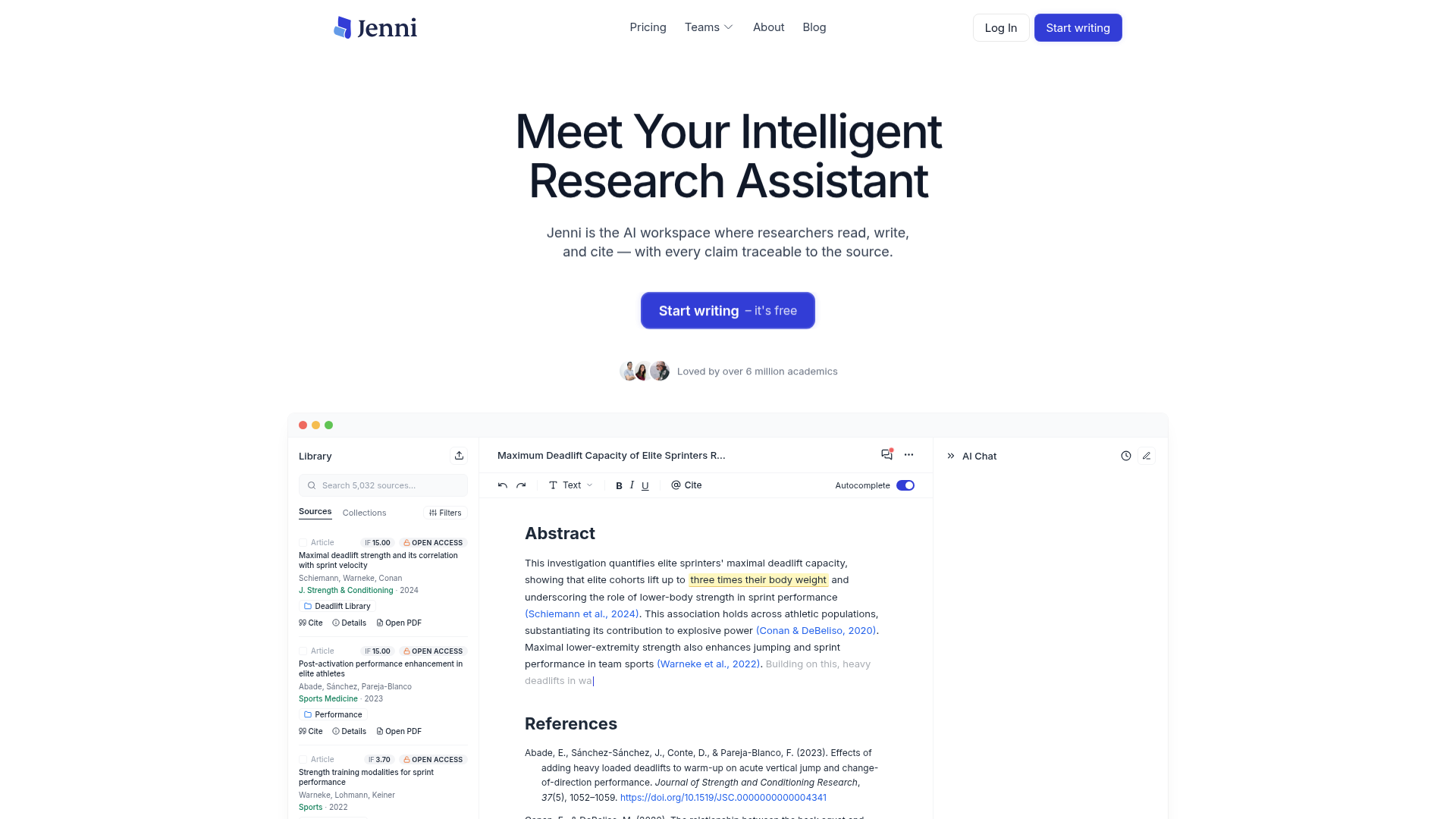
AI autocomplete and editing
Use source-grounded autocomplete while drafting and AI edits while revising. Choose which sources inform a section instead of treating every generated suggestion as verified evidence.

Read sources, draft with AI, check citations, and export academic documents in one research workspace.
Jenni is an AI writing and research workspace for students and researchers. Build a library from PDFs, reference-manager collections, or academic search, then draft with autocomplete informed by selected sources. Citation links let you inspect the supporting PDF page or paragraph while developing your argument.
Library chat helps compare findings or understand a methods section. Reviews cross-reference claims against sources and flag citation-support or proofreading issues. You can revise the draft and export it for work outside the editor. AI suggestions and checks are aids to research; the author remains responsible for source accuracy and the final argument.
Use source-grounded autocomplete while drafting and AI edits while revising. Choose which sources inform a section instead of treating every generated suggestion as verified evidence.
Upload PDFs, import collections from Zotero or Mendeley, and search academic sources from the workspace. Upload size, page count, and library capacity depend on the plan.
Add inline references in styles such as APA, Chicago, Harvard, IEEE, and Vancouver. Follow citation links to the source PDF to check support for a claim.
Ask questions across your library, compare findings, or investigate a methods section. Responses include citations so you can inspect the underlying sources.
Reviews compare claims with your sources and flag issues such as contradictions, unsupported statements, weak support, or overstatement, alongside academic proofreading feedback.
Export editor body content on Free; paid plans support full document export. The workspace supports manuscript handoff in formats including .docx, LaTeX, and HTML.
Develop an outline or section using your selected research sources, revise the AI suggestions, and add citations in the required referencing style.
Build a PDF library and use cited chat to compare methods or findings across papers, then inspect the source documents for context.
Run claim-support and proofreading checks, resolve issues against the source PDFs, and export the revised document for further editing or submission.
Yes. Free includes 10 AI autocompletes per day, 10 PDF uploads, unlimited citations, and export of editor body content. No card is required to start. Other Free AI tools have smaller allowances; paid plans add capacity and full document export.
Plus includes 5,000 autocompletes, 500 AI edits, and 500 chat messages per month, with unlimited library uploads and full document export. Pro lists unlimited autocomplete, edits, chat, reviews, and workflows. Upload size and page limits still apply; choose the billing cycle and plan in the app.
Free allows PDFs up to 25 MB and 150 pages. Plus allows up to 100 MB and 500 pages. Pro allows up to 100 MB and 1,000 pages. Plus and Pro both include unlimited library uploads.
Plus includes live chat support. Pro includes priority support. The pricing page also states that subscriptions can be canceled anytime.
No. Inspect the linked source, check whether it supports the wording and context, and review AI-generated suggestions before including them. Reviews flag potential weaknesses; they do not guarantee a correct argument, plagiarism-free submission, or acceptance by a journal or institution.
Traffic data is for reference only.

skriptr.ai
Skriptr is an AI research and writing workspace for students. It organizes course materials, answers questions from uploaded sources with page-level citations, supports drafting and revision, and creates quizzes and flashcards from notes and readings.

blainy.com
Draft academic writing with AI autocomplete, citations, PDF questions and rewriting

ai-writer.com
Research-focused AI writing for academia and industry, with cited sources and structured review drafting

ibiling.cn
AI writing assistance for articles, academic documents, presentations, and workplace content.

paperred.com
An academic writing and research toolkit for students and researchers, with drafting, text and AI-content checks, editing, and document tools.

66paper.cn
66论文 is an online AI tool for topic selection and academic writing, offering free outlines, source uploads, multi-level chapter editing, and multilingual first-draft generation.