
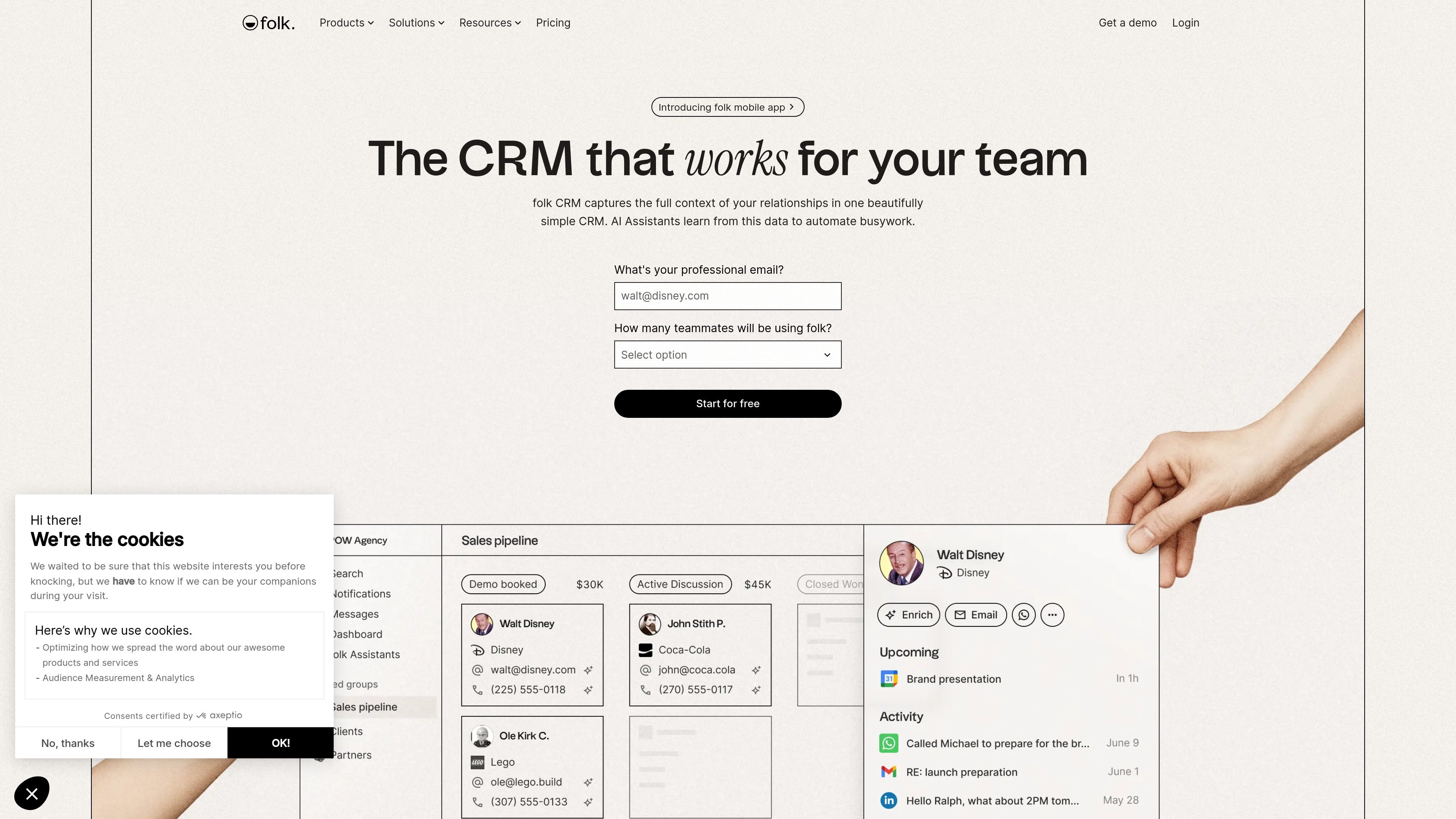
Unified people and company CRM
Store people and company records in one CRM so relationship history, notes, and activity are available in a single place.

folk is a CRM for teams managing relationship data, outreach, and follow-up in one place, with multi-channel context, enrichment, pipelines, and AI assistants to reduce manual work.
folk is a CRM for teams that need relationship data, outreach, and follow-up in one system. The site describes it as a simple, integrated, and proactive CRM that collects multi-channel context and uses AI to reduce manual work.
The product combines a contact and company database with pipelines, campaigns, enrichment, and assistants that can scan conversations, summarize interactions, research companies, and automate email workflows. Pricing starts with a free trial and includes Standard, Premium, and Enterprise plans for paid usage.
Store people and company records in one CRM so relationship history, notes, and activity are available in a single place.
Capture activity from email, calendar, WhatsApp, and LinkedIn so relationship context is assembled from multiple channels rather than manual entry alone.
Use AI Assistants to draft follow-ups, summarize interactions, research companies, and trigger outreach from workflow rules.
Manage sales opportunities with pipelines, views, and dashboards, with support for deals and custom objects on higher tiers.
Connect folk to other tools through integrations, including email, calendar, WhatsApp, LinkedIn, Zapier, Make, and the API on Premium.
Use enrichment and smart fields to find contact details, enrich company records, and fill AI-powered fields inside the CRM.
Centralize prospects, companies, notes, and activity when your team needs a single CRM record instead of scattered inbox threads and spreadsheets.
Track deals through shared pipelines and dashboards, using reminders and context from recent interactions to keep opportunities moving.
Automate follow-up and outreach with assistants that detect inactivity, draft messages, and send personalized email based on triggers or templates.
Prepare for calls or handoffs by generating concise relationship recaps from meetings, notes, emails, WhatsApp, and LinkedIn activity.
Research new accounts in bulk or individually, enriching company data and generating notes for pitches, qualification, and prospecting.
folk is a CRM that combines people and company data with email, calendar, WhatsApp, LinkedIn, and other connected sources. The product pages also describe AI Assistants that help with follow-ups, recaps, research, and workflow automation.
The source shows a 2-week free trial on the workspace, with no credit card required during the trial. Paid plans are available on a per-member, per-workspace basis.
The pricing page says folk connects with email, calendar, WhatsApp, LinkedIn, Zapier and Make, plus 5,000+ integrations on Standard, and it mentions API access on Premium.
folk appears to be suited to teams that manage relationships, sales pipelines, outreach, and follow-up across several channels. The assistants are designed for actions like lead follow-up, relationship recaps, company research, and triggered email workflows.
The source indicates you can use folk across multiple workspaces, and billing is calculated per workspace. Trial access can be extended by request, and paid plans can be canceled by downgrading to the free plan.
Traffic data is for reference only.
getmin.ai
min. is a CRM that builds itself from meetings, calendar events, and email, keeping relationship context current without manual data entry. Ideal for work that relies on remembering what was said, promised, and decided.

streak.com
Streak is a Gmail-native CRM for teams managing sales and customer relationships in their inbox, combining pipelines, shared email history, tasks, reporting, and AI-assisted data entry.

oppora.ai
Oppora AI automates outbound sales, helping teams find leads, enrich contact data, send personalized outreach, manage replies, and sync qualified activity to a CRM. Its single prospecting and follow-up workflow is built for founders, small teams, agencies, and operators.

andsend.com
Relationship intelligence platform and personal CRM for managing professional networks, follow-ups, and warm introductions via LinkedIn and email.

lev8.com
Lev8 is an agentic GTM platform for AI prospecting, enrichment, buyer-intent tracking, and multi-channel outbound. It offers a free plan and paid credit-based plans for sales and growth teams.

neexa.co
Neexa is an AI-powered admissions and student engagement platform for education institutions. It helps teams answer inquiries, follow up with prospects, support students, and reduce manual work across websites and messaging channels.