
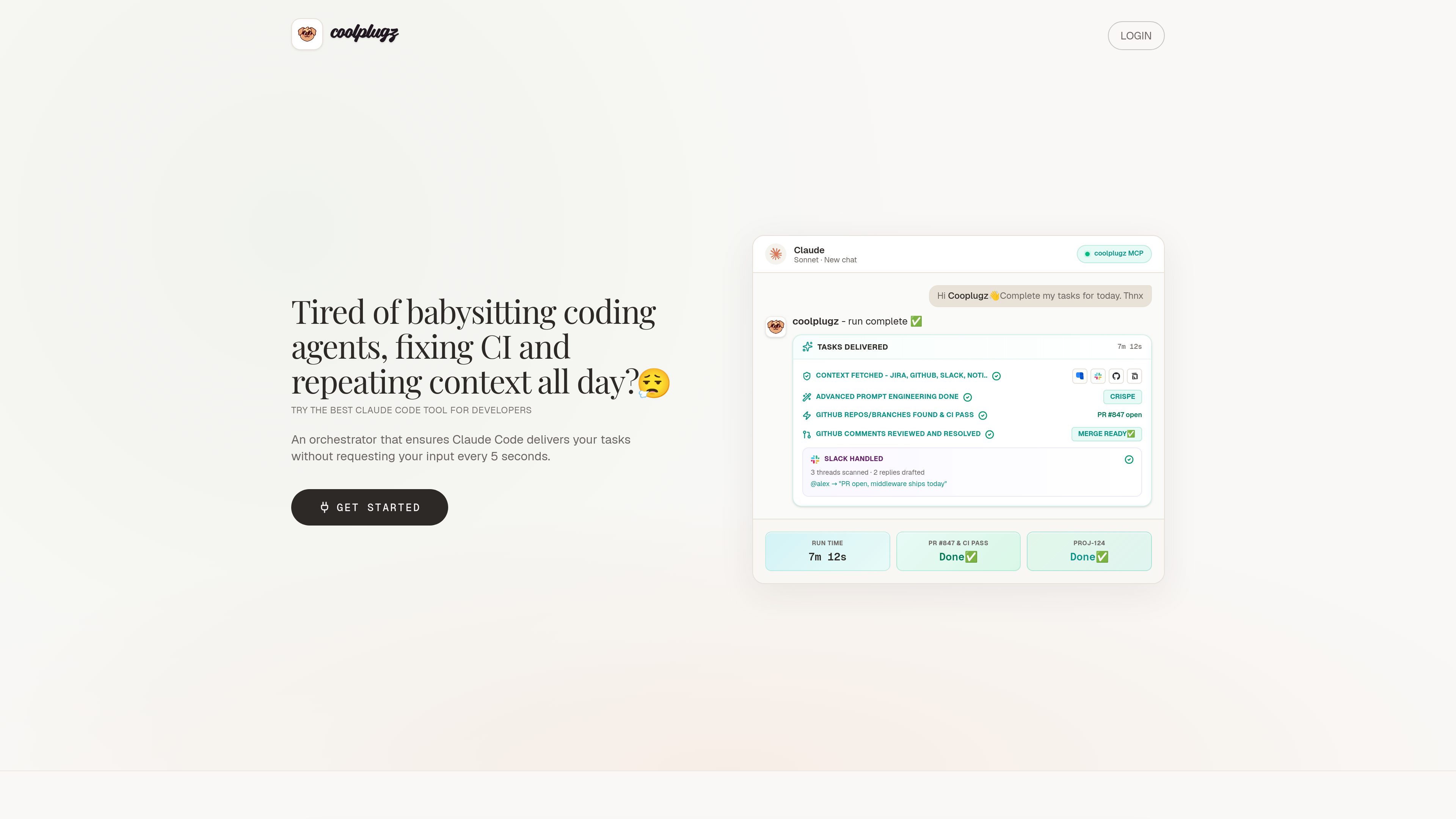
Context gathering from work tools
CoolPlugz pulls context from Jira, GitHub, Slack, and Notion so Claude Code can work with project details already in view.

CoolPlugz is an orchestration layer for Claude Code that gathers context, runs structured workflows, and helps deliver coding tasks with less constant supervision. It’s for developers looking to reduce context switching across Jira, GitHub, Slack, Notion, and CI.
CoolPlugz is an orchestration layer built to guide Claude Code through coding tasks with less manual supervision. Its core job is to gather project context, structure the work, and keep execution tied to source systems such as Jira, GitHub, Slack, Notion, and CI.
The product is framed around reducing context switching and AI fatigue for developers. Rather than acting as a generic chat interface, it organizes a task loop that can fetch context, drive implementation, verify results, and present completed work for approval or redo.
CoolPlugz pulls context from Jira, GitHub, Slack, and Notion so Claude Code can work with project details already in view.
The product guides work through an agentic loop of gathering context, taking action, and verifying output instead of leaving each step to manual prompting.
The site shows workflows that include branch finding, CI fixes, review comments, and a ready-to-merge handoff.
Deliverables are presented in Claude for actions such as Approve & submit or Reject & redo, so the user can review work before it is posted or merged.
The Pro plan describes persistent orchestration across tasks and projects, along with the ability to customize the orchestrator with your own instructions.
The troubleshooting guide documents alternatives for Slack API blocks and GitHub SSO or PAT issues, including a browser-based workflow when Slack access is restricted.
Use CoolPlugz when you want Claude Code to keep moving through a task without constant back-and-forth prompts.
It is positioned for branch discovery, CI troubleshooting, and resolving review comments before a pull request is ready to merge.
The product gathers context from multiple systems so developers do not have to move between chat, issue trackers, code review, and CI logs themselves.
The site includes Slack-related workflows and guidance for drafting replies, which fits teams that need asynchronous coordination around development work.
The guides cover Slack API blocks and GitHub SSO/PAT access, which makes the product relevant to teams with stricter company permissions.
It orchestrates Claude Code around coding tasks by gathering context, structuring the workflow, and helping verify work before submission.
The site names Jira, GitHub, Slack, and Notion, along with CI-related workflows.
Yes. The pricing page lists a 7-day free trial with no card required.
The pricing page shows Free Trial, Pro, and Enterprise options, with Enterprise handled through sales contact.
The troubleshooting guide describes fallback approaches for Slack API blocks and GitHub SSO or PAT requirements, including a browser-based Slack workflow and PAT-based GitHub access when needed.
Traffic data is for reference only.

github.com
GitHub Copilot is GitHub’s AI coding assistant and agent platform, helping developers write code, run background tasks, and manage agent-driven work across their workflow.

bito.ai
Bito’s AI Architect brings repository, ticket, and architecture context to technical design, coding, and code review across Jira, Linear, Slack, and MCP-enabled tools.

tessl.io
Tessl is an agent enablement platform that provides coding agents with structured, versioned context and a governed skills layer, helping teams build and manage AI-native software across Free, Team, and Enterprise plans.

oomol.com
OOMOL connects Gmail, GitHub, and Notion to AI agents for reuse across Codex, Claude Code, and Cursor, with free, paid, and usage-based plans.

caveman.so
Caveman is a token-efficiency stack for AI agents and production workflows. It helps teams reduce eligible context, route traffic, and measure verified savings across local tools, a TypeScript SDK, and a managed cloud layer.

jackalope.dev
Jackalope is a desktop workspace for running AI coding agents in parallel across separate Git worktrees. It helps developers carry project context between tasks, use supported agent tools, and review related changes together.