
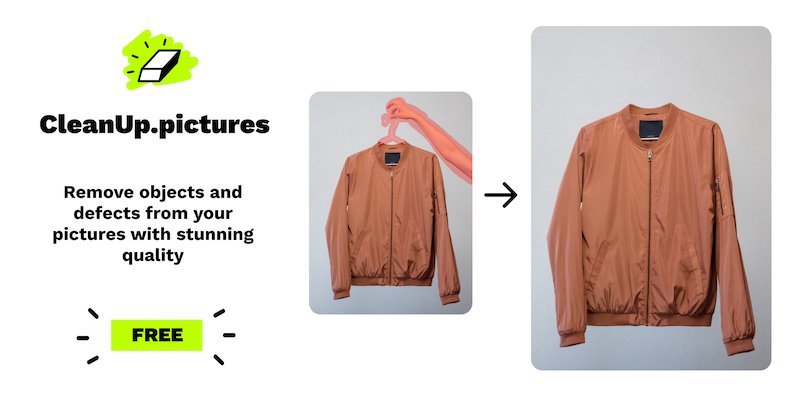
AI inpainting for removal
Remove unwanted people, objects, text, logos, date stamps, watermarks, cracks, blemishes, and wrinkles by painting over the area to be cleaned.

Web-based photo retouching to remove objects, people, text, and defects, with free 720p exports, Pro full resolution, and an API.
Cleanup.pictures is an online photo retouch tool focused on removing unwanted details from images. It uses inpainting to fill in areas where objects, people, text, or defects have been brushed away, so the result keeps the photo usable without manual cloning work.
The site presents it as a simple drag-and-drop workflow for fast cleanup on product photos, portraits, real estate shots, and social media visuals. The free version supports unlimited images with a 720p export limit, while Pro removes the resolution cap and is available as a subscription; an API is also offered for product integrations and higher-volume use.
Remove unwanted people, objects, text, logos, date stamps, watermarks, cracks, blemishes, and wrinkles by painting over the area to be cleaned.
Process images of any size, with free exports limited to 720p and Pro exports available at full resolution.
Use the same tool for product photos, portraits, real estate images, and other still images that need cleanup or retouching.
Draw a slightly larger mask than the area you want removed to help the algorithm handle edges and shadows more cleanly.
Access cleanup's inpainting capability through an API, with documentation, live demo, and samples mentioned on the site.
Photographers can remove tourists, timestamps, cracks, or minor distractions before delivering or printing images for clients.
E-commerce teams can clean product shots and create more polished images for storefronts, ads, or social posts.
Real estate agents can remove unwanted objects and depersonalize rooms, flats, houses, or apartments for listings.
Creative teams can remix existing visuals by replacing parts of a photo without having to rebuild the entire composition manually.
Developers can integrate inpainting into products that need automated retouching, using the documented API and examples.
Cleanup.pictures uses inpainting to remove unwanted objects, people, text, logos, watermarks, defects, blemishes, and wrinkles from photos. The FAQ describes it as an AI-based retouch tool that reconstructs what was behind the marked area.
You upload an image, brush over the area you want removed, and the tool fills it in automatically. The source recommends drawing slightly beyond the exact area for better results, especially when shadows are involved.
The free version supports unlimited images but limits export resolution to 720p. The Pro version removes the resolution limit and is described as supporting images of any size.
The pricing page says Cleanup.pictures is free unless you need better quality and high-resolution processing. It lists Pro at $5 per month or $36 per year, and notes that the subscription works on both mobile and desktop.
Yes. The source says each Cleanup subscription is individual and limited to one user, and it also mentions an API with separate usage-based pricing and special pricing for high-quality inpainting.
Traffic data is for reference only.

cleanup.photo
Cleanup is a browser-based photo editor that removes unwanted objects, people, text, and watermarks with a brush-and-rebuild workflow. Free to use, no account required, and exports watermark-free PNGs.

erase.bg
Erase.bg is an AI background remover for images and short videos, helping users create transparent backgrounds for people, animals, and objects. It offers a free starter tier after sign-up, paid credit packs, and enterprise options for higher-volume workflows.

lenso.ai
Lenso.ai finds matching, similar, and duplicate images, people, and places from a photo.

howolddoilook.io
Free AI face age test that estimates your apparent age from a photo

imagedescriber.online
Online AI tool for image descriptions, text extraction, prompts, and batch photo processing

howolddoilook.me
How Old Do I Look is a free web-based AI face age detector that estimates your facial age from an uploaded photo, with no registration required. Images are said to be processed securely and deleted after analysis.