
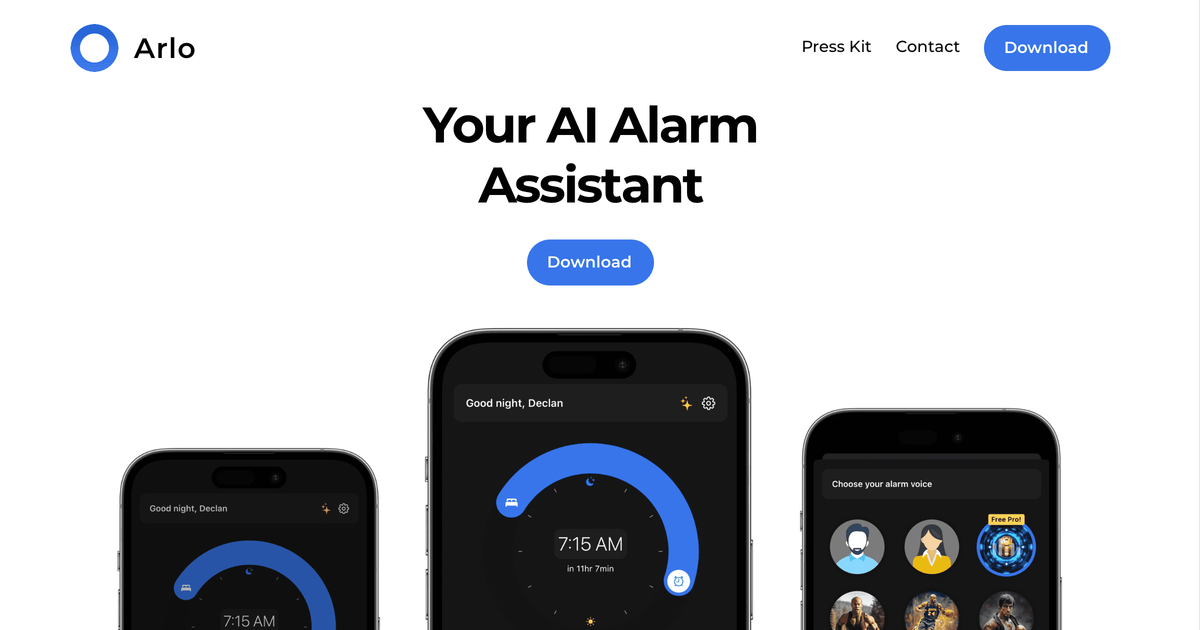
AI voice alarms
Avo uses AI voices to create alarm messages that are intended to feel personalized, including the option to wake up to a favorite celebrity or movie character voice.

AI alarm assistant with favorite voices, calendar, email, weather, and news
Avo is an AI-powered alarm assistant built around personalized wake-up messages. The site positions it as an alarm app that uses AI voices to deliver tailored messages from favorite voices instead of a standard alarm tone.
Beyond voice personalization, Avo is designed to pull in parts of your daily context such as calendar, email, weather, and news. That makes it closer to a morning briefing tool than a basic alarm clock, with the goal of helping users wake up informed and ready for the day.
Avo uses AI voices to create alarm messages that are intended to feel personalized, including the option to wake up to a favorite celebrity or movie character voice.
Avo combines calendar, email, weather, news, and other parts of your life so the wake-up experience can reflect what is happening that day.
The product emphasizes tailored messages from favorite voices rather than a generic alarm tone, which makes each wake-up feel more individualized.
The site says no two alarms are the same, suggesting the content presented at wake-up changes based on the connected information and selected voice.
Avo is offered through an App Store download flow, so the primary distribution and install path shown on the site is mobile-first.
Use Avo when you want an alarm that greets you with a chosen voice and a message that feels more personal than a standard tone.
Use it when you want your morning alarm to surface practical context such as calendar items, email, weather, or news before you start the day.
Use it if you prefer the wake-up content to change from day to day rather than hearing the same alarm audio every morning.
Avo is presented as an AI-powered alarm assistant that wakes you with tailored messages from your favorite voices. The site also says it can combine calendar, email, weather, news, and other aspects of your life so you wake up informed.
The site directs users to download Avo on the App Store. No other setup steps or onboarding details are provided in the source text.
The pricing page in the collected source does not show plan details or prices. It only shows site navigation and a return-to-homepage flow after a 404 page.
The source specifically references the App Store and does not mention other platforms or compatibility details.
Avo describes custom integrations with calendar, email, weather, news, and other parts of your life, but the source does not list a complete integration catalog or any technical limitations.
Traffic data is for reference only.

poke.com
Chat-based AI assistant for Apple Messages, WhatsApp, Telegram, and more, connecting email, calendars, Notion, Oura, and repeatable workflows.

layercode.com
Toyo is an AI assistant for founders and leaders that manages inbox triage, meeting scheduling, call preparation, and follow-ups through iMessage or Telegram. It connects to Gmail, Calendar, Notion, and Slack without a separate app.