Appto logo

Appto

Freemium
Visit

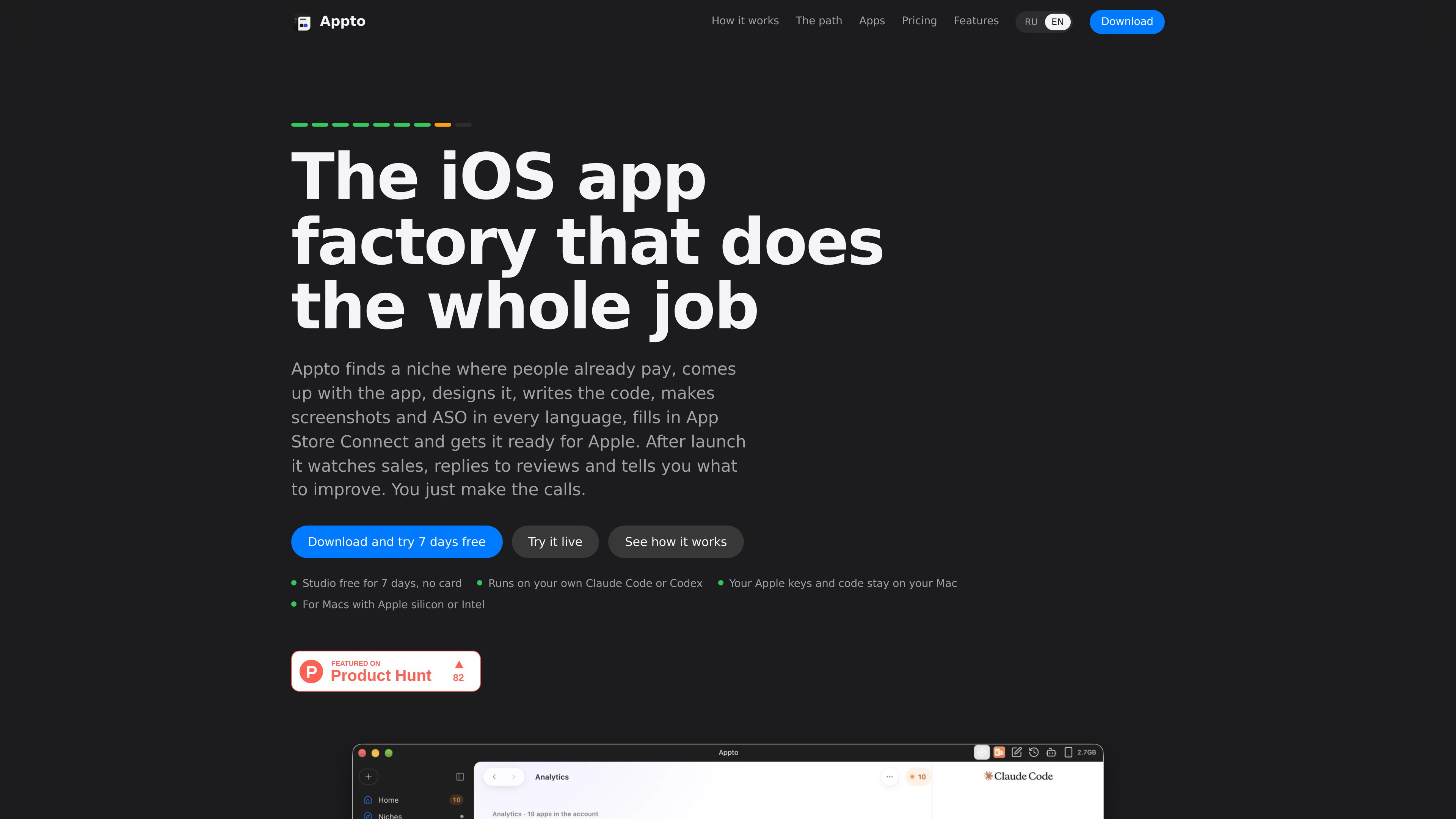
A Mac app factory for building, preparing, publishing, and monitoring iOS apps with your own AI agent.

What is Appto?

Appto is a Mac application for taking iOS apps from idea to App Store preparation and post-launch monitoring. Together with Claude Code or Codex, it researches app niches, proposes concepts, creates design directions, writes Swift and SwiftUI code, checks screens in the simulator, and prepares store materials.

The workspace is designed for several apps running in parallel. Each app can have its own AI agent, while a shared queue brings together decisions and manual steps. The user selects concepts and design options, reviews store assets, and confirms actions that affect App Store Connect or cost money.

After release, Appto surfaces operational data from Apple, including downloads, proceeds, purchases, ratings, and countries. It also supports review-response drafts, alerts for new poor ratings, and improvement suggestions. Code remains in the user’s Xcode project and repositories, while Apple credentials are kept on the Mac.


What can Appto do?

Niche research with evidence

Finds app niches using App Store and Google Play signals, including chart positions, competitors, reviews, demand indicators, name availability, and copycat risk. The result includes evidence that can be opened, and a user’s own idea can also be checked.

Concept, design, and SwiftUI development

Produces app concepts and names, offers two or three design directions, and creates a live mockup. It writes Swift and SwiftUI in a regular Xcode project, then walks through screens in the simulator and fixes issues it finds.

Localized App Store assets

Prepares screenshot sets for iPhone and iPad, store names, subtitles, keywords, icons, and other copy in 39 languages. It provides a page score and checks text against Apple’s limits.

App Store Connect preparation

Helps prepare purchases, prices, privacy information, a build, and the submission checklist in App Store Connect. The user retains control of the final Submit for Review action, and nothing is written there without confirmation.

Multi-app workspace and GitHub history

Runs apps in parallel with a separate agent and chat for each one, plus a shared decision queue. Each app can use its own private GitHub repository, with commits made as the workflow advances and steps available to undo.

Post-launch monitoring

Shows Apple-reported downloads, proceeds, purchases, ratings, and countries, along with store-page conversion and search positions. It can draft review replies, flag a fresh bad rating, and organize improvement tasks by day, week, and month.

Use Cases

“Validate an app idea before coding”

A solo creator can submit a new concept or use Appto’s niche suggestions to examine demand, competing apps, review complaints, revenue estimates, and similarity risk before choosing whether to proceed.

“Build and prepare an iPhone app without writing code manually”

A user can select a design direction, review the interactive mockup, and let the agent create the SwiftUI project and run simulator checks. The user remains responsible for decisions and for the Apple-account steps shown in the workflow.

“Manage several apps through launch”

A small app portfolio can be handled from one workspace, with separate agents and chats for individual apps and a central queue for decisions, rejections, and manual actions. GitHub repositories preserve each project’s code history.

“Improve an app after release”

An owner can monitor Apple-based sales and store signals, review new ratings, prepare responses, and use the product’s time-based task list to decide what to improve in the next version.

Frequently Asked Questions

Do I need to know how to code?

No. The agent writes Swift and SwiftUI, runs the app through the simulator, and fixes issues it finds. You still choose options and complete selected steps in your Apple account.

Which AI services does Appto use?

It works with Claude Code using a Claude Pro subscription or Codex using ChatGPT Plus. The AI subscription is yours, and each app can have its own agent.

Where are the code and Apple keys stored?

The Xcode project is on your Mac, and each app can use a private GitHub repository in your account. App Store Connect keys are kept in the Mac keychain; the site states that the keys and App Store data are not sent to appto.store.

Does Appto submit apps to Apple automatically?

No. Appto prepares the build, metadata, and final checklist, then links you to App Store Connect. You press Submit for Review yourself, and actions that write to App Store Connect require your confirmation.

What happens if I stop paying?

The apps, repositories, history, and chats remain yours, and Appto does not delete them. The apps can continue selling through your Apple account, while some task buttons, new niche searches, and new analytics days are locked in free mode.

Quick Facts

Product type
Mac app for iOS app development, App Store preparation, and post-launch operations
Supported Macs
Apple silicon and Intel Macs
AI workflow
Claude Code with Claude Pro or Codex with ChatGPT Plus
Development output
A regular Xcode project written in Swift and SwiftUI
Localization
App Store screenshots and metadata supported across 39 languages
Source domain
appto.store

Appto Traffic Analysis

Traffic data is for reference only.

Domain Rating
0

Appto Alternatives

Thunkable logo

Thunkable

thunkable.com

Thunkable is a no-code app development platform for building, testing, and publishing native iOS and Android apps. Its AI Builder lets users create and update app projects through prompts, with visual and code-based tools for further control.

Superapp logo

Superapp

superapp.dev

Superapp is an AI app builder that turns plain-English product descriptions into native Swift apps for Apple platforms. It supports browser-based building without a Mac, cloud previews, code export, and App Store publishing workflows.

v0 logo

v0

v0.app

Vercel’s AI agent for teams building web interfaces and full-stack applications.

Reflex logo

Reflex

reflex.dev

Python platform for building full-stack web apps and internal tools

Freebuff logo

Freebuff

freebuff.com

Freebuff is an ad-supported coding-agent suite for building and modifying software through the CLI, desktop app, web builder, or cloud workspace. It also includes an AI chat product for research and in-depth answers, with free access and optional paid plans.

Noodl logo

Noodl

noodl.net

AI-assisted low-code development with a visual node graph for building full-stack apps.