
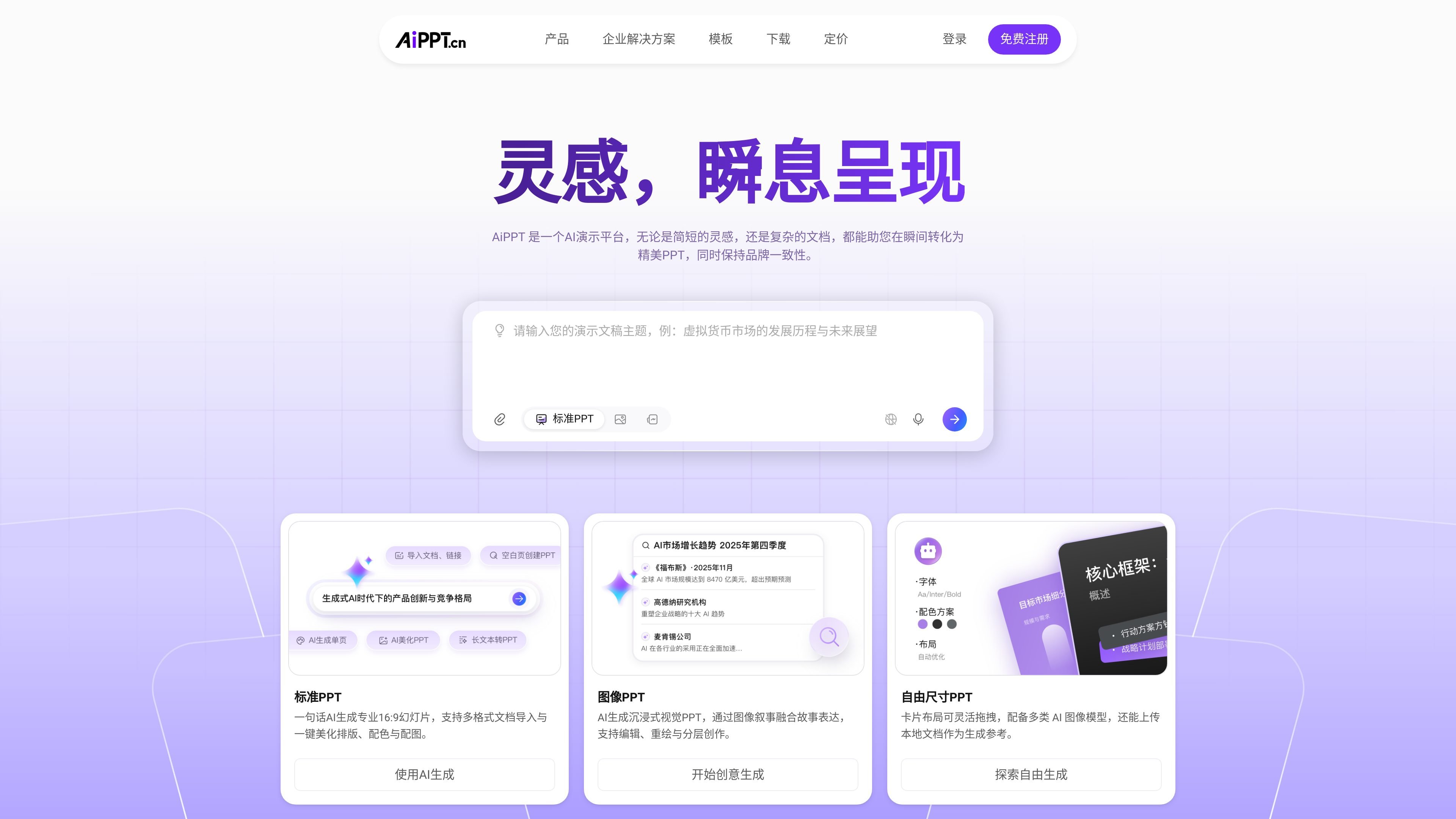
Multiple input-to-PPT workflows
Generate a presentation from a single topic, pasted text, a document, or a link, which reduces the need to build a deck slide by slide.

AiPPT is an AI presentation tool that generates PPTs from prompts, documents, links, or pasted text. It helps individuals and teams create and refine work reports, teaching slides, business decks, and other presentations faster.
AiPPT is an AI-powered presentation platform that turns short prompts, pasted text, uploaded documents, or links into structured PPTs. The site positions it as a way to move from idea or source material to a finished deck quickly, while keeping layout, styling, and brand consistency under control.
It supports both instant generation and template-based editing, with additional modes such as Agent mode, creative mode, professional layout options, and drawing/free-canvas workflows. The product is aimed at users who need to create work reports, teaching slides, project presentations, business plans, and similar decks without starting every file from scratch.
Generate a presentation from a single topic, pasted text, a document, or a link, which reduces the need to build a deck slide by slide.
Use AI to arrange layouts, adjust spacing, polish text, and improve color, background, font, and logo consistency across the deck.
Start from a large template library that the site describes as 200,000+ PPT templates, with scenes and industries ranging from business reports to education and marketing.
Export finished work as PPTX, PDF, PNG, image-spliced files, or digital-human video, and share by link, WeChat, or QR code.
Work across mobile app, plugin, and desktop access, with cloud storage for presentations and uploaded design assets.
Use advanced modes such as Agent mode, creative mode, drawing mode, free canvas, and online-connected generation for more complex presentation workflows.
Create weekly, quarterly, or year-end status decks from a topic outline or source document, then refine the layout and wording before presenting.
Turn lecture notes, research material, or thesis-defense content into slides, using templates and AI layout tools to keep the presentation organized.
Build pitch decks, company introductions, or business plans from an outline or imported material, with template choices that fit more formal business settings.
Generate marketing, event, or campaign slides where users need fast visual consistency, template reuse, and exportable presentation files.
Produce slides from long documents or links when the starting point is existing content rather than a blank presentation.
AiPPT supports several creation paths, including one-click generation from a topic, importing a document or link, pasting text, and starting from templates. The generate page also shows options such as intelligent generation, document/link import, text paste, AI single-page creation, and AI beautification.
Yes. The site shows export options for PPTX, PDF, PNG, image-splicing output, and digital-human video, and it also supports sharing by link, WeChat, or QR code.
AiPPT offers a free plan and paid memberships. The pricing page shows a free tier, a standard membership, a professional membership, and an enterprise option with custom consulting.
The site presents AiPPT as usable for work reports, teaching materials, project presentations, marketing materials, business plans, thesis defense, and other presentation scenarios. The template library also covers many scenes such as summaries, company introductions, plans, and academic presentations.
The pricing and personal center pages indicate both individual and enterprise usage, with enterprise features including API integration, private deployment, centralized management, SSO, and customizable AI models or knowledge bases.
Traffic data is for reference only.

10sppt.com
AIPPT is an AI presentation tool that converts Word documents or text into slides, with options to beautify decks and choose templates. It’s designed for people who want to create presentations quickly without building every slide manually.

qzoffice.com
秒篇AIPPT generates presentations from topics, text, URLs, or documents, with outlines, Word/PDF conversion, scripts, and templates.

gaippt.com
Web-based AI presentation tool for beautifying PPTs and generating editable slides from text or documents

prezi.com
Prezi is an AI presentation maker for presentations, videos, and infographics from prompts, files, or slide decks.

slidesai.io
AI presentation maker for creating slide decks from text, notes, or topics in Google Slides or PowerPoint.

sendsteps.com
Sendsteps.ai is an AI presentation platform that turns prompts or uploaded documents into interactive presentations with live questions, quizzes, and response tracking.