
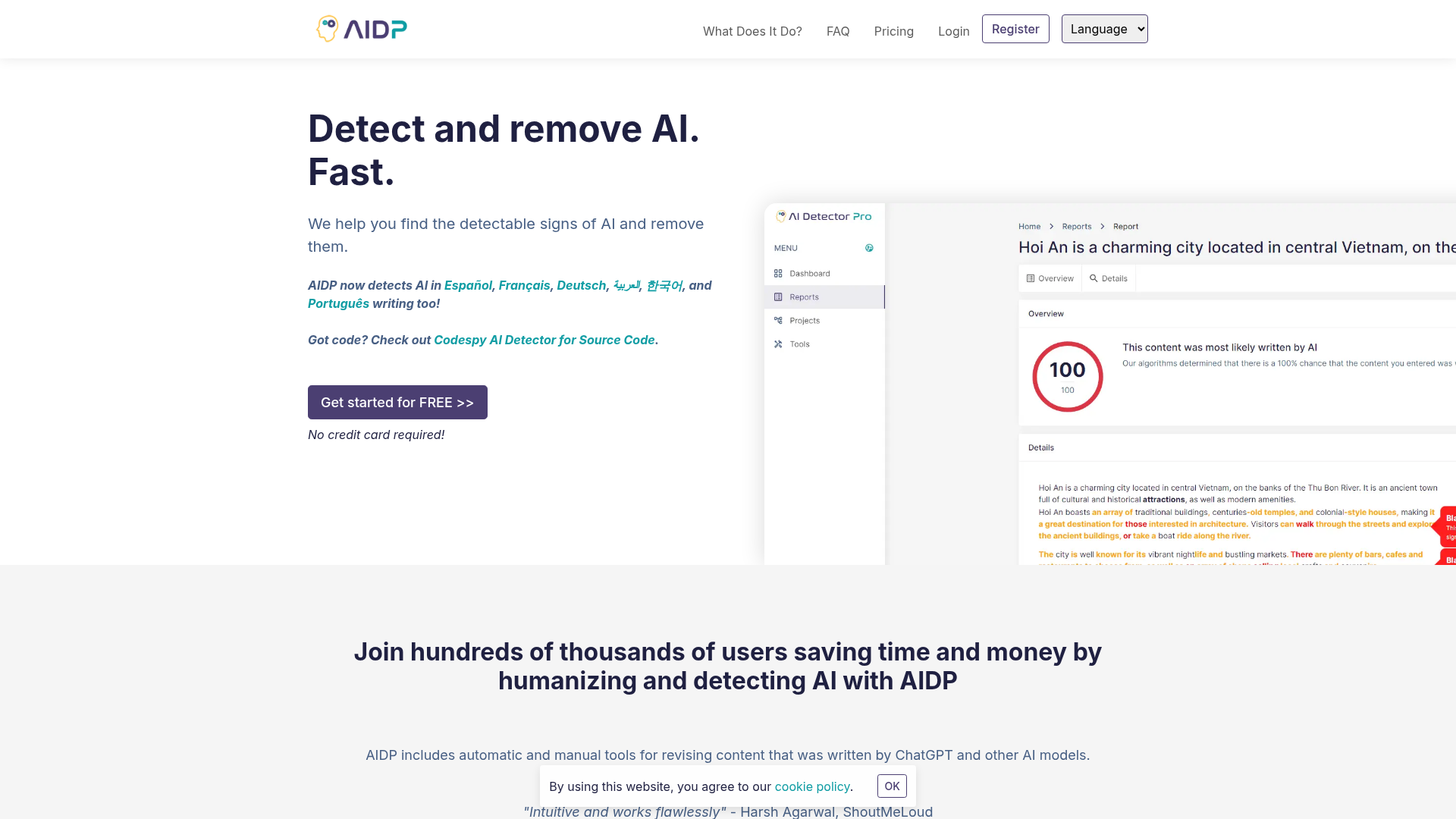
AI detection with highlighted passages
Highlights text in a document that is likely to trigger AI detectors, so you can focus edits where they matter most.

Web-based AI detection and humanization with multilingual support, documents, plugins, API, and white-label workflows.
AI Detector Pro is an AI content detection and humanization tool for checking whether text appears to come from an AI model and for revising that text to sound more human. The site describes it as a platform for finding the signals that trigger AI detectors and then removing or rewriting them.
The product supports detection for multiple languages, including English, Spanish, French, Arabic, German, Portuguese, and Korean, with humanization focused primarily on English. It also includes document-editing features, tone analysis, and workflow options for individuals, teams, and enterprise users who need to review, edit, or distribute AI-related content.
Highlights text in a document that is likely to trigger AI detectors, so you can focus edits where they matter most.
Provides rephrasing suggestions and automated rewrites to reduce the likelihood of AI detection in English text.
Includes a tone map and tone report that show whether a document reads as human or AI-like.
Supports multilingual AI detection in English, Spanish, French, Arabic, German, Portuguese, and Korean.
Offers a document editor with scan-as-you-type detection, plus Word and Google Docs plugins on paid plans.
Provides branded reports, white-label reports, data export, and an API for enterprise and developer use.
Scan drafted copy to see which passages are likely to trigger AI detectors, then revise those sections before publishing.
Use the AI Eraser and rewrite suggestions to make English-language text sound more natural and less machine-generated.
Review documents in the editor, then use tone analysis and highlighted passages to refine wording and consistency.
Integrate detection into a product or internal workflow using the API, or use the white-label option when you need your own branding.
Work with Word or Google Docs plugins and export features when content is being reviewed across a document workflow.
AI Detector Pro is a tool for checking whether text was likely written by an AI model or by a person, and for helping you revise AI-generated text so it sounds more human.
It works with text generated by GPT, Gemini, Claude, and most lesser-known AI language models. The source pages also mention support for content from popular grammar and style correction tools.
AI detection is supported in English, Arabic, French, Portuguese, Korean, Spanish, and German. Humanization is currently experimental for languages other than English.
The free version includes 3 scans and limited document size. Paid plans add more scans, humanizations, and additional workflow features.
The documentation says AI detection is not 100% accurate. For paid plans, scans can go up to 40,000 characters, and document humanizations have a character limit that varies by language and type.
Traffic data is for reference only.

decopy.ai
Decopy AI is a web-based collection of AI tools for writing, study, content detection, summarization, transcription, translation, and file conversion. It supports workflows involving text, documents, images, audio, video, and YouTube links.

www.ithenticate.com
iThenticate screens high-stakes documents for potential originality concerns before publication or submission. It serves individual researchers and graduate students through credits, and organizations and publishers through customized plans with similarity and AI writing detection.