
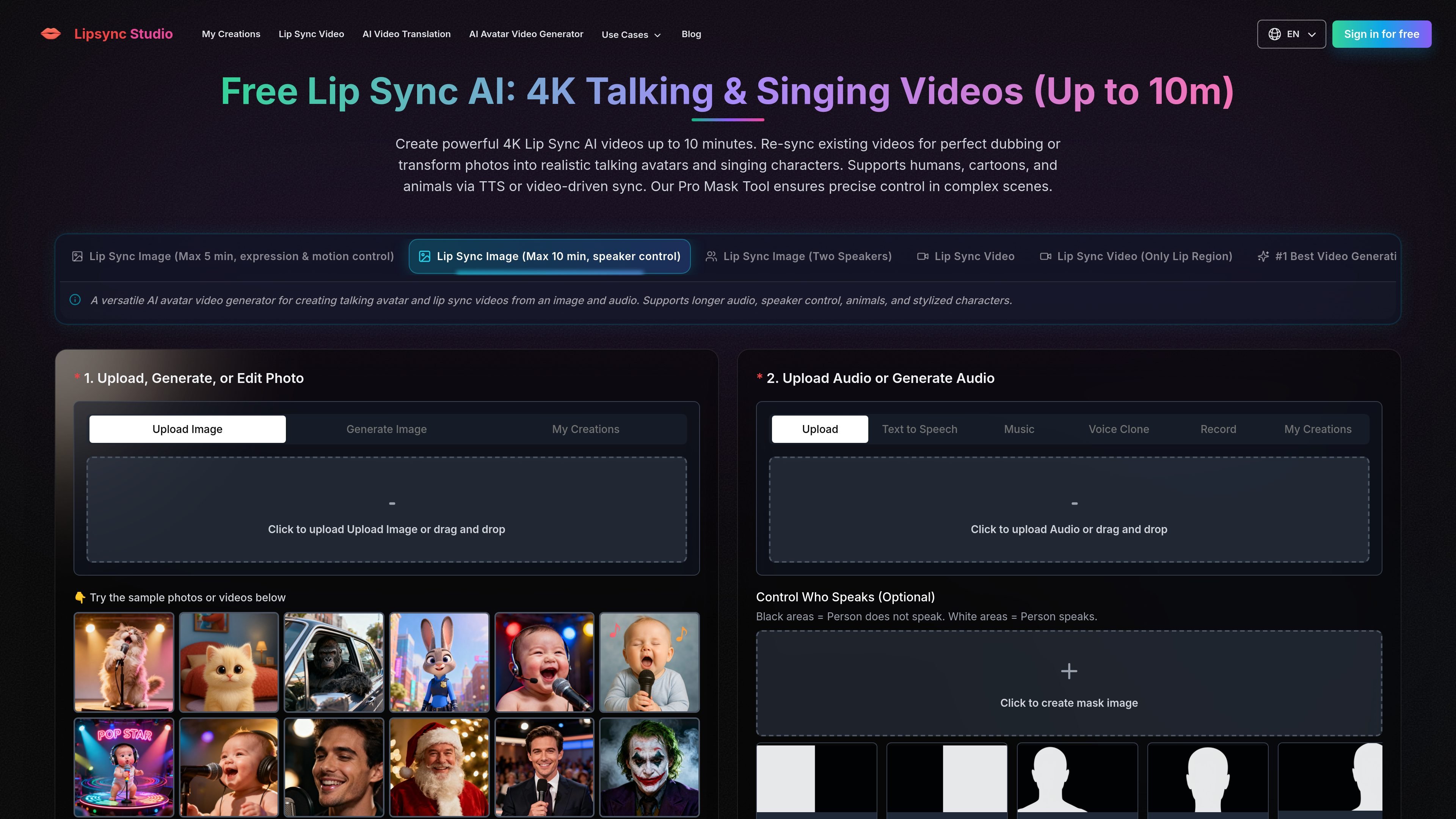
Image animation with model choices
Turn a portrait and audio into a talking or singing video. Choose an image model with expression and motion control or one designed for longer audio and speaker selection.

AI lip sync for creators making talking avatars, singing videos, and localized clips.
Lip Sync Studio is a browser-based AI video tool for animating still images and synchronizing existing footage with speech or singing. It supports human portraits, cartoons, animals, and stylized characters. Creators choose a workflow for image animation, video dubbing, dialogue, or translation, then supply visual media and audio. Separate models offer speaker selection, expression and motion control, or prompted scene generation.
Turn a portrait and audio into a talking or singing video. Choose an image model with expression and motion control or one designed for longer audio and speaker selection.
Re-sync footage using a workflow focused on the lip region or a model with speaker control, allowing supplied audio to drive the speaker's mouth movements.
Use masks to select the speaking character in a scene. The two-speaker image workflow accepts separate audio tracks for each person, or one track for a scene with a silent listener.
Upload audio or use text to speech, music, voice cloning, and recording options within the interface to prepare the soundtrack.
Upload a source video and select a target language to generate translated speech with lip sync. Fast and Advanced modes provide different generation options.
Combine a reference image, reference audio, and a prompt describing camera movement, expressions, action, and scene style to create a new lip-synced video.
Animate a portrait with recorded narration to create a virtual host for lectures, educational clips, or presentation-style videos.
Build a two-person visual from a shared image and separate speaker recordings. For an interview excerpt or reaction scene, supply one track so the other person remains silent.
Pair singing audio with a portrait, cartoon, or animal image to produce a music clip for social publishing.
Translate existing instructional videos, tutorials, ads, or product demonstrations into a selected language while synchronizing the on-screen speaker's lips.
The image model with expression and motion control lists a five-minute maximum; the image model with speaker control lists ten minutes. The generation interface offers resolutions from 360p through 4K.
Provide one audio track per speaker. If splitting a full podcast recording, preview the separated tracks: each should contain only the corresponding voice while retaining the original timing.
Upload the image or video before creating a mask. White marks areas that should speak; black marks areas that should remain silent. The site's guidance recommends covering the intended character's lips, face, body, and other controlled areas in white.
Logged-in users receive daily credits. Paid Basic, Standard, and Pro subscriptions offer monthly and yearly options, private videos, and priority generation. Annual credits are issued upfront and refreshed annually. One-time credit purchases never expire.
Tasks continue in the background after the page is closed. Previous generations are available in My Creations; the site advises against submitting the same task repeatedly.
Данные о трафике приведены только для справки.
| июнь | 108707 |
|---|---|
| июль | 95278 |
| авг. | 97941 |
Аналитика трафика пока недоступна.