
Browser-based image upload
Upload or paste an image and start editing from the browser. The homepage accepts JPG, PNG, and WEBP files.

Бесплатный веб-редактор фотографий с AI для изменения черт лица на селфи и групповых фото, с загрузкой через браузер, поддержкой распространённых форматов и водяными знаками в бесплатном тарифе.
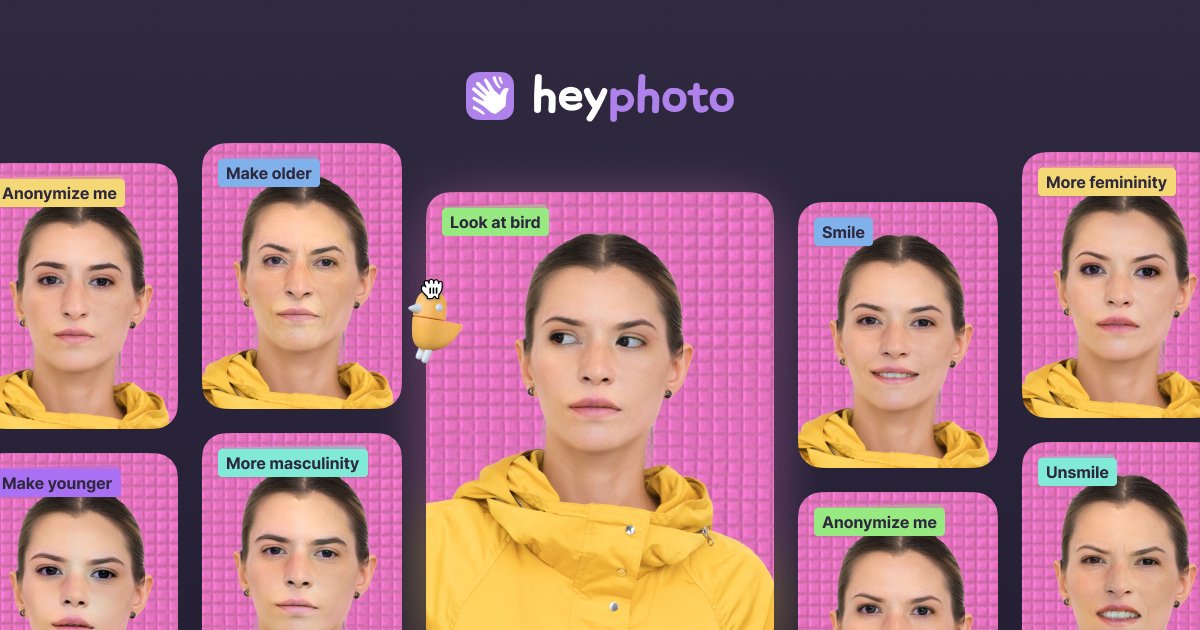
HeyPhoto is an online AI photo editor focused on changing facial features in uploaded photos. It is built around quick, browser-based edits such as changing gaze direction, smile level, emotions, age, gender appearance, skin tone, and hairstyle.
The homepage frames the product as a simple way to tune selfies and group photos without manual editing skills. It also notes support for common image formats and presents the service as free to use, with output watermarked on the free tier.
Upload or paste an image and start editing from the browser. The homepage accepts JPG, PNG, and WEBP files.
Adjust gaze direction, smile, emotions, skin tone, gender appearance, and age using AI-powered facial edits.
Change hairstyle, add makeup, and reshape parts of the face where the site says those tools are available or coming soon.
Use the anonymize option to make a face invisible to face recognition systems, according to the homepage copy.
Work with selfies and group photos, with the site describing the product as suited to both.
Make a selfie look more polished by adjusting smile intensity, emotions, age, skin tone, or gaze direction in a few steps.
Edit group photos to tweak expressions or facial appearance without using a desktop photo editor.
Create profile or dating photos with a more specific expression or look, including the product's “Great for Tinder” positioning.
Use the anonymize function when you want a face to be less recognizable to face recognition systems.
HeyPhoto detects faces in uploaded images and applies the selected adjustment automatically. The site says it uses artificial intelligence and is designed to be intuitive, so no special skills are required.
The site says uploaded images are securely stored so you can access them later, and you can delete them at any time.
HeyPhoto recommends quality photos with people facing the camera. Slight rotation is also acceptable.
Yes. The site says HeyPhoto is free to use, but resulting photos include a watermark.
The site says you can upload photos up to 5 MB, with faces up to 1024×1024 px. It also returns images at the same size and quality as the source image.
Данные о трафике приведены только для справки.