
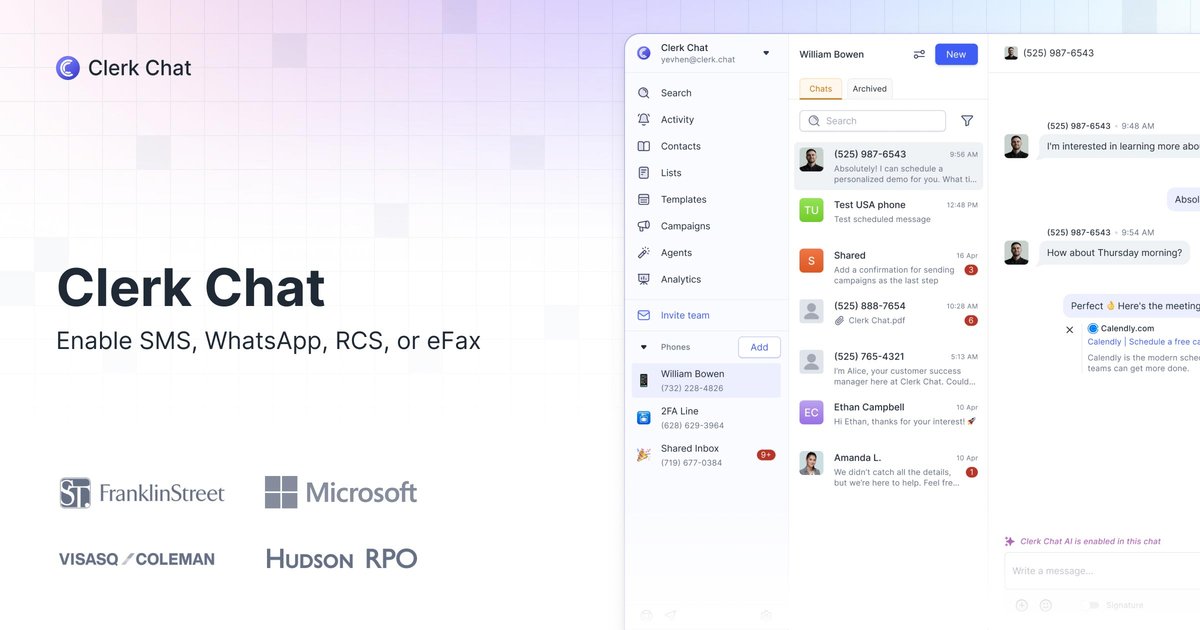
Messaging inside Microsoft Teams
Send and receive business messages through SMS, MMS, RCS, WhatsApp, and eFax within Microsoft Teams, bringing multiple communication channels into one workspace.

Business calling, messaging, and AI agents for teams working in Microsoft Teams.
Clerk Chat is a business calling and messaging platform focused on Microsoft Teams. It adds customer conversations to the workspace employees already use, with support for SMS, MMS, RCS, WhatsApp, and eFax on Teams numbers.
The platform combines shared messaging workflows with AI voice and messaging agents. It also offers Operator Connect as an alternative to Microsoft Calling Plans. Clerk Chat serves organizations coordinating customer, member, patient, and donor communications, with options for small businesses and larger enterprises.
Send and receive business messages through SMS, MMS, RCS, WhatsApp, and eFax within Microsoft Teams, bringing multiple communication channels into one workspace.
Shared inboxes and group messaging support conversations involving multiple staff members or recipients. The pricing comparison also lists internal threads, templates, and scheduled SMS.
The Ultimate plan includes message campaigns and 50,000 contacts; Growth includes 8,000 contacts. The feature comparison also lists analytics and opt-in/opt-out controls.
Deploy AI agents for voice and messaging inside Microsoft Teams. Clerk Chat describes using its own agent to handle support inquiries.
Replace Microsoft Calling Plans with Operator Connect. The pricing page describes using a Microsoft Teams Phone Standard license with Clerk Chat.
RCS messaging can display a business logo, colors, and name. Branded calling displays a business name and logo on recipient phones, while carrier and regulatory registration supports brand verification.
Keep families, donors, and staff connected across chapters or programs. Make-A-Wish uses group texting to include multiple family members, while YMCA of Northern Utah uses Clerk Chat for family communication.
Support client messaging in financial services workflows. Choreo describes using Clerk Chat to communicate more efficiently while maintaining confidence in its communications from a compliance standpoint.
Use text conversations to respond to patient and family needs and coordinate appointments. Audiology Island describes using Clerk Chat to provide more responsive, personalized communication.
Use an AI agent to handle recurring support conversations. Clerk Chat's published internal case study reports a 93% support deflection rate; this is a specific deployment result.
Clerk Chat says it connects conversations to an existing business phone solution without requiring number porting or a carrier change. Growth and Ultimate both advertise bringing your own numbers.
Growth and Ultimate are paid per-user plans; Enterprise uses custom pricing. Monthly and yearly billing options and free trials are available. Clerk Chat says you can cancel any time. Growth includes 8,000 contacts; Ultimate includes 50,000 contacts and message campaigns.
Enterprise has custom pricing through sales and lists a custom master services agreement, defined service-level agreements, and custom integrations.
Clerk Chat identifies its Microsoft Teams app as Microsoft 365 Certified and describes a Microsoft review against industry controls for security, compliance, and data handling.
Данные о трафике приведены только для справки.